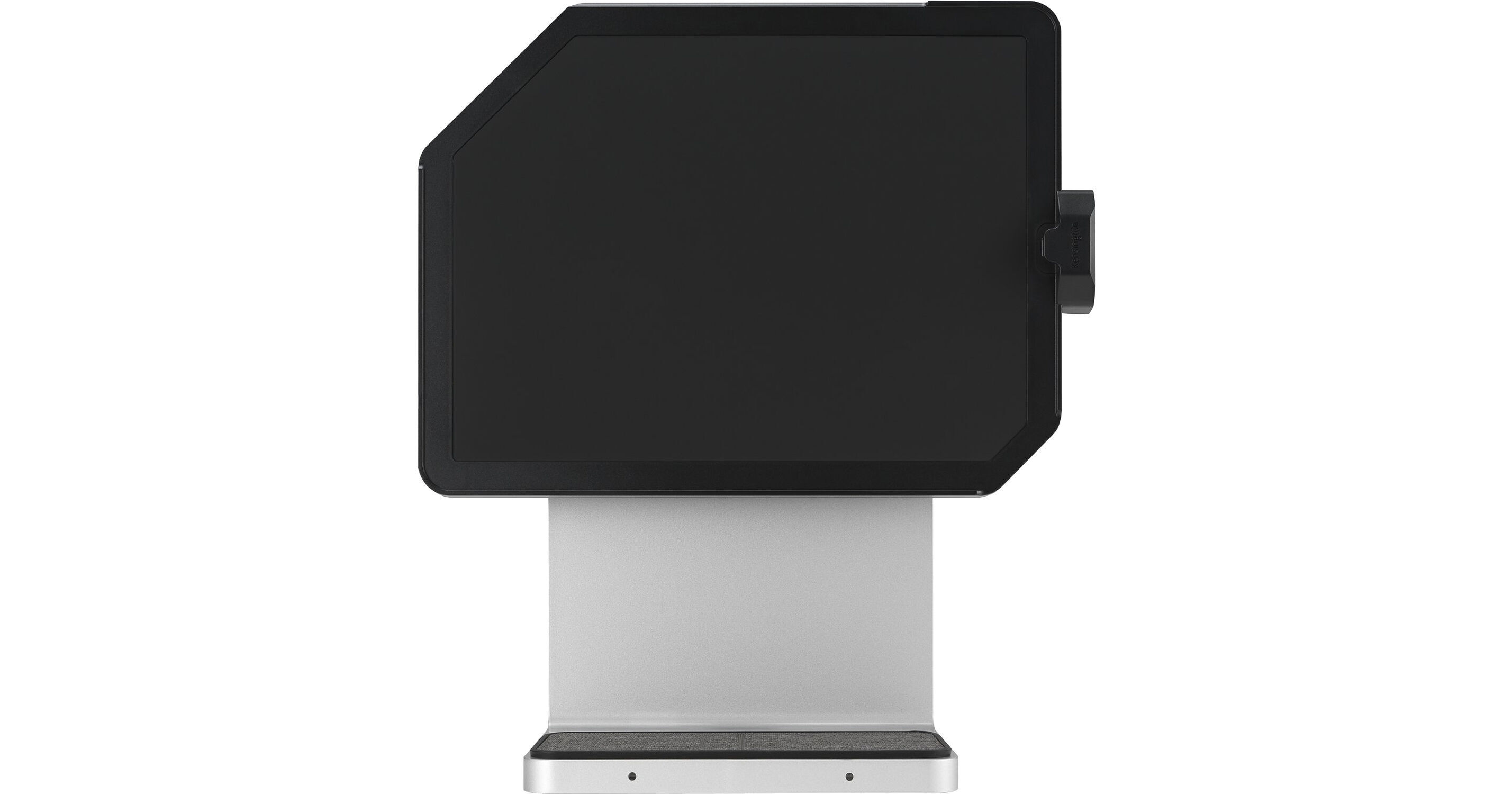
Designed for creative professionals who want to get more from their 11" iPad Pro (2018 and later) or iPad Air (2020 and later) running iPadOS 13.5 and later, the StudioDock iPad Docking Station from Kensington helps users expand their potential by adding additional functionality and desktop-like connectivity to your workflow. Your iPad magnetically attaches to the StudioDock and be oriented in either portrait or landscape mode.
Once connected, you'll be able to interface with a 5 GB/s USB-C port, which provides up to 37.5W of charging power for your iPad, or 5V/3A or 9V/2A for other devices, three 5 GB/s USB-A ports that support 5V/0.9A. If you don't have a USB charging cable handy, compatible devices, such as your iPhone and AirPods, may be charged wirelessly using two Qi charging pads. Other ports include an HDMI port that supports resolutions up to 3840 x 2160 at 60 Hz, a Gigabit Ethernet port, a 3.5mm headphone/microphone jack, and a UHS-II SD card reader. To help prevent theft, there are both Kensington Security and Kensington Security Nano slots. Thanks to plug-and-play, no additional drivers are required. Power is provided using an included AC adapter.
Ask Our Experts800-606-6969
Hello, Log InAccount & Orders
Key Features
- For the 11" iPad Pro (2018 and Later)
- For the iPad Air (2020 and Later)
- 1 x USB-C 3.1 Gen 1 Port
- 3 x USB-A 3.1 Gen 1 Ports
Designed for creative professionals who want to get more from their 11" iPad Pro (2018 and later) or iPad Air (2020 and later) running iPadOS 13.5 and later, the StudioDock iPad Docking Station from Kensington helps users expand their potential by adding additional functionality and desktop-like connectivity to your workflow. Your iPad magnetically attaches to the StudioDock and be oriented in either portrait or landscape mode.
More DetailsNo Longer Available
Kensington StudioDock Overview
General Features
Unleash Creative Possibilities
Magnetically attach and detach your 11" iPad Pro (2018 or later) or iPad Air (2020 or later) to the StudioDock in portrait or landscape mode for a powerful desktop experience. No drivers are required.
Apple Ecosystem Charging
In addition to rapid charging of your iPad via USB-C at 37.5W, you'll also be able to Qi wireless charging to charge your iPhone (up to 7.5W) and AirPods (up to 5W) as well as optional charging for Apple Watch up to 5W (K34032WW, sold separately, coming mid-2021).
Seeing is Believing
Take your video beyond your iPad with support for single 4K HDMI 2.0 video, which is great for applications such as iMovie, Keynote, Netflix, and more.
Speed Read
With a UHS-II SD card reader, you can quickly access all of your photography, with no need for adapters or dongles.
Room for Expansion
Connect all your devices with four USB ports (1 USB-C port that supports 5V/3A and 9V/2A charging, and three USB 3.0 ports), one 3.5mm audio jack, and a Gigabit Ethernet jack.
Enhanced Productivity
While most keyboards will work with the StudioDock, Kensington recommends a keyboard that supports iOS, which will allow full use of your shortcut keys, such as their Wireless Compact Keyboard in White (K75504) or Black (K75502).
Kensington StudioDock Specs
Key Specs
| USB I/O | |
| Video I/O | |
| Audio I/O | |
| Network I/O | |
| Media Card Reader |
| Compatibility | |
| USB I/O | |
| Video I/O | |
| Audio I/O | |
| Network I/O | |
| Media Card Reader | |
| OS Compatibility | |
| Lock Slot |
Packaging Info
| Package Weight | |
| Box Dimensions (LxWxH) |
Kensington StudioDock Reviews
See any errors on this page?