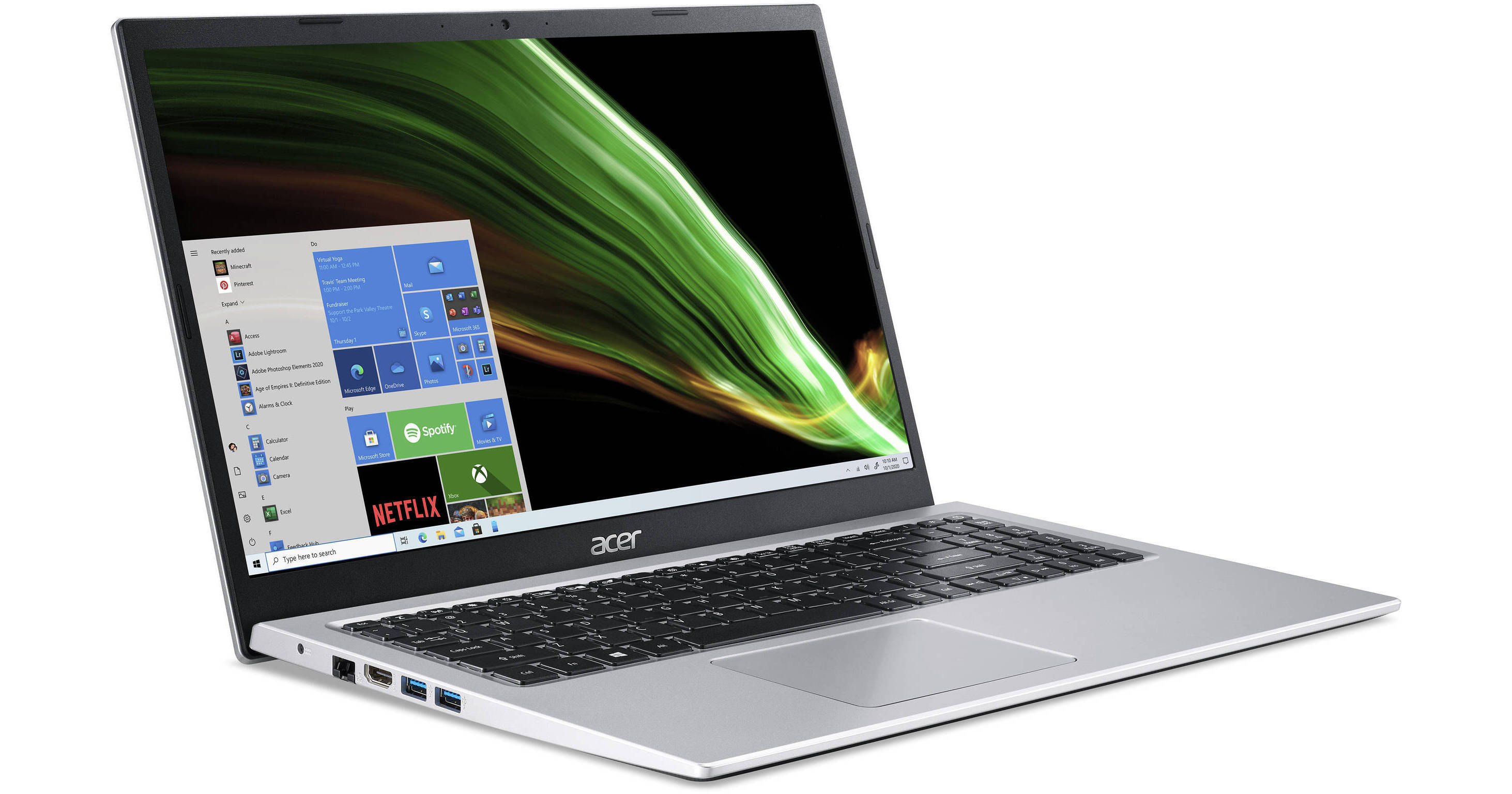
Acer 15.6" Aspire 3 Notebook (Pure Silver)

BH #ACNXAT0AA001 • MFR #NX.AT0AA.001
Print
Acer 15.6" Aspire 3 Notebook (Pure Silver)
Key Features
  • 3.0 GHz Intel Core i3 2-Core (11th Gen)
  • 8GB DDR4 RAM | 256GB SSD
  • 15.6" 1920 x 1080 IPS Display
  • Integrated Intel UHD Graphics
Complete your daily tasks efficiently with the 15.6" Aspire 3 Notebook from Acer. This sleek chassis contains a 3.0 GHz Intel Core i3 11th Gen processor, 8GB of DDR4 RAM, and a 256GB solid-state drive, all working together to provide ample power suitable for drafting documents and emails to enjoying streaming media. Integrated Intel UHD Graphics produces vivid colorization whether you are enjoying streaming media or looking at family photos online, making the Aspire 3 ideal for anyone looking for basic functionality without compromising performance.
More Details
No Longer Available
No Store Display
Ask an Expert
800-606-6969

Acer Aspire 3 15.6" Overview

Complete your daily tasks efficiently with the 15.6" Aspire 3 Notebook from Acer. This sleek chassis contains a 3.0 GHz Intel Core i3 11th Gen processor, 8GB of DDR4 RAM, and a 256GB solid-state drive, all working together to provide ample power suitable for drafting documents and emails to enjoying streaming media. Integrated Intel UHD Graphics produces vivid colorization whether you are enjoying streaming media or looking at family photos online, making the Aspire 3 ideal for anyone looking for basic functionality without compromising performance.

An array of USB 3.2 Gen 1 Type-A ports allows you to connect various external devices such as storage drives and other resource-demanding peripherals. A single USB 2.0 Type-A port is available for devices such as mice or keyboards. The Aspire 5 is equipped with Wi-Fi 5 (802.11ac) and Bluetooth 5.0 capabilities, giving you access to your network and enabling you to connect devices such as wireless headphones, respectively. If you prefer a wired network connection, a Gigabit Ethernet port is also available.

Visually Stunning with Intel UHD Graphics
The Intel Core i3 processor boasts enhanced visuals with integrated Intel UHD Graphics, ensuring crisp visuals on the 15.6" In-Plane Switching (IPS) display. The narrow bezel design provides you with more screen space, allowing you to immerse yourself within your daily activities. Acer BlueLightShield reduces eyestrain, allowing you to watch or work for long sessions.
Connectivity
Accomplish more with a full range of connectivity ports, including USB 3.2 Gen 1 Type-A ports, allowing you to use various resource-demanding peripherals such as external drives and hubs. A single USB 2.0 port gives you access to use low-powered devices such as mice and keyboards. An HDMI port enables you to extend or duplicate your display, allowing you to enjoy media on larger displays with ease. Additionally, connect wireless devices such as headphones and speakers with integrated Bluetooth 5.0 technology for a true cable-free experience.
Networking
Whether you prefer a wired or wireless connection, the Aspire 3 has you covered with Wi-Fi 5 (802.11ac) and a Gigabit Ethernet port, suitable for downloading and uploading media as well as providing smooth video streaming even on a busy network.
Precision Touchpad
The Precision Touchpad provides a more tactile feel that accurately senses fingertips and movements for enhance responsiveness suitable for your daily needs.
Windows 10 Home in S Mode
Surf the net, watch media, and use your favorite apps with piece of mind as Windows 10 Home in S Mode provides you with additional security features so you can complete your tasks with protections against phishing and other malicious software. Windows 10 S Mode also provides you with enhanced start-ups, cloud storage integration, and access to an array of applications specific to the Windows 10 Store.
Windows 10 Home
Start Menu
After its hiatus in Windows 8, the Start Menu has returned. Utilizing a combination of the traditional menu system and Windows 8's Live Tiles, the improved Start Menu gives you more information at a glance, showing notification information alongside your applications and other pinned items.
Cortana
Microsoft's digital personal assistant, Cortana can answer your questions with information gleaned from both your device and the internet at large. You can type or even talk with her, if your system has a microphone. Using her Notebook, Cortana keeps track of your needs and wants, and she learns over time to improve her information gathering skills.
Microsoft Edge
After nearly 20 years, Microsoft has finally replaced its Internet Explorer web browser. With Microsoft Edge, users can write directly on web pages and share notes with friends and colleagues. It also improves the online reading experience by adding a distraction-free mode and read-it-later functionality. Edge also has built-in Cortana integration; you can have her help you find a restaurant, make a reservation, and pull up directions without leaving your browser.
Windows Store
For Windows 10, Microsoft has unified the Windows Store. Now, apps for PCs, tablets, and phones will all be accessible from one place. And with support for Universal Apps, one version of an app can work across all your compatible devices automatically.
Windows Continuum
Windows 10 was designed for a variety of screen sizes and input styles, and with its Continuum feature, it automatically adapts to fit your needs. A Windows 10 tablet on its own requires a touch-centric approach, but attaching a mouse and keyboard will shift everything to a more traditional interface. You can even attach an external monitor to your Windows 10 phone for a near-desktop experience. But it's not just the operating system; Windows Universal Apps take advantage of Continuum as well.
Xbox on Windows 10
Gaming is a big focus of Windows 10. Xbox integration allows for PC players to match up against Xbox One players on supported games, and if you have an Xbox One, you can even stream compatible titles to your PC. Native support for recording with the new Game DVR feature makes it easy to capture and share your gameplay. The new DirectX12 takes better advantage of multi-core processors, giving games a performance boost, even on older hardware. Windows 10 also features native support for virtual reality headsets, such as the Oculus Rift.

Acer Aspire 3 15.6" Specs

Key Specs
Operating System
Windows 10 Home in S Mode
Installed RAM
8 GB
Display Size
15.6"
Native Resolution
1920 x 1080
Touchscreen
No
Total Installed Storage
256 GB
Ports
1 x USB-A 2.0
2 x USB-A 3.0 / 3.1/3.2 Gen 1
Display I/O
1x HDMI 2.0 Output
Wi-Fi
Wi-Fi 5 (802.11ac)
Weight
3.75 lb / 1.7 kg
Operating System
Windows 10 Home in S Mode
Performance
CPU
3 GHz Intel Core i3-1115G4 Dual-Core (11th Gen)
Maximum Boost Speed
4.1 GHz
L3 Cache
6 MB
Installed RAM
8 GB
Graphics Type
Integrated
Display
Panel Type
IPS-Type LCD
Size
15.6"
Aspect Ratio
16:9
Native Resolution
1920 x 1080
Touchscreen
No
Storage and Expansion
Total Installed Storage
256 GB
Optical Drive
No
Inputs / Outputs
Ports
1 x USB-A 2.0
2 x USB-A 3.0 / 3.1/3.2 Gen 1
Display I/O
1x HDMI 2.0 Output
Audio I/O
1x 1/8" / 3.5 mm Headphone/Microphone Input/Output
Built-In Speakers
Yes
Built-In Microphones
Yes
Media/Memory Card Slot
No
Communications
Network I/O
1x RJ45 (Gigabit Ethernet)
Wi-Fi
Wi-Fi 5 (802.11ac)
MU-MIMO Support
Yes
Bluetooth
5.0
5G NR
No
GPS
No
NFC
No
Webcam
User-Facing:
Battery
Battery Chemistry
Lithium-Ion
Keyboard & Mouse
Keyboard
Full-Size Keyboard with Backlight, Number Pad
Pointing Device
TouchPad
General
Dimensions
14.31 x 9.39 x 0.78" / 36.35 x 23.85 x 1.98 cm
Weight
3.75 lb / 1.7 kg

Acer Aspire 3 15.6" Reviews

See any errors on this page?
Whatever You Need, We've Got It