Matias Ergo Pro Keyboard Low-Force Edition for Windows

BH #MAFK403RPC3 • MFR #FK403RPC-3
Print
Matias Ergo Pro Keyboard Low-Force Edition for Windows
Key Features
  • For Windows
  • Low Force Quiet Linear Switches
  • Narrow Design
  • Palm Supports
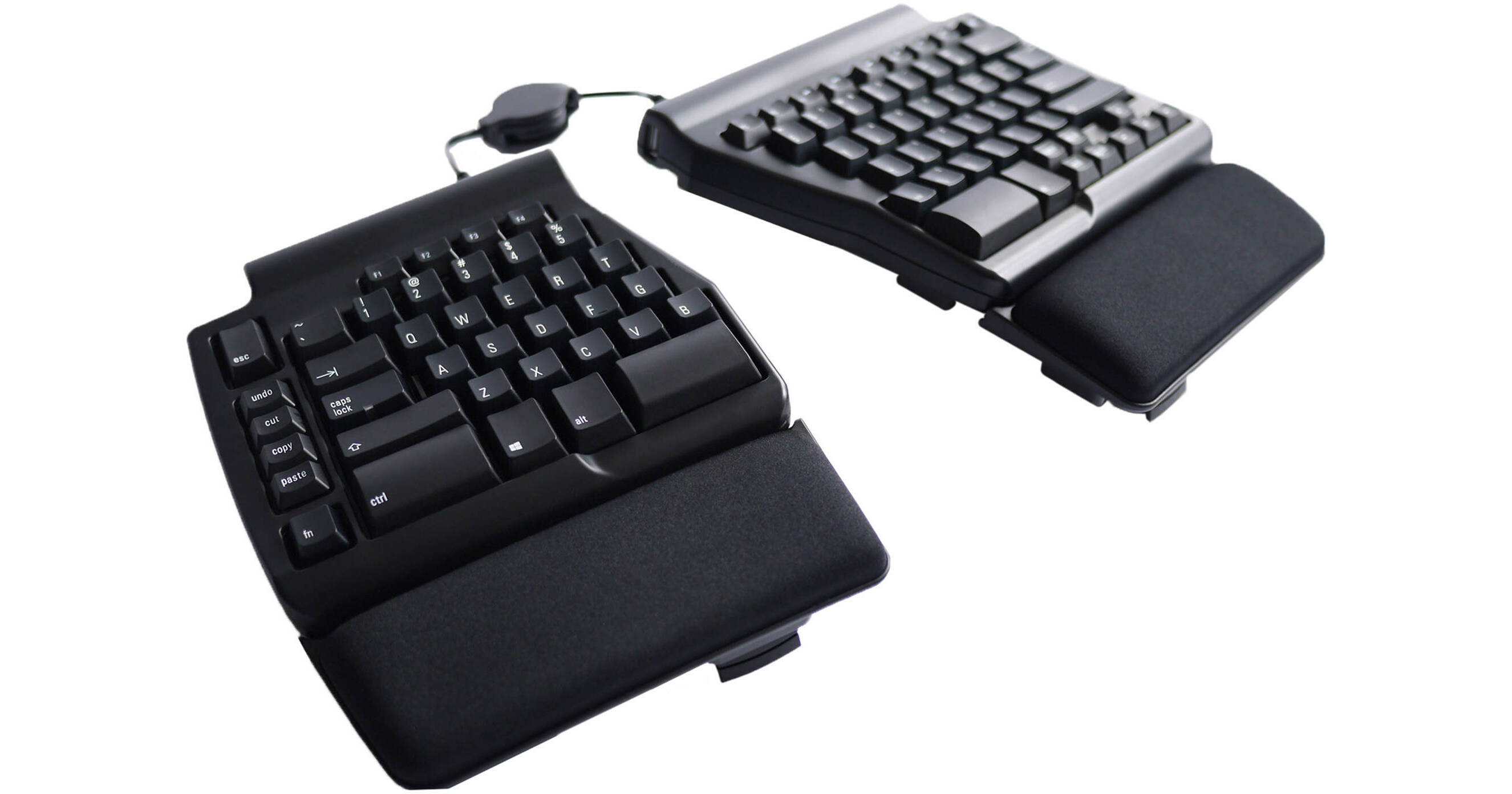
Type in comfort with the Ergo Pro Keyboard Low-Force Edition for Windows from Matias. Sporting a unique split keyboard design, the Ergo Pro allows you to move the two parts in various positions, giving you an ergonomic feel suitable for anyone who types for prolonged periods of time.
More Details
No Longer Available
No Store Display
Ask an Expert
877-717-9890

Matias Ergo Pro Overview

Type in comfort with the Ergo Pro Keyboard Low-Force Edition for Windows from Matias. Sporting a unique split keyboard design, the Ergo Pro allows you to move the two parts in various positions, giving you an ergonomic feel suitable for anyone who types for prolonged periods of time.

Proprietary Matias Low Force Quiet Linear switches with sculpted, laser etched keys provide you with subtle performance that reduces loud and distracting sounds, making this suitable for your office or home. The narrow design and palm supports allow you to place this keyboard in a variety of desk setups, ensuring maximum comfort as you work. Dedicated copy, paste, cut, and undo buttons simplify your workload by streamlining key presses, allowing you to make modifications in an instant. Three USB 2.0 ports allow you to connect low-powered peripherals such as mice for a more cohesive desktop setup.

The Low-Force option for the Ergo Pro enables you to type with a lighter touch with Matias Quiet Linear switches without compromising typing speeds
A redesigned navigation cluster enables you to quickly jump to various parts of your work, ensuring workflow efficiency that is more ergonomic
The narrow design is accompanied by leg supports that allow you to adjust the keyboard to your preference, with a 9° tenting angle and a 4.5° negative tilt angle
The removable palm supports provide a nice cushion for your hands, enabling you to type for prolonged periods of time
Everything you need to get started typing is included within the box, but you do have the option to purchase replacement palm rests as well as a USB Type-C adapter, allowing you to type on devices that only have Type-C ports
By holding down the Fn key, you can access keyboard shortcuts allowing you to control your media with ease
The Ergo Pro utilizes anti-ghosting circuitry, providing you with the capabilities to type accurately, ensuring every key press is properly registered for a precise typing experience

Matias Ergo Pro Specs

Travel Distance
0.1" / 3.5 mm
Maximum Key Rollover
N-Key
Actuation Force
35 g
Dedicated Multimedia Keys
No
Built-In Control Device
No
Backlighting
No
Wrist Rest
Detachable
Connectivity
Full-Functionality OS Support
Windows
General
Cable Length
6.6' / 2 m
Packaging Info
Package Weight
4.895 lb
Box Dimensions (LxWxH)
16.6 x 11.9 x 2.6"

Matias Ergo Pro Reviews

See any errors on this page?
Whatever You Need, We've Got It