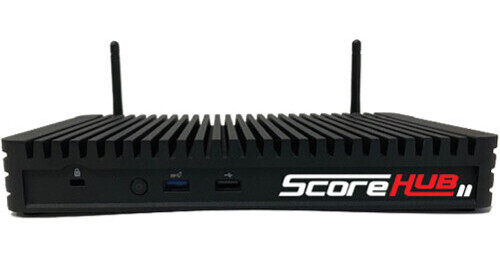
The ScoreHub2 Universal Scoreboard Interface from JVC enables you to interface with virtually any scoreboard system and share that information with JVC's GY-HM250SP and GY-HC500SPC sports production cameras. It can connect to just about any scoreboard using its proprietary scoreboard cable, or it can interface via RF signals. The updated ScoreHub2 no longer has touchscreen control like its predecessor, and it can now be configured using Wi-Fi using built-in hotspot functionality or by connecting to an existing Wi-Fi network.
The two HDMI outputs enable sharing the graphics screen to connected monitors. The ScoreHub2 also features analog and optical audio out as well as both LAN, Wi-Fi, and USB 3.0 interfaces for control and configuration.
Note:
The Hub2 also no longer has native NDI support, it is recommend to use Flowics NDI converter to convert the live graphics generated in HTML from the SportzDesigner page.
Connect to Virtually Any Scoreboard System
ScoreHub2 has a vast scoreboard interface library and the ability to receive real-time data from virtually any scoreboard make or model. It connects to your facility's scoreboard in a variety of ways, depending on the controller's interface. In addition, the built-in Wi-Fi and Bluetooth capabilities allow ScoreHub2 to connect wirelessly to select score controllers.
Compatibility
The included cables enable working with Daktronics, Nevco, Fairplay, and Electromech controllers. Custom cables for other systems are available separately.
Wi-Fi Control
The ScoreHub2 is configurable via Wi-Fi from a laptop or smartphone. It can be used as a standalone Wi-Fi hotspot or it can be connected to an existing network.
HDMI Output
Users can design their own custom graphic scoreboards before in advance and send them to a preview monitor via the two HDMI outputs.
Data Preview
Select a scoreboard type from the dropdown menu in the web configuration interface, connect to a compatible scoreboard controller using the specific cable for that controller, and you can preview your data received instantly. No need to wait to test in your production platform; simply plug in and preview right there.
Connecting Cable
Please note that the ScoreHub2 DB9 connector is not wired in a standard fashion and requires the use of a non-standard cable, specific to each controller.