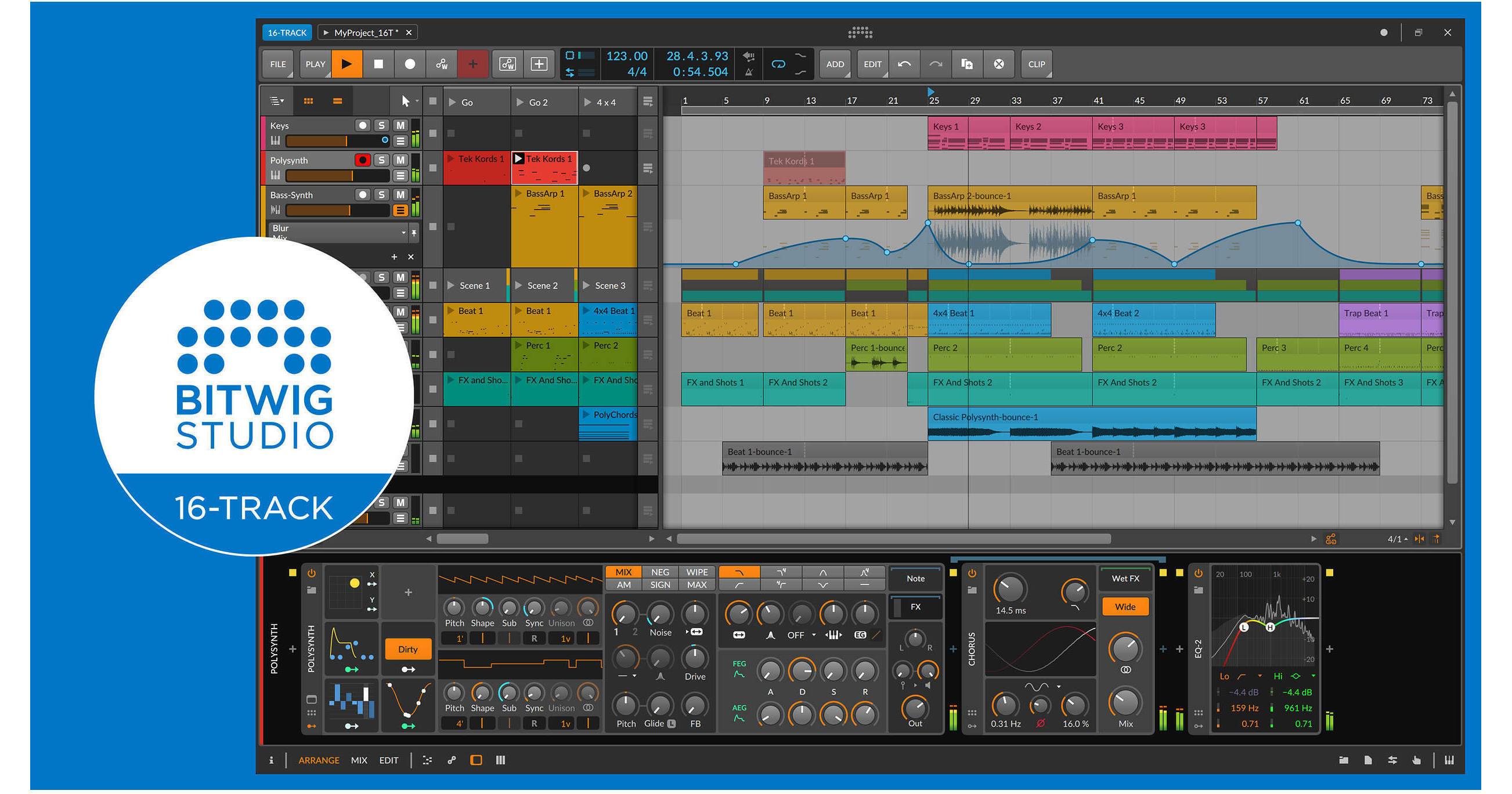
Designed for the electronic and recording musician, Bitwig Studio 16-Track is the entry-level version of Bitwig Studio, an innovative music production and performance software. The software allows you to quickly come up with ideas, arrange them on a timeline, and perform them with the clip launcher. With its modular structure, you can connect and route audio, MIDI, and CV signals throughout the software, while interfacing with your hardware setup. Integrate your synthesizers, drum machines, and other hardware seamlessly, and keep everything in perfect synchronization.
Version 4 adds operators, expression automation, and support for Apple's latest M1 processor. Operators utilize four modes to generate different possibilities and timelines either by programming, by performance control, or by destiny. Expression automation injects randomness into your audio and MIDI clips, allowing you to harness the chaos for the better.
Bitwig 16-Track includes the Bitwig Essential Collection and over 80 built-in instruments, effects, modulators, and other devices that are ready for production. The software offers 16 project tracks, two effects tracks, two group tracks, and eight scenes. What's more, 16-Track is compatible with VST plug-ins (with 32-/64-bit bridging, delay compensation, and crash protection). The use of program-wide modulators allows you to connect any plug-in or hardware parameter to LFOs, Note Expression, Macros, Envelope Generators, Audio Sidechains, and more. Bitwig Studio 16-Track is cross-platform compatible and works with Windows, macOS, and Linux.
- Chance: Makes each event more or less likely
- Repeats: Allows each event to retrigger at a set rate, or just divide the note length into any number of pieces. Yes, you can ramp the timing of these (and the velocities for note repeats). And a Slice at Repeats option is available to print out the individual events
- Occurrence: Sets conditions for each event, like: Is this the first loop of the clip or not? Is the performance-control Fill button turned on? Or did the previous event play, or was it silent
- Recurrence: Thinks of each event as its own looping timeline. So, pick a cycle length (say, every four loops of the clip), and then select whether the event plays on each of those four passes
- Bitwig's engine uniquely allows expression automation for notes and audio
- And since randomness was in the air, they brought a visualized Spread range to any expression point. Yes, you can give note velocities randomization, but you can also give each piece of a chord its own panning. Or create a note that starts in tune and then drifts to a random pitch. Or, give each slice of an audio clip a slightly randomized gain
- With the editor open, all destined random values are visualized when the clip starts. And then again, the new values appear when the next loop cycle begins. When the interface and sound is this tightly connected, you've harnessed the chaos and can just make music
- You can even cast the dice yourself by clicking the Seed field of any clip. If you like what you hear, you can lock the same random pattern in for all Spread parameters—and any events with a Chance Operator
- Project Tracks: 16
- Effect Tracks, Group Tracks, Scenes: 2, 2, 8
- VST Plug-Ins: Unlimited
- Audio Export: 16-bit
- Time-Stretching Algorithms: Stretch, Stretch HD, Slice
- 82 instruments, effects, modulators, and other devices
- Flagship Instruments: Polysynth, Sampler
- Sound Content: Bitwig Essential Collection
- Bit-8
- Blur
- Chorus
- Comb
- Compressor
- De-Esser
- Delay-1
- Delay-2
- Delay-4
- Distortion
- Dynamics
- EQ-2
- EQ-5
- EQ-DJ
- Filter
- Flanger
- Freq Shifter
- Gate
- Ladder
- Oscilloscope
- Peak Limiter
- Pitch Shifter
- Resonator Bank
- Reverb
- Ring-Mod
- Rotary
- Test Tone
- Tool
- Transient Control
- Tremolo
- Arpeggiator
- Diatonic Transposer
- Note Filter
- Note Harmonizer
- Note Pitch Shifter
- Note Velocity
- Transposition Map
- Audio Receiver
- Chain
- FX Layer
- FX Selector
- Instrument Layer
- Mid-Side Split
- Multiband FX-2
- Multiband FX-3
- Note Receiver
- Replacer
- XY Effect
- XY Instrument
- HW Clock Out
- HW CV Instrument
- HW CV Out
- HW FX
- HW Instrument
- MIDI CC
- MIDI Program Change
- MIDI Song Select
- E-Clap
- E-Cowbell
- E-Hat
- E-Kick
- E-Snare
- E-Tom
- FM-4
- Organ
- Polymer
- Polysynth
- Sampler (multisample editor not available)
- ADSR
- AHDSR
- Audio Sidechain
- Button
- Classic LFO
- Expressions
- Globals
- HW CV In
- Keytrack
- LFO
- Macro-4
- Macro
- MIDI
- Ramp
- Random
- Steps
- Vibrato
- XY
- Essentials Collection
- Partner Collection (Teasers)