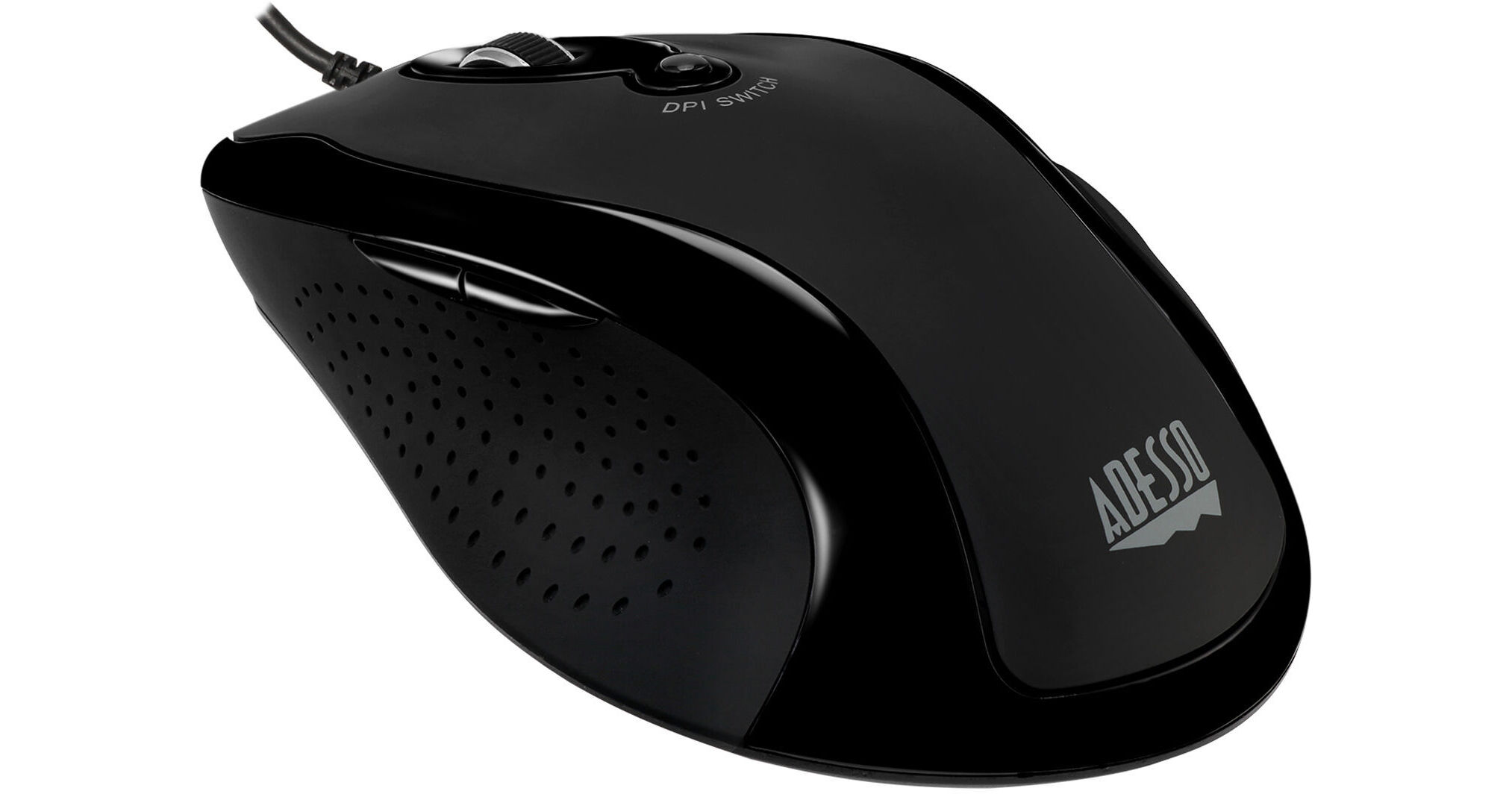
Navigate with precision using the iMouse G2 from Adesso. Sporting an optical sensor, this mouse's resolution can be adjusted from 800 to 2400 dpi in four 400 dpi increments using a convenient dpi switch; the six-button design also includes forward and back switches on the side of the mouse for easy internet navigation. An ergonomic right-handed design minimizes strain on your hand, while wired USB connectivity allows for easy operation with a range of devices. The iMouse G2 is compatible with Windows 7 and later and macOS 10.4 and later.
Ask Our Experts800-606-6969
Hello, Log InAccount & Orders
Key Features
- Wired USB Connection
- 800 to 2400 dpi Optical Sensor
- Six Buttons
- Internet Navigation Buttons
Navigate with precision using the iMouse G2 from Adesso. Sporting an optical sensor, this mouse's resolution can be adjusted from 800 to 2400 dpi in four 400 dpi increments using a convenient dpi switch; the six-button design also includes forward and back switches on the side of the mouse for easy internet navigation. An ergonomic right-handed design minimizes strain on your hand, while wired USB connectivity allows for easy operation with a range of devices. The iMouse G2 is compatible with Windows 7 and later and macOS 10.4 and later.
More DetailsIn Stock
Protect Your Gear
Add a protection plan from $3.99
See Options
Adesso G2 Overview
iMouse G2 Advanced Optical Engine
The optical sensor technology keeps the device precisely on point and lets you work on most glass, wood, marble, and leather surfaces without a mouse pad; set the resolution from 800 to 2400 dpi for precise control and navigation.
Adjustable DPI Switch
Quickly and easily adjust resolution for a faster response. The dpi switch is located at the top of your mouse and allows you to set the resolution to 800, 1200, 1600, or 2400 dpi.
Ergonomic Design
The iMouse G2's ergonomic design provides a comfortable grip and eliminates hand strain while ensuring precise cursor control.
Internet Navigational Buttons
Two internet navigational buttons are conveniently located on the left side of mouse to provide you with internet browser control. Easily navigate forward or back with minimal hand movement.
UPC: 783750007511
Adesso G2 Specs
Key Specs
| Sensor Type | |
| Number of Buttons | |
| Mouse Hand Orientation | |
| Host Connection |
Mouse
| Sensor Type | |
| dpi | |
| Scroll Type | |
| Number of Buttons | |
| Mouse Hand Orientation | |
| LED Indicator |
Keyboard
| LED Illumination |
Connectivity
| Host Connection | |
| Full-Functionality OS Support |
General
| Color | |
| Cable Length | |
| Dimensions | |
| Weight |
Packaging Info
| Package Weight | |
| Box Dimensions (LxWxH) |
Adesso G2 Reviews
Almost decent
By Ben
Rated 2 out of 5
Date: 2024-01-16
The Good: -The left side of the mouse is basically perfect for my hand -The tracking is good enough, once you use the dpi switch twice The Bad: -The scroll wheel is about half an inch too far forward. My middle finger rests just below it. -It's a bit too long, wrist rests will get in the way. The Ugly: -The right side has a bump on it that presses against my ring finger. After half an hour of use, my finger/hand started to ache.
See any errors on this page?
