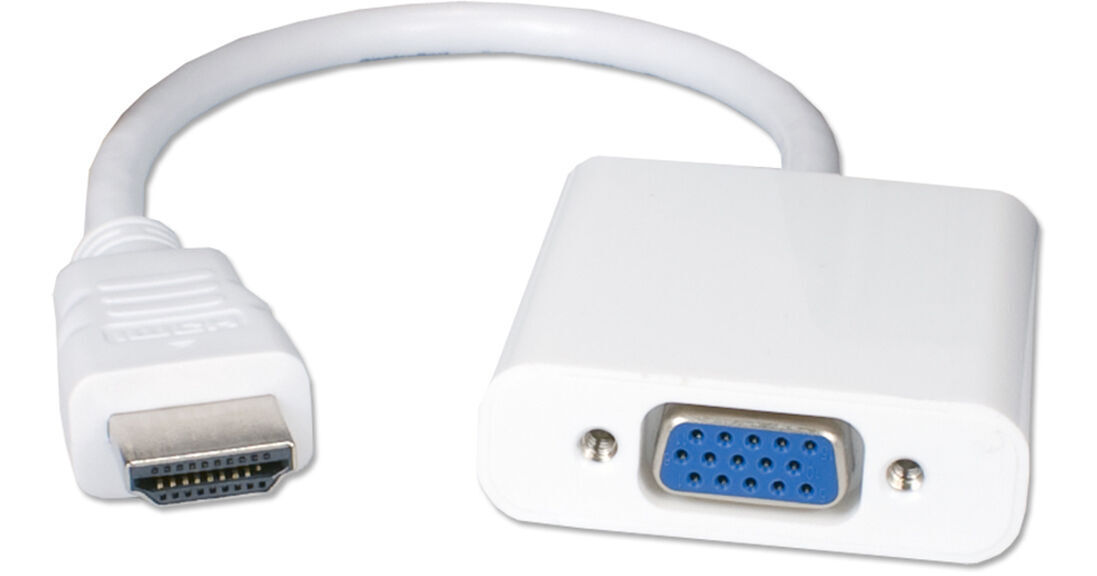
The HDMI to VGA Video Converter from QVS makes it easy to take the HDMI output from your laptop, tablet, or desktop computer and convert it to a VGA female port, allowing it to be used with compatible monitors and projectors at resolutions up to 1920 x 1080p. It is compatible with existing VGA cables and its built-in HDMI cable measures 6" in length. The converter is powered by the VGA port, and it can be used with an optional DVI-to-VGA adapter for additional video support.
- Display HDMI Device on Monitor/Projector
- Convert HDMI Video to VGA Signal
- Supports up to Full HD 1920 x 1080p
- Powered by VGA Port
QVS XHDV Overview
QVS XHDV Specs
| Video Inputs | |
| Audio Inputs | |
| Video Outputs | |
| Audio Outputs | |
| Expansion Slots |
| Input Video Format | |
| Output Video Format |
| HDR Support |
| Wireless |
| Dimensions |
| Package Weight | |
| Box Dimensions (LxWxH) |
QVS XHDV Reviews
Works perfectly
I’m not particularly comfortable with setting up equipment but when I replaced my elderly Mac Mini with a new one I discovered that none of my other devices would connect to it. Being able to find adapter cables has helped immensely.
Works but only under certain conditions
Hi, this works great between sources like PCs, cameras, and destinations like computer monitors. I tried to use if between an ATEM Mini Extreme ISO and a computer monitor - no good. My guess is, after much digging into it, that computers can put out 8 bit RGB, so that is what a monitor's VGA in is looking for (or this cable's converter can handle), while the ATEM puts out 10 bit YUV. I have a monitor with VGA and HDMI ins. When I used this cable from the ATEM's HDMI out to the monitor's VGA in, no good. When, with an HDMI cable, I went from the ATEM's HDMI out to the monitor's HDMI in, all is well. So seems there is an incompatibility between a broadcast HDMI signal and a computer monitor's VGA in. FYI.....
