From Manufacturer
The VHorns Brass Section Software from acousticsamples is a sample library that's been meticulously created to bring authentic horn ensembles with outstandingly musical articulation to your production arsenal. This library runs in the UVI Workstation software, a free plug-in platform for Mac and Windows computers, and uses a combination of sampling and modeling to create dynamic and realistic horn sounds.
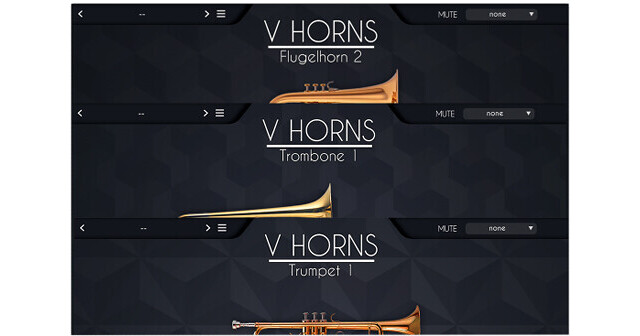
Rather than using multiple keyswitches to trigger different articulations, VHorns uses a more intuitive approach powered by the software's Harmonic Alignment Technology (HAT), which allows you to control the airflow to the instrument. Simply adjust the middle knob on the front interface or map it to any MIDI CC controller for continuous adjustment from the controller of your choice, including breath controllers. The library provides 6 instruments: 2 trumpets, 2 trombones, and 2 flugelhorns, each of them with a distinct tone recorded with a different player.
- Thanks to the proprietary HAT (Harmonic Alignment Technology), VHorns is not just another heavily multisampled instrument. You can play articulations yourself like a player would, with just a MIDI controller (or by drawing in automation). There are no complicated key switches involved to play staccatos or anything else, it's just a matter of playing it that way.
- All you need to do is play a note and adjust the airflow, that's it. You can even automate vibrato if you want.
- The team at acousticsamples carefully measured the different parameters that change when a player uses vibrato and combined everything into a highly realistic and adjustable vibrato for VHorns.
- There are multiple ways to control the vibrato: automatic, automatic depending on time, and completely manually.
- A large part of what horn players play are legatos, so a considerale amount of time and effort was spent to carefully extract every little aspect, including details such as pitch changes and noises, to make VHorns indistinguishable from a real performance.
- The transitions go from fast note changes to slow bends, with and without extra attack—and the software lets you choose how to control them.
- The legato behavior can be adjusted and even randomized for more lifelike performances.
- Recording a horn can be done in various ways and at different positions. VHorns was recorded using four different microphone positions, so that you can get the exact sound you want—just as if you chose the microphone placement yourself.
- The multimic parameter options can yeild even better results when combined with the Virtual Space function.
- You can apply reverb and EQ to completely mix the arrangement to your liking.
- The Virtual Space recreates what a real recording of an ensemble would be using convolution technology. When you record a big band, you usually place a pair of microphones in front of the musicians, and they naturally take position in the stereo field depending on where they are in the room.
- The Virtual Space does exactly the same thing: you can place the musician wherever you like.
- When using this with multiple tracks, you immediately have the feeling of being in front of a real horns section.
- Mutes are part of the sound that defines horns. These were recreated these using a variety of mutes and a specific experimentation process.
- If you want to use a Harmon, a plunger, a straight mute, a cup, or a bucket, VHorns has you covered, just select the one you want from the main interface and start playing.
- There are many ways to play a brass insrument, and VHorns gives you choices on the default settings, so you can customize the instruments to your taste.
- Even better, most settings can be randomized for natural and unpredictable results.
- VHorns runs on the free UVI Workstation software for Mac and Windows computers. UVI Workstation can operate as a standalone plug-in or inside the DAW of your choice.
- VHorns can be played using a keyboard by selecting the notes on the keyboard and controlling the air flow with a MIDI controller like the modulation wheel or a breath controller.
- You can also use a wind controller like an EWI, an Aerophone, a Sylphyo, or any other brand—simply select the appropriate controller menu in the MIDI section.
- If you load multiple instruments at the same time, it will play unisons exactly at the same time.
- Additional smart features can change the timbre of the instruments, transpose everything by a fixed interval, and also act on the MIDI performance.
- For example, you can have all 6 instruments with a different transposition value play the same C minor scale, so no matter what you play on the keyboard, it will sound in key.