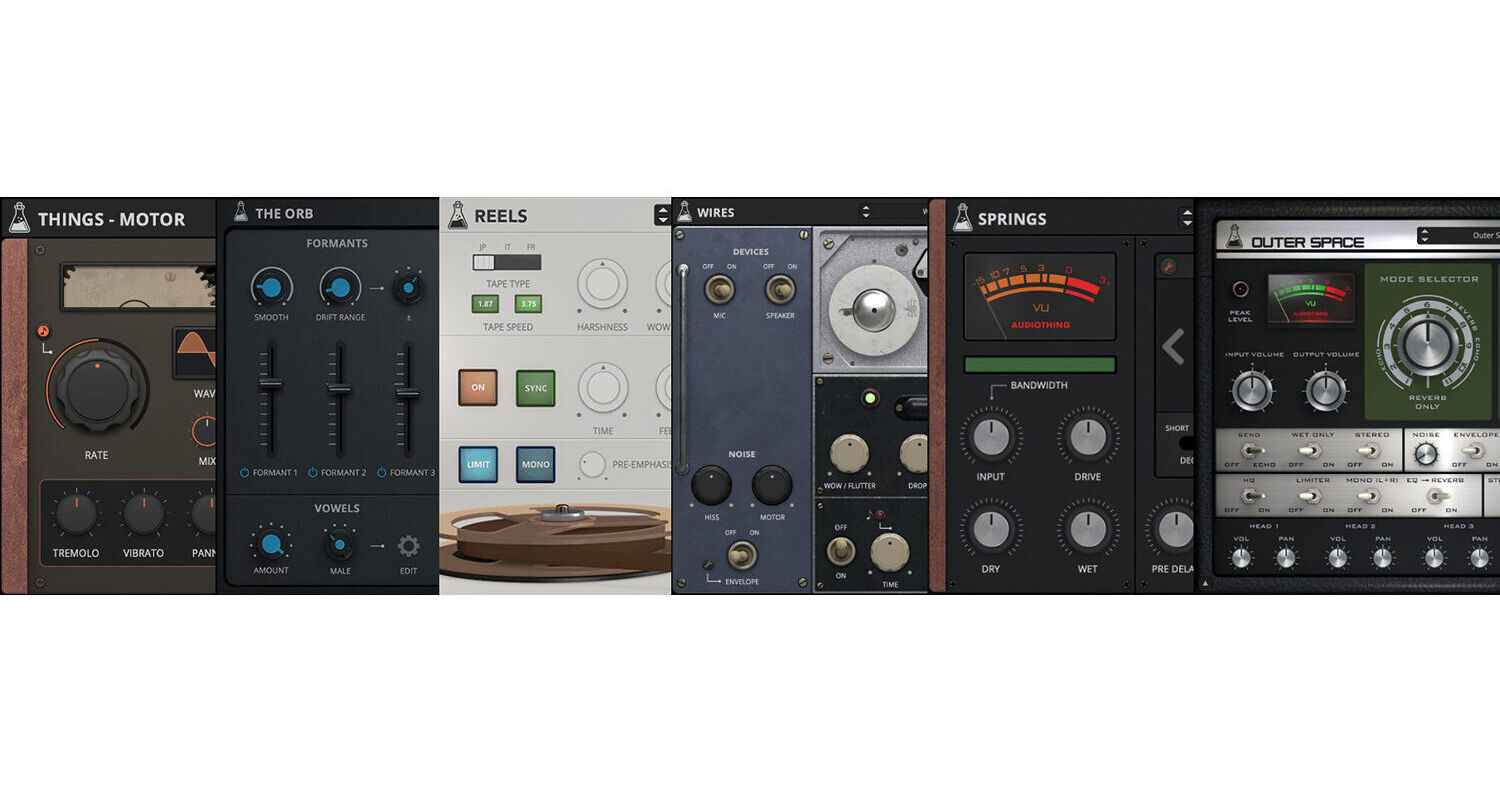


Music producers and sound engineers looking for a collection of effects plug-ins for their productions will be impressed with AudioThing Effects Bundle, a 24-plug-in collection ranging from vintage valve emulations to complex convolution processing.
Blindfold EQ is a 4-band EQ with no value settings, forcing you to use your ears when adjusting. Filterjam is a multiband resonant filter delivering weird ringmodlike filtered sounds. All plug-ins are compatible with Mac and Windows and work within most major DAWs that support VST, AU, and AAX formats.
ript>Music producers and sound engineers looking to add dynamic resonances and overtone effects to their productions will be thrilled with AudioThing , an effects plug-in that's modeled after the Eowave Resonator Metallik, which essentially mounts a gong within an amplifier to create resonances and brilliant overtones that will excite your listeners.
Gong Amp uses a mixture of convolution processing, physical modeling, and feedback systems to create an instrument that truly responds like the original and even transcends it in terms of sound design possibilities. Gong Amp is compatible with Mac and Windows and works within most major DAWs that support VST, AU, and AAX formats.
- Gong Amp emulation
- Chains and pillow sets
- Dynamic, pitch, modulation, howl
- Trip modulation
- Resizable window
- Preset system with randomizer
- In 1932, Maurice Martenot was looking for a way to make his groundbreaking protosynthesizer, Ondes, audible beyond what could be archived with the horns and loudspeakers of the time. He developed a set of Diffuseurs, of which the Métallique was one. Instead of a paper cone or horn, Martenot put a gong behind the amplifier circuitry. This seemingly simple idea resulted in resonances and brilliant overtones that excite audiences to this day.
- Eowave built their fantastic version of Martenot’s invention from 2011 to 2018 on demand in small numbers. Much treasured by collectors, Hainbach got the last one made especially for him from the last parts in the shop at Eowave.
- Taking a page from the experimental percussionists’ handbook, you can add thick and thin chains to the Gong. The sympathetic rattling creates effects that range from a soft shimmer to clangorous noise.
- The strength of the Métallique, its long ring, is also its weakness when playing fast: everything turns to mush. A pillow was added that dampens the sound and makes Gong Amp arpeggio-approved.
Music producers and sound engineers looking to add unique Lo-Fi and echo effects to their productions will be thrilled with AudioThing Wires Soviet Wire Recorder, an effects plug-in that's modeled after the MN61, an East German army wire recorder. Prior to magnetic tape, magnetic wire was used to record special operations such as flight recorders, space flights, or clandestine operations.
Now you can add this magical lo-fi tool and ghostly echo machine to your own productions. Running the most mundane sound through this plug-in instantly transforms into something unique and strange. Wires is compatible with Mac and Windows and works within most major DAWs that support VST, AU, and AAX formats.
- Magnetic wire emulation
- Echo section
- Original speaker and mic emulation
- Start and stop effects
- Hiss and motor noise with envelope
- Resizable window
- Preset system with randomizer
- Who needs tape for lo-fi? This machine is taking the term lo-fi to an entirely new and haunting level.
- There is a special tone to the hair-thin wire and vacuum tube output stage of this wire recorder, unheard of anywhere else.
- Wires turns the most boring signals into sepia-colored magic.
Music producers and sound engineers looking for the ultimate collection of vintage spring reverbs will be thrilled with the AudioThing Springs, a software plug-in that emulates 15 vintage spring reverbs and is paired with an authentic Baxandall EQ emulation.
AudioThing uses a combination of convolution and modeling to recreate the vintage character of each reverb. The Baxandall EQ is a classic-style equalizer with 3 bands that interact with each other, offering a smooth and musical sound. Springs is compatible with Mac and Windows and works within most major DAWs that support VST, AU, and AAX formats.
- 15 vintage spring reverbs
- Baxandall EQ (three bands)
- 80 presets
- Resizable Window
- Preset system with randomizer
- Great British Spring Reverb (Bandive): A pair of Accutronics spring tanks housed in a length of plastic drainpipe. Circa 1970 to 1979.
- Spacexpander Spring Reverb (2 Springs): Iconic Spring Reverb made in the USA. Released in 1960.
- Furman RV-1 Spring Reverb (3 Springs): Classic American Spring Reverb. Circa 1970 to 1979.
- Roland RE-201 Space Echo: (3 Springs): Classic Japanese Tape Echo with Reverb Tank. Released in 1974.
- RE-200 Spring Reverb (3 Springs): Precursor of the legendary RE-201 Space Echo. Released in 1973.
- Pioneer SR-202W Spring Reverb (2 Springs): Used by many artists as the secret weapon to add depth and character to vocals.
- Hawk HR-12 Spring Reverb (2 Springs): Vintage Japanese spring reverb, branded as Echo Unit. Dating from the late '60s or early '70s.
- HSV-1 spring reverb hi-fi impulse response (2 Springs): Germanium-powered spring reverb made for vintage Stereo/Tuners. Released in 1964.
- Doepfer A-199 Spring Reverb: (3 Springs) Modern eurorack spring reverb module.
- Monacor REV-25 Spring Reverb (1 Spring): Vintage Japanese spring reverb. Also rebranded as AM-534. From the '70s.
- RA-844 Spring Reverb (Battery Powered) (1 Spring): Very small, battery powered, solid-state reverberation amplifier. From the late '70s or early '80s.
- Audition Preamp Spring Reverb (1 Spring): A small guitar head amplifier, very noisy, and with a very basic spring reverb. Released in 1975.
- Piezo Echo Box model rm-007 spring reverb (1 Spring): The smallest spring reverb ever, it sounds like a boomy echo. Circa 1970 to 1979.
- Twin Amp Spring Reverb (3 Springs): Classic American Guitar Amplifier. Released in 1985.
- Meza Amp Spring Reverb (3 Springs): Classic American Guitar Amplifier. Released in 1999.
- The Baxandall EQ is a classic type of EQ mostly found in guitar amps and usually limited to just a single tone control or two bands (bass and treble).
- AudioThing has added a third band (mid with Q control) to shape the reverb sound further.
- One important characteristic of the Baxandall EQ is that the bands interact with each other.
- This may seem like an unwanted behavior, but it’s one of the reasons why the Baxandall EQ curves are smooth and musical.
- Springs uses a combination of convolution and modeling to recreate each spring reverb. With the editor you can edit the impulse response of the reverb directly.
- This can be useful to fine-tune the size/decay of the reverb, but can also be used to completely mangle the source (check the experimental presets).
- You can use the Baxandall EQ to shape the sound of the mix (dry+wet) or just the wet signal, and with the Bandwidth control you can filter the input signal that goes into the spring emulation.
- Some springs have a boomy low end, and some are too bright and boingy. By limiting the bandwidth of the signal, you can dampen these characteristics.
Music producers and sound engineers looking to add a wide range of loudspeaker and microphone impulse responses to their productions will be impressed with AudioThing Speakers, a software plug-in that's designed to shape any sound like it's being played by an old telephone, radio, or classic cabinet. The software can also shape your sound as if it was recorded with a vintage ribbon microphone or a toy recorder.
Speakers is freely configurable with all effects being arrangeable by dragging and dropping. You'll find a rich effects chain that includes compression, distortion, and filtering, as well as an array of looping background noises for setting the sound in a variety of environments. Speakers is compatible with Mac and Windows and works within most major DAWs that support VST, AU, and AAX formats.
ript>- 55 Speakers: Cabinets, devices, phones, radios, speakers, toys
- 32 Microphones: Condensers, dynamics, phones, ribbons, and more
- 18 Distortion/Degradation Algorithms: From carbon mic overdrive to GSM interference
- 42 Background Noises (190MB): Devices, places, organic, and more
- EQ, compressor, multimode filter
- Flexible routing
- Low latency / ultralow CPU
- Multilanguage support (beta)
- Resizable window
- Preset system with randomizer
- TV Emulation
- Sony Trinitron CRT Impulse Response
- Vintage Telephone (1960)
- Italian Telephone (1970)
- Speaker Model
- Apple II Speaker Impulse Response
- Megaphone Microphone and Speaker
- Library of Congress C1 Cassette Player Impulse Response
- Vintage Tape Recorder
- Radio (Big) Emulation
- Radio (Small) Impulse Response
- Small Radio
- Speak and Spell IR
- Toy Recorder Speaker
- LOMO Mic IR
- Sony 510C Microphone IR
- SM58 IR Microphone
- SM57 IR Microphone
- CB Radio Microphone Impulse Response
- Talk Back Microphone
- Toy Recorder Microphone
- Rearrange the modules with a simple drag and drop
- Disable a module with CMD or CTRL + click
- Change the Input position, make sure the lock is open by clicking on it
- A 5-band EQ with low and high shelves and three parametric bands allows for shaping the frequency response of the Microphone and Speaker emulations.
- Drag the nodes around to set band frequencies and gains, scroll the mousewheel over a node to tweak the Q, double-click to reset the band.
- Distortion: Carbon Mic, Classic Drive, Diode Clipper, Foldover, Soft Drive, Tape, Valve.
- Degradation: Bit Crusher, Clicks, Drops, GSM, Interference, Quantization, Robotization, Telecom.
Music producers and sound engineers looking to add some '70s space echo to their productions will be thrilled with the AudioThing Outer Space Vintage Tape Echo, a software emulation of the Roland Space Echo, circa '74, which was an instant hit among engineers, guitar players, and dub reggae pioneers.
The original featured both tape echo and spring reverb for a rich organic sound. Outer Space does not disappoint with its three modeled tape frequency responses and saturations with all the analog imperfections of tape recording and playback. Outer Space is compatible with Mac and Windows and works within most major DAWs that support VST, AU, and AAX formats.
- Vintage tape echo
- 3 Tape Modes: Original, Modern, Old
- Spring Reverb (Dark/Bright and Short/Long)
- Background noise with envelope
- Oversample up to 16x
- Resizable window
- Preset system with randomizer
- Volume/Pan for each head
- Low/Hi Cut for feedback section
- Ducking control
- Preemphasis filter
- Rate ballistic control
- Variable speed (±50 ms)
- Preamp switch and more
- AudioThing modeled three different tape types.
- The original RT-1L, a more modern replacement, and an older worn-out tape. Each tape will affect the sound in a subtle but different way especially at higher feedback (Intensity) settings.
- Wow/Flutter, Ducking, and other parameters will also change according to the selected tape, creating a different amount of pitch and volume changes.
- Changing the speed of the repetitions (Repeat Rate) will also affect the tape frequency response.
- 4 Echo only
- 7 Echo+Reverb
- 1 Reverb only
Music producers and sound engineers looking to add life to mundane sounds or experiment with extreme modulations will be thrilled with AudioThing Motor, a side-chain effect that combines the signals from two audio sources and pits them against each other. The Motor is inspired by The Crystal Palace, a one-of-a-kind tool built by Dave Young for the BBC Radiophonic workshop. The device allowed speed-dependent switching of up to sixteen audio channels.
The Motor simplifies and expands on this peculiar tool by allowing the combination of two signals via sidechain, which makes work easily across platforms. Switching is controlled via a variable waveshape LFO, allowing for smooth morphing or aggressively chopped sounds, and anything in between. You can even use it for audio-rate modulation of signals, which results in ring-modulation-like artifacts. The Motor is compatible with Mac and Windows and works within most major DAWs that support VST, AU, and AAX formats.
- Signal chopper
- Tremolo, vibrato, panner
- Multiwave LFO (Sine, Triangle, Ramp Up, Ramp Down, Square, Sine Up, Sine Down, Exp Up, Exp Down, S&H)
- LFO start/stop with speed control
- Resizable window
Music producers and sound engineers looking for a fast and easy way to add texture to their productions will be impressed with the AudioThing Texture, a granular reverb plug-in with pitch-shifting and a mid-side mode, which can transform any sound into an ambient soundscape or add a drone-like vibe to your tracks. Texture is compatible with Mac and Windows and works within most major DAWs that support VST, AU, and AAX formats.
- Granulator + reverb
- Mid-side operation
- Granular pitch shifting
- Resizable window
- In a stereo signal, the mid channel contains both left plus right channels in a stereo setup. Boosting the mid channel results in a centered, mono sound.
- The side channel contains the difference between the left and right channels, such as any difference caused by panning an instrument left or right, or recording an instrument that's say, off to the right or left in a room when recording with a stereo mic setup. Boosting the side channel creates a sense of stereo width—a more spacious or wider sound—when you have frequencies that are different between left and right channels in a stereo setup.
Mid-Side Mode
- When the Mid and Side mode is engaged, the granular effect is applied only to the side part of the input signal. The Mid is instead attenuated, creating a special stereo width effect. The reverb is always applied on both Mid and Side frequencies.
Music producers and sound engineers looking for a simple tone-balancing EQ will be impressed with the AudioThing Flip EQ, a tilting equalizer with Mid and Side modes. The device will boost and/or cut high and low frequencies. Turning the knob to the right will boost highs and cut the lows, while turning to the left will boost the lows and cut the highs. The Mid and Side modes allow you to apply the EQ to either the mid or side of a stereo signal to further enhance the stereo depth. The Flip EQ is compatible with Mac and Windows and works within most major DAWs that support VST, AU, and AAX formats.
- Tilting EQ
- Mid-side operation
- Cut, boost, mix
- Cutoff and boost controls
- Resizable window
- In a stereo signal, the mid channel contains both left plus right channels in a stereo setup. Boosting the mid channel results in a centered, mono sound.
- The side channel contains the difference between the left and right channels, such as any difference caused by panning an instrument left or right, or recording an instrument that's say, off to the right or left in a room when recording with a stereo mic setup. Boosting the side channel creates a sense of stereo width—a more spacious or wider sound—when you have frequencies that are different between left and right channels in a stereo setup.
Mid and Side Modes
- Flip EQ can be applied to the mid or side part of the signal. This can be useful to create a wider stereo image on a full mix or individual tracks.
Looking to add some old school Reggae mojo into your productions? Look no further than the AudioThing Alborosie Dub Station Plug-In, a faithful recreation of King Tubby's original filter, echoes, and spring reverb from Alborosie's personal vintage gear collection.
The plug-in features an emulation of the MCI 2-track tape machine from Federal Studios that was used for recording and creating echo effects. Also included is a model of the modified Fairchild spring reverb and the Big Knob, a passive high-pass filter that helped define the sound of the entire Roots era of Jamaican music. The Amborosie Dub Station is compatible with Mac and Windows and works within most major DAWs that support VST, AU, and AAX formats.
- ECHOWUK: Directly from federal studios, then King Tubby studio in Waterhouse Kingston, the MCI 2 track tape that was used to record and to create the echo effect for most of the reggae classics overall and popular Tubby’s instrumental dub mixes.
- SPRING BLING: Directly from King Tubby's studio in Waterhouse Kingston, the modified Fairchild Spring Reverb used by the Maestro himself in most classic records and dub mixes he recorded and produced.
- FILTER MAN: Modeled after Tubby’s Big Knob passive high-pass filter with eleven frequency steps from 70 Hz to 7.5 kHz. This filter defined the sound of the entire Roots era of Jamaican music.
Music producers and sound engineers looking to add air and presence to the top end of their productions will be impressed with AudioThing Type-A Vintage Enhancer, an effects plug-in that's inspired by the famous Dolby-A Trick technique. The Dolby-A was a noise reduction device used to mitigate tape hiss when using large multitrack tape machines. Engineers discovered that by using just the the encoder stage, their tracks had a dynamically enhanced top end.
The plug-in includes a four-band compressor with attack and release controls, as well as a noise control for adding a vintage vibe. Vintage Enhancer is compatible with Mac and Windows and works within most major DAWs that support VST, AU, and AAX formats.
- Vintage enhancer
- Multiband compressor with 4 bands
- Adjustable unit noise
- Oversample up to 16x
- Resizable window
- Preset system with randomizer
- Volume for each band
- Compressor attack and release
- Noise volume
- VU-meter source selector
Music producers and sound engineers looking to add presence and brightness to vocals or instruments will be impressed with AudioThing Type-B Vintage Exciter, an effects plug-in that's inspired by the Aphex System Aural Exciter and designed to add presence and brightness to dull recordings. It was often used to excite the high-frequency content that was often missing due to tape overdubs.
Type-B lets you control more aspects of the exciter circuit emulation, giving you access to the internal filter, the harmonic generator and more. Type-B is compatible with Mac and Windows and works within most major DAWs that support VST, AU, and AAX formats.
- Vintage exciter
- HP/BP filter with emphasis
- Adjustable unit noise
- Oversample up to 16x
- Resizable window
- Preset system with randomizer
- Filter Controls: Mode (pre/post), Type (high pass, band pass), Slope (12/24 dB), Emphasis
- Additional Options: Direct signal, wet boost, and background noise
Audio engineers and music producers in search of a high-quality reverb and effects processor will be impressed with the AudioThing Fog Convolver, a true stereo convolution reverb/processor plug-in that works by applying the sonic character of an impulse response to another sound in real time. Fog Convolver adds reverberation or creates special effects.
The factory bank features more than 250 impulse responses made from analog and digital equipment, acoustic spaces, speakers, organic sources, and more. The plug-in is compatible with Mac and Windows and works within most major DAWs that support VST, AU, and AAX formats.
- An impulse response is a recording of the output that is caused by an acoustic space or electronic gear when an impulse is played (electric spark, starter pistol shot, or the bursting of a balloon).
- Fog Convolver can be used to add reverberation, create special effects, and apply an acoustic impulse captured from audio equipment.
Music producers and sound engineers looking to add vocalized synthesizer sounds to their productions will be thrilled with AudioThing The Orb, a formant filter plugin that simulates the characteristics of the human voice, and features a set of three bandpass filters that transforms any sound into a vowel-like formant-filtered sound.
The three built-in LFOs can modulate the vowel, emphasis/resonance, and drift, which can shift up or down the frequencies of each formant. You can also create your own set of vowels by changing the name and frequency for each formant/vowel. The Orb is compatible with Mac and Windows and works within most major DAWs that support VST, AU, and AAX formats.
- Three Band-Pass Filters (ZDF design)
- Vowel Sets: Male, Female, Child, and Custom
- 3 LFOs (Destinations: Vowel, Emphasis, and Drift)
- Lightweight on CPU
- Presets system with randomizer
- Each sector of the orb represents a Vowel. It’s possible to change the vowel for each sector by clicking on the vowel name.
- The distance from the center of the orb to the dot represents the amount of Emphasis (resonance) for each formant filter.
- The angle of each sector represents the amount of Drift, which is a value in Hz that will be added or subtracted from each vowel formant.
- By clicking on the Edit button in the Vowels section, you can access the Custom Vowels window.
- It’s possible to change each vowel name and frequency for the three formants.
- Each custom vowel set will be saved in a preset (or DAW session), so you can create as many as you want by saving to a new preset.
- The default setting is the same as the Male genre settings.
Music producers and sound engineers looking to add the sound of lo-fi consumer tape machines to their productions will be impressed with the AudioThing Reels Lo-Fi Tape, an emulation based on an old Japanese portable tape recorder with a very lo-fi analog sound that's designed to recreate all the imperfections of a consumer reel-to-reel tape machine.
Reels features three different 1/4" tape frequency responses and saturations with an echo section and tape start and stop effects. The plug-in also includes hiss and motor noise with an envelope allowing you to dirty up your sound. There are 50 presets included with a randomizer for generating happy accidents. Reels is compatible with Mac and Windows and works within most major DAWs that support VST, AU, and AAX formats.
Reels recreates all the imperfections of consumer reel-to-reel vintage recorders including:
- Harshness: harmonic distortion with loss of clarity (midrange)
- Wow/Flutter: pitch instabilities due to recording and playback issues
- Ducking: random volume loss due to tape or rec/play head imperfections
- Crosstalk: the leak between left and right channel in a stereo signal
- Hiss: high-frequency noise caused by the magnetic particles in the tape
- Motor: mid-frequency noise caused by the reels motor
- When you press the stop button on a reel-to-reel player, the tape doesn’t stop immediately. Instead, it gradually slows down creating a pitch-down and fade-out effect.
- The same thing happens in reverse: if you hit play, the tape gradually speeds up creating a pitch-up and fade-in effect.
- You can replicate this effect with Reels, and you can also change the speed of the start/stop effect.
The tape types are named after the country of origin: JP (Japan), IT (Italy), FR (France).
- JP: Used tape but with an overall better frequency response
- IT: New old stock but with a limited frequency response
- FR: Overused and badly stored, very bad frequency response
Each tape will affect the sound in different ways, especially at higher feedback settings when using the Echo section.
Wow/Flutter, Ducking, and other parameters will also change according to the selected tape, creating different amount of pitch and volume changes.
Music producers and sound engineers looking for a highly versatile distortion effect for their productions will be impressed with AudioThing Wave Box, a dynamic dual waveshaper plug-in that can be used for asymmetrical and symmetrical distortion—from mild tube-flavored overdrive to extreme digital harshness.
The Wave Box features two separate waveshapers that can be mixed together and modulated via two LFOs and an envelope follower. Design your own waveshape curves by combining and adjusting 12 predefined functions. Wave Box is compatible with Mac and Windows and works within most major DAWs that support VST, AU, and AAX formats.
- 2 Waveshapers
- 12 Shaping Functions
- 2 LFOs
- Envelope Follower
- Filter (LP, BP, HP, Notch)
- Oversample up to 16x
- Preset system with randomizer
- When a shaping function is applied equally to both the positive and negative parts of the signal (symmetrical waveshaping), odd harmonics are generated. Instead, when a shaping function is applied only to the positive or the negative part (asymmetrical waveshaping), even harmonics are generated.
- In Asymmetrical Mode (± on), the first shaping function is applied to the positive part, while the second shaping function is applied to the negative part. The Bias, in this case, controls an offset added between the positive and negative parts of the signal.
- In Symmetrical Mode (± off), both shaping functions are applied to the whole signal. The Bias in this case, controls the mix between the two functions.
Music producers and sound engineers looking to add the sound of tube overdrive to their productions will be impressed with AudioThing Valves, a vintage valve emulation plug-in with a multimode resonant filter and cabinet/EQ section.
Valves includes a filter section that's modeled after a classic ladder filter (2-pole or 4-pole) with low-pass, high-pass, band-pass, and notch modes. The cabinet/EQ section features a selection of eight cabinets with bass and treble EQ controls. Valves is compatible with Mac and Windows and works within most major DAWs that support VST, AU, and AAX formats.
- Tube overdrive
- 8 cabinets with bass and treble EQ
- State Variable Filter: LP, HP, BP, and Notch (2 or 4-pole)
- 16x oversampling
- 35 presets
- Resizable window
- Preset system with randomizer
Music producers and sound engineers looking for a bullhorn emulation will be thrilled with the AudioThing Megaphone, a software plug-in that emulates an amplified bullhorn / PA speaker. The plug-in features two models with feedback control (slapback echo) and a noise section. The plug-in can be used to make any audio source sound as if it's played by a bullhorn. Megaphone is compatible with Mac and Windows and works within most major DAWs that support VST, AU, and AAX formats.
- 2 Loudspeaker emulations
- Overdrive + bandwidth control
- Feedback / slapback
- Preset system with randomizer
- The button noise is the noise made by clicking on the megaphone button to enable its microphone.
- The burst is the typical background noise of the loudspeaker. If the envelope is enabled, the burst noise will follow the transients of the input signal.
Looking to create some eerie evolving soundscapes? Check out Frostbite 2 from AudioThing, a spectral freezing plug-in with an integrated ring modulator and feedback module that will turn any mundane audio signal into something wild and out of this world.
Frostbite 2 utilizes four freezing modes (spectral, reverb, convolution, granular) to transform your sound into ambient textures, soundscapes, or just frozen reverbs. The plug-in can also be used for extreme sonic experiments by mangling any source with extreme modulations. The plug-in works in serial or parallel. When in serial mode, the signal flow can be rearranged by simply dragging and dropping modules in the order you wish. An internal LFO allows you to modulate most any parameter. Frostbite 2 is compatible with Mac and Windows and works within most major DAWs that support VST, AU, and AAX formats.
- Freeze (Spectral, Reverb, Convolution, Granular)
- Ring Modulator
- Feedback
- Flexible routing (drag and drop)
- 1 LFO with multiple destinations
- 70+ Presets
- Resizable window
- Preset system with randomizer
- Spectral: Uses FFT to store several analysis windows in memory and replay them, randomizing their phases
- Reverb: Classic reverb algorithm with multiple comb and all-pass filters that can have an infinite decay
- Convolution: Multiplies the input signal with a randomly generated noise impulse, up to 60 seconds
- Granular: The input signal is chopped into small grains that are randomly processed
- Frostbite 2 can be used in serial or parallel mode
- When used in serial mode, you can rearrange the modules by drag and drop to change the signal flow
Music producers and sound engineers looking to add life and an old school vibe to their productions will be impressed with AudioThing Vinyl Strip, a multi-effect modular channel strip with 6 modules including distortion, compression, reverb, EQ, vinyl, and a bit-crusher. The modules can be rearranged in any combination by simply dragging and dropping. Vinyl Strip is compatible with Mac and Windows and works within most major DAWs that support VST, AU, and AAX formats.
ript>- 6 Modules: Distortion, Compressor, Bit Crusher, Tilt EQ, Reverb, and Vinylizer
- All modules can be arranged by drag and drop
- Lightweight on CPU
- 25 presets
- Preset system with randomizer
- Distortion: Choose which kind of harmonics you want to generate
- Compressor: Easy to get a softer or harder sound
- Sampler: Recreate the sound quality of early samplers
- Tilt EQ: Balance the sound like an old hi-fi system
- Reverb: Add a warm vintage space to your sounds
- Vinyl: Emulate the dust, noise, warp, and response of vinyl
Music producers and sound engineers looking to add depth and space to their productions will be impressed with the AudioThing Space Strip, a multi-effect modular channel strip with 6 modules including Contour, Vibe, Slapback, Ambience, Ensemble, and Stereo. The modules can be rearranged in any combination by simply dragging and dropping. Space Strip is compatible with Mac and Windows and works within most major DAWs that support VST, AU, and AAX formats.
- Modules: Contour, Vibe, Slapback, Ambience, Ensemble, and Stereo
- All modules can be arranged by dragging and dropping
- Lightweight on CPU
- 25 presets
- Preset system with randomizer
- Contour: 2-band EQ
- Vibe: Stereo vibrato
- Slapback: Short echo module
- Ambience: Short reverb module
- Ensemble: Multivoice chorus
- Stereo: Stereo manipulation
Music producers and sound engineers looking to add phaser effects to their productions will be thrilled with the AudioThing Phase Motion 2, a stereo phaser plug-in featuring 32 phasing stages. The built-in LFO offers six waveforms including sine, triangle, ramp up, ramp down, square, and random.
The LFO's rate can be adjusted in Hz or it can be synced to the host/DAW tempo. Tweak the depth and feedback to create a classic vintage phaser sound or extreme digital modulations. Phase Motion 2 is compatible with Mac and Windows and works within most major DAWs that support VST, AU, and AAX formats.
- 32 phasing stages
- 6 LFO waveforms
- Rate can be synced to the host tempo
- Lightweight on CPU
- Preset system with randomizer
- Phase Motion 2 is a stereo phaser, meaning you can have different settings on each channel. Essentially it is like having two phasers, one for the left and one for the right channel.
- By clicking on the L or R button, the parameters will only control the selected channel. Instead, when the Link icon is selected, both L and R parameters will be affected.
Tips to make a thicker stereo phaser sound:
- Have the same settings on both L and R channel, but slightly change one or two parameters on one channel only.
- Have a positive amount of feedback on one channel, and a negative amount on the other channel.
- Use the Invert button only on one channel.
Music producers and sound engineers looking to add some lo-fi mojo to their productions will be thrilled with the AudioThing miniVerb 8-Bit Echo/Reverb, a software effect processor that's inspired by the sound of '80s game consoles and retro computers. The plug-in includes 45 factory presets and a preset randomizer.
The miniVerb recreates that classic digital echo/reverb sound, made famous by iconic consoles such as the NES and SNES. The plug-in features echo (single/double), two filters (post/pre), vibrato, and crusher (bit crusher, downsampler, pitch shifter). AudioThing miniVerb is compatible with Mac and Windows and works within most major DAWs that support VST, AU, and AAX formats.
- Pre/post filter (LP/HP)
- Echo (single/double mode)
- Vibrato
- Crusher (bitcrusher, downsampler, pitch shifter)
- 45 presets
- Preset randomizer
- The echo section can be used to simulate the tricks used in early video game consoles to add a sense of space/reverb to the sounds.
- The most common way was to sacrifice one of the internal tracks of the sound chip to play a delayed version of the original track, essentially creating a slapback echo effect.
- To achieve this NES-like reverb sound, you can use a single delay line, very short time, no feedback, and width set to mono.
- To simulate a '90s fake reverb/echo (like the SNES) instead, you can play with longer times and add some feedback to simulate a reverb tail.
- For a more modern approach, you can switch the Echo to Double Delay Line by clicking on the blue button (in the top-left corner) and increase the width to a wider setting.