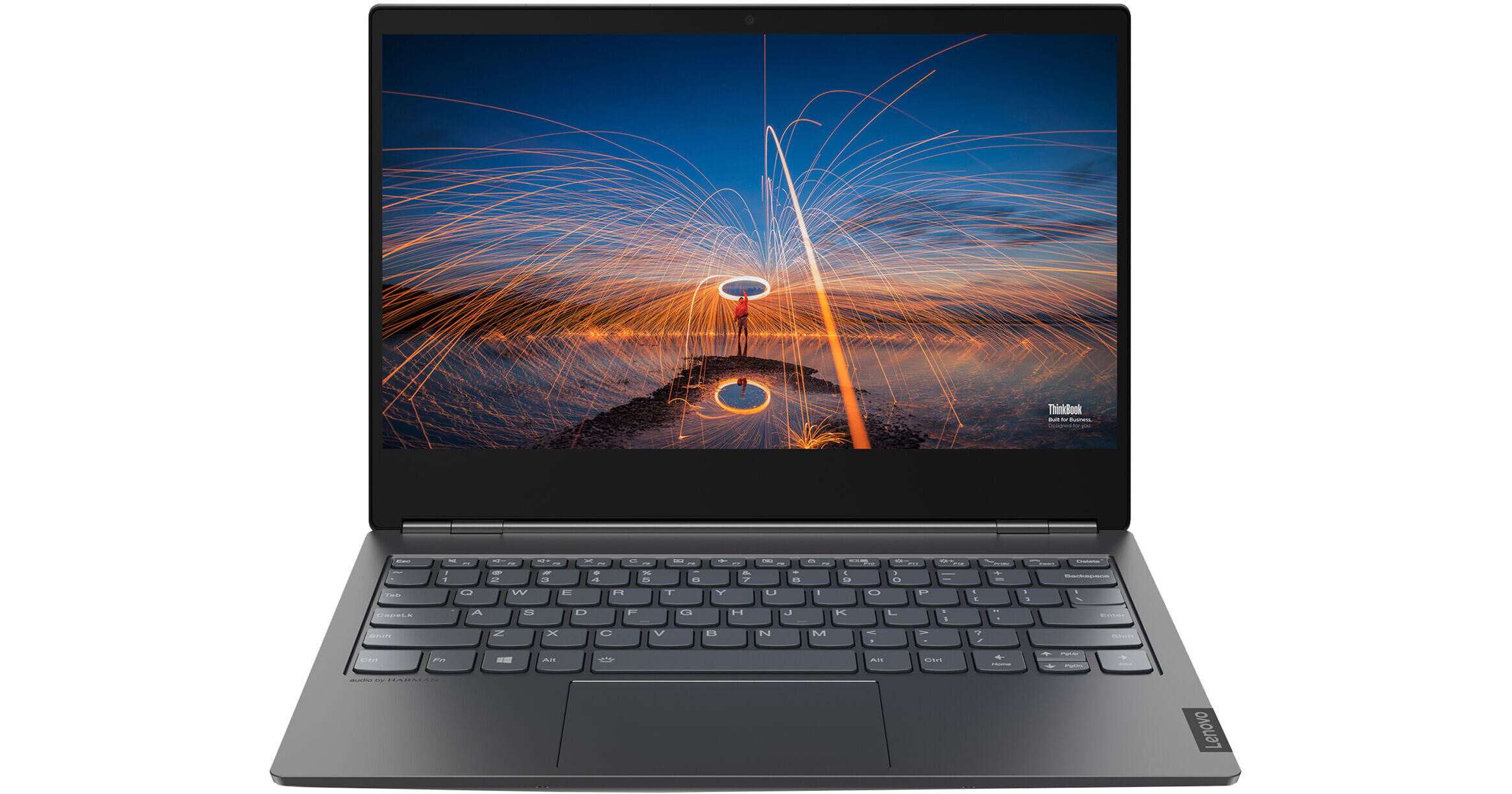
Lenovo 14" ThinkBook 14s Yoga ITL Multi-Touch Notebook (Gray)

BH #LETB1420WE78 • MFR #20WE0078US
Print
Lenovo 14" ThinkBook 14s Yoga ITL Multi-Touch Notebook (Gray)
Key Features
  • 2.4 GHz Intel Core i5 4-Core
  • 8GB DDR4 RAM | 256GB M.2 NVMe SSD
  • 14" 1920 x 1080 Touchscreen Display
  • Intel Iris Xe Graphics
Designed for business and play, the 14" ThinkBook 14s Yoga ITL Multi-Touch Notebook from Lenovo allows you to work on your documents, experience media, and explore your creative side. This lightweight, aluminum-encased notebook sports a 14-inch in-plane switching (IPS) 1920 x 1080 touchscreen and a 360° hinge, giving you the optional tablet-like experience. Dolby Vision display technology delivers superb details and intense graphic fidelity, making this device ideal for graphic designers, business professionals, and media enthusiasts.
More Details
No Longer Available
No Store Display
Microsoft 365 Subscription not included: add to your purchase
Ask an Expert
800-606-6969

Lenovo 14s Yoga 14" Overview

Designed for business and play, the 14" ThinkBook 14s Yoga ITL Multi-Touch Notebook from Lenovo allows you to work on your documents, experience media, and explore your creative side. This lightweight, aluminum-encased notebook sports a 14-inch in-plane switching (IPS) 1920 x 1080 touchscreen and a 360° hinge, giving you the optional tablet-like experience. Dolby Vision display technology delivers superb details and intense graphic fidelity, making this device ideal for graphic designers, business professionals, and media enthusiasts.

At the heart of the ThinkBook 14s Yoga is a 2.4 GHz Intel Core i5 4-Core processor and 8GB of onboard DDR4 RAM, allowing you to experience enhanced performance and system stability. Equipped with a 256GB M.2 NVMe PCIe solid-state drive, you have ample room for various programs and files. Several USB 3.2 Gen 1 and Gen 2 ports enable you to connect various devices such as mice and disk drives. The main attraction of this device is the Thunderbolt 4 port, allowing you to experience transfer speeds up to 40 Gb/s, Power Delivery, and DisplayPort output. Additionally, the ThinkBook 14s uses Wi-Fi 5 (802.11ac) wireless networking technology, allowing you to stream your favorite shows and movies whether you are at home or the office. Windows 11 Pro is the installed operating system.

Enhanced Performance
Equipped with a 2.4 GHz Intel Core i5 4-Core, 8GB of onboard DDR4 RAM, and 256GB M.2 PCIe NVMe solid-state storage, you have the power to run multiple programs simultaneously and experience smooth multitasking.
Dolby Vision Display
The ThinkBook 14s sports a 14-inch 1920 x 1080 in-plane switching (IPS) touchscreen display with 10-point multi-touch technology. Dolby Vision technology provides deep and immersive visuals for an enriching media experience. Popular amongst graphic designers and filmmakers, Dolby Vision brings brighter colors and deeper shades, allowing you to explore every detail within a scene or project. This display also features a Gorilla Glass protective layer, keeping your device safe from scratches.
Thunderbolt 4
Utilizing the Thunderbolt 4 connection protocol, you can experience enhanced data transfer speeds up to 40 Gb/s, suitable for large files and projects. With Power Delivery 3.0 and DisplayPort 1.4, you can power and run devices such as portable monitors with just a single USB Type-C cable, keeping your work area neat and tidy when you need more screen area. If you need some extra battery power and have limited time, you can get up to 80% battery charge in one hour.
360° Hinge
The ThinkBook 14s Yoga allows you to embrace work and play, allowing you to adjust the screen to utilize a tablet mode for on-the-go travel or use the integrated stylus pen to explore your creative side. Whether you are relaxing or doing busywork, tent mode allows you to stand this device up so you can enjoy media without taking up too much space.
Connectivity Options
Connect external disk drives and other peripherals to the ThinkBook 14s with two USB 3.2 Gen 1 Type-A ports. A USB 3.2 Gen 2 Type-C port is also available, supporting Power Delivery 3.0 and DisplayPort 1.4, enabling you to use compatible monitors for multi-screen support. Additionally, you can connect the ThinkBook 14s to an external display with the integrated HDMI port, suitable for delivering presentations and experiencing media in a bigger format.
Wireless Capabilities
Connect to your wireless network with Wi-Fi 5 (802.11ac) capabilities, giving you fast access to cloud-based storage as well as enhanced media streaming. Bluetooth 5.0 technology lets you connect your favorite compatible devices wirelessly for a cable-free experience.
Windows 11 Pro
A New Start Position
Windows 11 has been completely redesigned from its predecessor to emphasize productivity, creativity, and ease of use. The customizable Start Menu is now at the center of the taskbar and utilizes the cloud, allowing you to quickly find and access recent files, regardless of what platform or device was previously used to view them. The streamlined Start Menu design also lets you pin apps and recent files in addition to powering down the system.
Making Productivity a Snap
Multitask with speed and efficiency with the ability to snap apps side by side. Snap Layouts and Snap Groups help to keep your windows organized using different layouts that are designed to fully optimize your screen space, no matter its size and resolution. Windows 11 also remembers their positions, so you can resume from where you left off when selecting Snap Groups from the task bar, allowing you to switch between both individual applications and entire projects. Snap Layouts are also automatically restored when docking laptops with external monitors.
Microsoft Teams Integration
Stay connected with friends, family, coworkers, and clients with Microsoft Teams Chat integrated onto the Windows 11 taskbar. With a touch, you can connect to your contacts via text, voice, and video, regardless of whether they're using Windows, Android, or iOS devices. You can also communicate with those who don't have the Teams app installed using two-way SMS messaging.
Adapting to You
The Adaptive Input feature automatically optimizes the Windows 11 interface to however you prefer to interact with your device, whether it's using a mouse, keyboard, touch, voice, or handwriting.
Next Level Gaming
Windows 11 is designed to deliver smooth, immersive gaming experiences with DirectX 12 Ultimate providing realistic graphics at high frame rates while Auto HDR automatically adjusts your game's lighting and contrast for high dynamic range. DirectStorage technology streamlines data access to better take advantage of high-speed devices such as NVMe solid-state drives and directly from graphics cards without dragging down the CPU, which minimizes load times while helping to reduce artifacts such as texture popping. Topping it all off is Xbox Game Pass integration, which provides you with access to a massive library of games with a membership subscription.
Redesigned Microsoft Store
The Microsoft Store is rebuilt from the ground up for a streamlined experience when looking for content such as apps, games, movies, and shows. Apps downloaded from the Store have been tested for security and family safety. Android apps will also be available on the Microsoft Store through the Amazon Appstore and can be used directly on your PC from the taskbar or Start Menu.
Additional Windows 11 Pro Features
The Pro version of Windows 11 includes all the features that Windows 11 Home offers plus many designed specifically for business users, including Hyper-V virtualization, BitLocker disk encryption, and remote desktop access. Devices can also join domains and the Azure Active Directory and have access to Enterprise device management features. Windows 11 Pro does not require a Microsoft Account or an internet connection when setting up for the first time.

Lenovo 14s Yoga 14" Specs

Key Specs
Operating System
Windows 11 Pro (64-Bit)
Processor
Intel Core i5-1135G7 (11th Gen)
Installed RAM
8 GB
Display Size
14"
Native Resolution
1920 x 1080
Touchscreen
Yes
Total Installed Storage
256 GB
Ports
2 x USB-A 3.0 / 3.1/3.2 Gen 1
USB-C
1 x USB 3.1/3.2 Gen 2 (Supports DisplayPort and Power Delivery)
1 x Thunderbolt 4 (Supports DisplayPort and Power Delivery)
Display I/O
1x HDMI 1.4
Wi-Fi
Wi-Fi 5 (802.11ac)
Weight
3.3 lb / 1.5 kg
Operating System
Windows 11 Pro (64-Bit)
Performance
Processor
Intel Core i5-1135G7 (11th Gen)
CPU
2.4 to 4.2 GHz Quad-Core
L3 Cache
8 MB
Installed RAM
8 GB
Graphics Type
Integrated
Display
Panel Type
IPS-Type LCD
Size
14"
Aspect Ratio
16:9
Native Resolution
1920 x 1080
Touchscreen
Yes
Finish
Glossy
Maximum Brightness
300 nits / cd/m2
Color Gamut
100% sRGB
Contrast Ratio
:1
Variable Refresh Technology
No
Viewing Angle (H x V)
170 x 170°
Storage and Expansion
SSD Slots
1 x M.2 2242 PCIe 3.0 x4 (In Use)
1 x M.2 2280 PCIe (Unspecified Interface) (Available)
Total Installed Storage
256 GB
Optical Drive
No
Inputs / Outputs
Ports
2 x USB-A 3.0 / 3.1/3.2 Gen 1
USB-C
1 x USB 3.1/3.2 Gen 2 (Supports DisplayPort and Power Delivery)
1 x Thunderbolt 4 (Supports DisplayPort and Power Delivery)
Display I/O
1x HDMI 1.4
Audio I/O
1x 1/8" / 3.5 mm Headphone/Microphone Input/Output
Built-In Speakers
: x W
Built-In Microphones
Yes
Media/Memory Card Slot
Single Slot: microSD/microSDHC
Communications
Ethernet
No
Wi-Fi
Wi-Fi 5 (802.11ac)
MU-MIMO Support
2 x 2
Bluetooth
5.0
GPS
No
NFC
No
Webcam
User-Facing: 720p
Battery
Battery Chemistry
Lithium-Ion Polymer (LiPo)
Capacity
60 Wh
Keyboard & Mouse
Keyboard
Chiclet-Style Keyboard with Backlight
Pointing Device
Stylus
General
Security
Kensington Lock Slot, Fingerprint Reader, Dedicated Hardware TPM Security Chip, Webcam Blocker
Power Supply
65 W with USB Type-C
Certifications
ENERGY STAR, RoHS, as per Manufacturer
Dimensions
12.6 x 8.5 x 0.7" / 320 x 216 x 16.9 mm
Weight
3.3 lb / 1.5 kg
Packaging Info
Package Weight
5.395 lb
Box Dimensions (LxWxH)
20.3 x 12.4 x 3.3"

Lenovo 14s Yoga 14" Reviews

See any errors on this page?
Whatever You Need, We've Got It