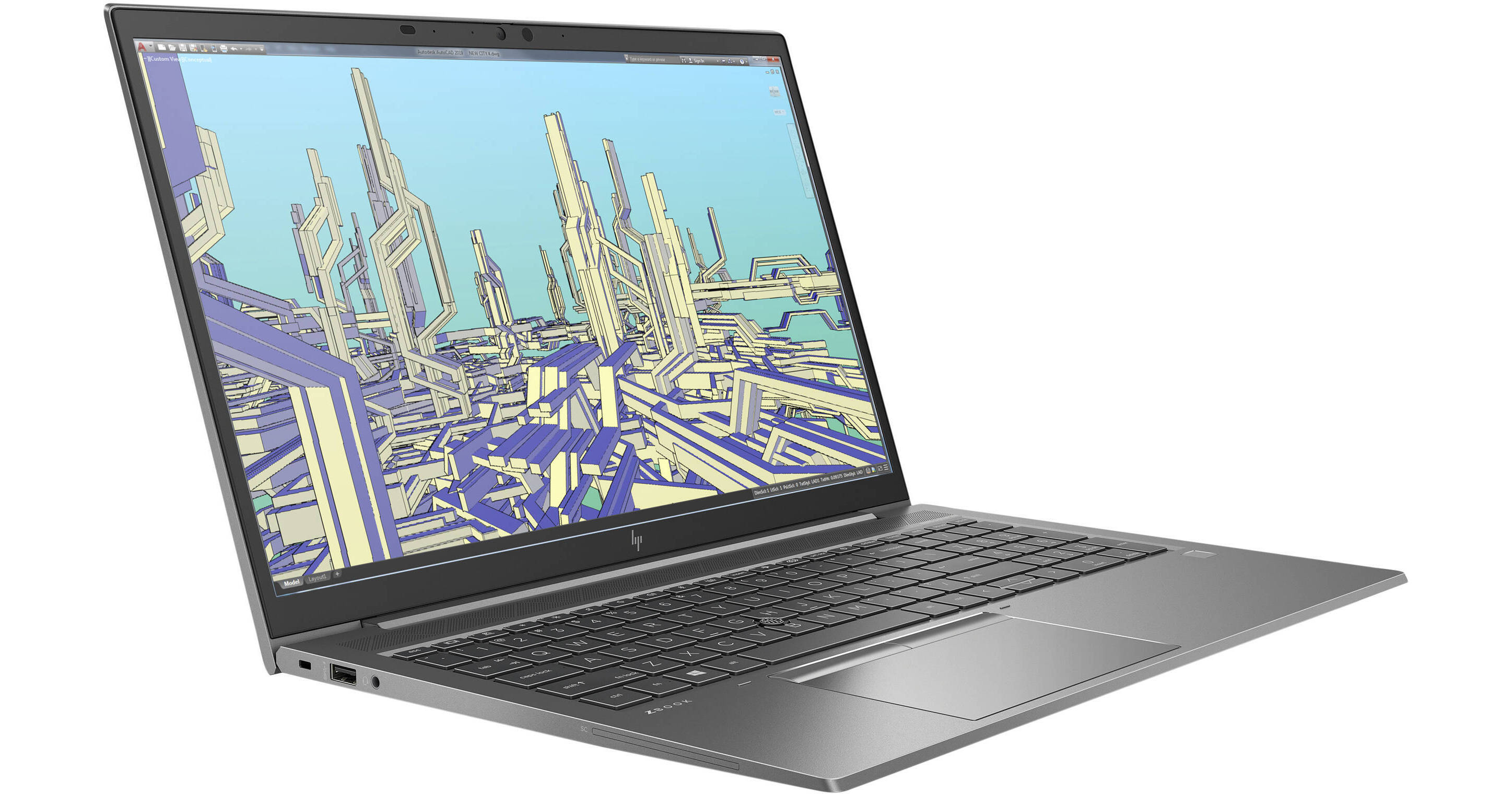
Get professional performance, whether you're in the office or the field, with the HP 15.6" ZBook Firefly 15 G8 Mobile Workstation. The mobile workstation provides true mobility for people who push their business system. Driven by integrated Intel Iris Xe Graphics, sharp and realistic visuals are produced on a 15.6" 1920 x 1080 IPS Display. 512GB of SSD storage provides fast data transfers, while external peripherals, displays, and power can be connected using the Thunderbolt 4, HDMI 2.0b, and USB Type-A ports. Windows 11 Pro is the installed operating system.
HP ZBook Firefly 15 G8
Manage It On the Move
Starting at just 3.7 pounds, the mobile ZBook Firefly 15 G8 is made to move. With Wi-Fi 6 (802.11ax) and a 56 Wh battery, you're equipped for days offsite.
Pro-Level Performance
Say goodbye to slowdowns and power through projects and heavy workloads with an 11th Gen Intel Core processor, certified for pro apps. Open large files and run apps simultaneously for speed multitasking and productivity.
A Modern Viewing Experience
The 1920 x 1080 display is housed in a modern, slim-bezel design that maximizes your viewing area.
ISV Certified
Strenuously tested to meet ISV certification and deliver superb performance and support with leading software providers, including Autodesk and Adobe.
HP Downgrade Rights
Windows 10 Professional 64 (available through downgrade rights from Windows 11 Pro)
This system is preinstalled with Windows 11 Professional software and also comes with a license for Windows 10 Pro software. You may use only one version of the Windows software at a time. Switching between versions will require you to uninstall one version and install the other version. You must back up all data (files, photos, etc.) before uninstalling and installing operating systems to avoid loss of your data.
Windows 11
A New Start Position
Windows 11 has been completely redesigned from its predecessor to emphasize productivity, creativity, and ease of use. The customizable Start Menu is now at the center of the taskbar and utilizes the cloud, allowing you to quickly find and access recent files, regardless of what platform or device was previously used to view them. The streamlined Start Menu design also lets you pin apps and recent files in addition to powering down the system.
Making Productivity a Snap
Multitask with speed and efficiency with the ability to snap apps side by side. Snap Layouts and Snap Groups help to keep your windows organized using different layouts that are designed to fully optimize your screen space, no matter its size and resolution. Windows 11 also remembers their positions, so you can resume from where you left off when selecting Snap Groups from the task bar, allowing you to switch between both individual applications and entire projects. Snap Layouts are also automatically restored when docking laptops with external monitors.
Microsoft Teams Integration
Stay connected with friends, family, coworkers, and clients with Microsoft Teams Chat integrated onto the Windows 11 taskbar. With a touch, you can connect to your contacts via text, voice, and video, regardless of whether they're using Windows, Android, or iOS devices. You can also communicate with those who don't have the Teams app installed using two-way SMS messaging.
Adapting to You
The Adaptive Input feature automatically optimizes the Windows 11 interface to however you prefer to interact with your device, whether it's using a mouse, keyboard, touch, voice, or handwriting.
Next Level Gaming
Windows 11 is designed to deliver smooth, immersive gaming experiences with DirectX 12 Ultimate providing realistic graphics at high frame rates while Auto HDR automatically adjusts your game's lighting and contrast for high dynamic range. DirectStorage technology streamlines data access to better take advantage of high-speed devices such as NVMe solid-state drives and directly from graphics cards without dragging down the CPU, which minimizes load times while helping to reduce artifacts such as texture popping. Topping it all off is Xbox Game Pass integration, which provides you with access to a massive library of games with a membership subscription.
Redesigned Microsoft Store
The Microsoft Store is rebuilt from the ground up for a streamlined experience when looking for content such as apps, games, movies, and shows. Apps downloaded from the Store have been tested for security and family safety. Android apps will also be available on the Microsoft Store through the Amazon Appstore and can be used directly on your PC from the taskbar or Start Menu.
Additional Windows 11 Pro Features
The Pro version of Windows 11 includes all the features that Windows 11 Home offers plus many designed specifically for business users, including Hyper-V virtualization, BitLocker disk encryption, and remote desktop access. Devices can also join domains and the Azure Active Directory and have access to Enterprise device management features. Windows 11 Pro does not require a Microsoft Account or an internet connection when setting up for the first time.