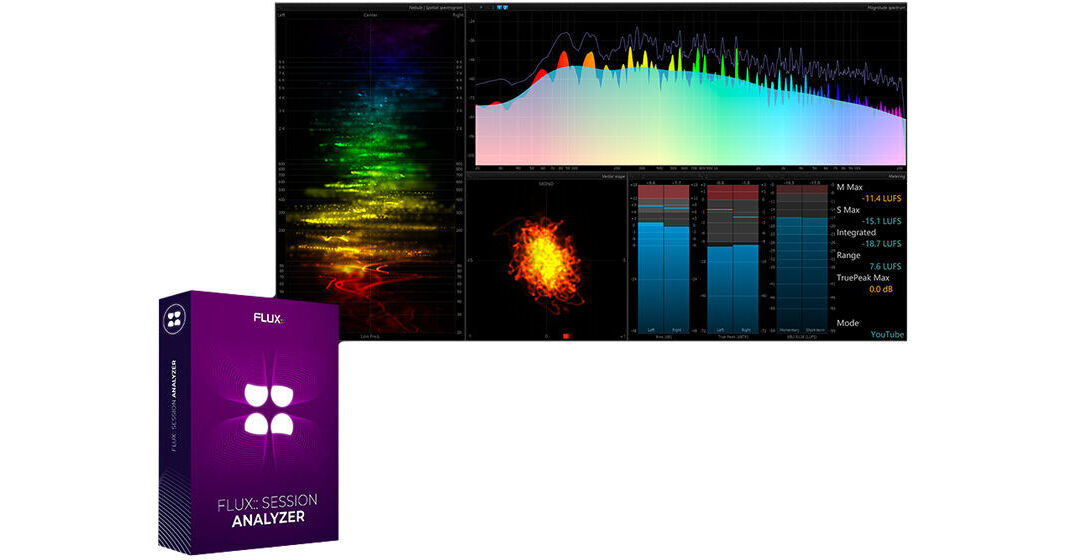
The FLUX Session Analyzer software for Windows or Mac systems provides real-time spectral analysis and loudness metering for producers and engineers working in basic stereo or mono formats. Updated from what was previously known as Studio Session Analyzer, this version adds loudness metering, hardware I/O support, and compatibility with sample rates beyond 96 kHz (up to 384 kHz). As a streamlined variant of Analyzer Essential, it provides invaluable tools to help audio engineers assess the quality of an audio recording, detect potential mix problems, and visualize frequency and volume information.
The Session Analyzer is a standalone software that supports ASIO and Core Audio hardware interfaces and virtual sound cards up to two channels. The included SampleGrabber plug-in is used to separate the signal acquisition process from the spectral analysis for maximum flexibility. This version of the software does not support add-on options such as Multichannel and Live, which are available for Analyzer Essential.
- LUFS: EBU R128 / PLOUD
- Real-time metering statistics in the Spectrum, Spectrogram, and Scope Layouts
- Loudness Metering Modes with various standards for streaming platforms including Spotify, Apple, YouTube, Apple, Netflix, and more
- Fully configurable meters including Dolby Dialogue Intelligence option
- Full support for standard hardware I/O using ASIO and Core Audio up to two channels (mono or stereo)
- Compatible with sample rates up to 384 kHz
- Peak meter
- RMS meter
- Fully customizable scale and ballistics
- Phase meter
- Configurable analysis window
- Real-time waterfall (see Slide option in Spectrum set up)
- Amplitude or power frequency scaling
- Time-averaging
- Independently adjustable curve ballistics
- Peak tracking with user-definable frequency range and several display variations
- Keyboard and mouse frequency-axis zoom
- Fully customizable curve visual options
- The core of the FLUX Real Time Analyzer System is a standalone software application with full support for standard hardware I/O using ASIO and Core Audio. In addition to this, a plug-in called SampleGrabber, available in all standard plug-in formats, is provided.
- The SampleGrabber plug-in can be inserted into the insert chain on any DAW or Digital Mixing Console supporting standard plug-ins, where it grabs the source/response audio signal and sends it through the network using the ZeroConf/Apple Bonjour protocol with the FLUX Analyzer standalone app that analyzes the audio in real time.