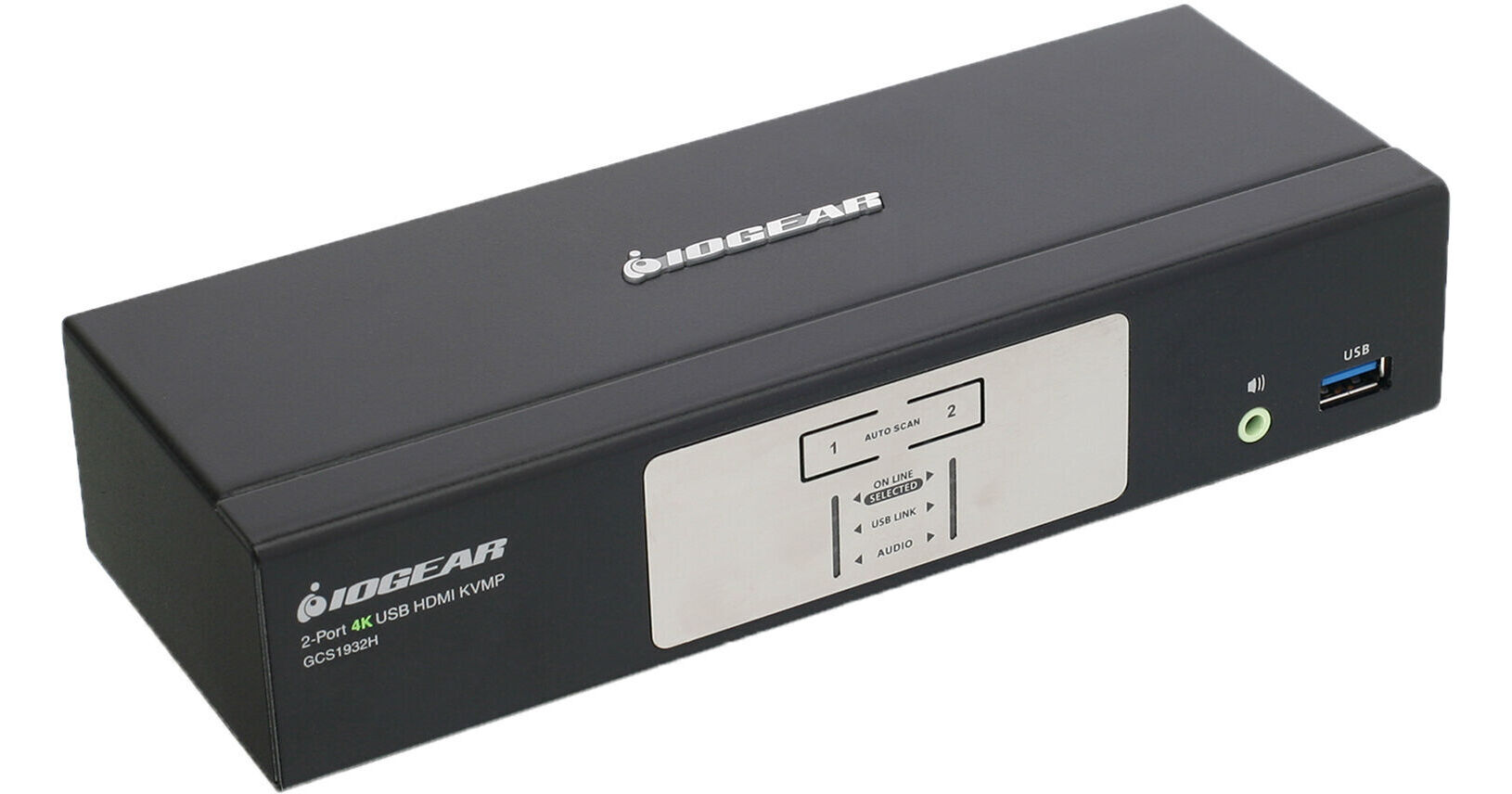
IOGEAR GCS1932H 2-Port KVMP Switch

BH #IOGCS1932H • MFR #GCS1932H
Print
IOGEAR GCS1932H 2-Port KVMP Switch
Key Features
  • Supports Two Computers
  • Single Display Support
  • 4096 x 2160 Resolution
  • 60 Hz Refresh Rate
Easily manage your array of devices from a single location with the IOGEAR GCS1932H 2-Port KVMP Switch. Whether you are an IT professional, networking engineer, or a designer that could benefit from using multiple systems simultaneously, the GCS1932H streamlines your setup for efficient task managing while saving space.
More Details
In Stock
No Store Display
Free 2-Day Shipping
Protect Your Gear
Add a protection plan from $22.00
Ask an Expert
800-606-6969

IOGEAR GCS1932 Overview

Easily manage your array of devices from a single location with the IOGEAR GCS1932H 2-Port KVMP Switch. Whether you are an IT professional, networking engineer, or a designer that could benefit from using multiple systems simultaneously, the GCS1932H streamlines your setup for efficient task managing while saving space.

You can support up to two systems and easily swap between them using the front-panel buttons, hotkeys, mouse, or RS-232 command. You can connect a single HDMI-based display with a resolution up to 4096 x 2160, 60 Hz refresh rate, and HDR support for a clear and smooth picture. Connect your peripherals with USB 2.0 Type-A ports for keyboard and mouse support while USB 3.2 Gen 1 ports are available for other devices such as external storage drives. Connect your speakers or a headset with 3.5mm audio jacks, allowing you to listen for audio queues for alerts and other notifications.

Switching Capabilities
The GCS1932H allows you to easily swap between systems with a variety of control options. With mouse emulation mode, you can switch systems using a USB 3-button mouse with scroll wheel. With an optional DB9 to RJ-11 cable, you can use RS-232 commands. Video, audio, and USB connections are isolated, ensuring that no crosstalk between devices occurs when switching. If you need to keep tabs on a device, you can combine two audio sources as outputs.
Hot-Pluggable Design
Connect your computer up to the GCS1932H without needing to reset your entire setup thanks to the hot-pluggable design. With EDID support, the GCS1932H remembers and stores the display's parameters, eliminating change in resolution when swapping between devices.
Peripheral Support
A multilingual keyboard mapping feature supports English, French, and German keyboards. With support for N-Key Rollover, you can obtain collision-free typing with select keyboard models. Additionally, with Mac keyboard emulation, your keyboard can act as a Mac-style device. You also get auto scan mode to monitor all connected computers, power-on detection, and upgradable firmware.
HDCP 2.2
HDCP 2.2 technology offers you a secure connection between your host setup and your connected computer so you can easily watch secure file formats.
System Compatibility
You can use the GCS1932H with a wide range of systems including Windows 7, 8.1, and 10 operating systems as well as Mac and Linux systems.
UPC: 881317518934

IOGEAR GCS1932 Specs

Key Specs
# of Systems Supported
2
Console I/O
1x HDMI Female
2x USB-A 3.0 / 3.1/USB 3.2 Gen 1 Female
2x USB-A 2.0 Female
2x 1/8" / 3.5 mm Audio-Out Female
KVM I/O
2x HDMI Female
2x USB-B 3.0 / 3.1/3.2 Gen 1 Female
2x 1/8" / 3.5 mm Audio-Out Female
Supported Resolutions
4096 x 2160
# of Systems Supported
2
Console I/O
1x HDMI Female
2x USB-A 3.0 / 3.1/USB 3.2 Gen 1 Female
2x USB-A 2.0 Female
2x 1/8" / 3.5 mm Audio-Out Female
KVM I/O
2x HDMI Female
2x USB-B 3.0 / 3.1/3.2 Gen 1 Female
2x 1/8" / 3.5 mm Audio-Out Female
OS Compatibility
Linux / Windows / macOS
Supported Resolutions
4096 x 2160
USB Keyboard/Mouse Emulation
Yes
Power Source
AC Adapter
Power Consumption
1.78 W
Operating Conditions
32 to 104°F / 0 to 40°C up to 80% Humidity
Storage Conditions
-4 to 140°F / -20 to 60°C
Rack Mountable
No
Material of Construction
Metal, Plastic
Dimensions
7.9 x 2.9 x 1.7" / 20.0 x 7.5 x 4.3 cm
Weight
1.4 lb / 658.0 g
Packaging Info
Package Weight
3.645 lb
Box Dimensions (LxWxH)
11.3 x 6.9 x 4.1"

IOGEAR GCS1932 Reviews

Love B & H

By Ibrahim
Rated 5 out of 5
Date: 2019-09-22

Great service. Lowest price on the internet. Prompt delivery. Easy set up of the KVM switch and works great. Thank you !

Monitor switching resizes windows

By Michael
Rated 1 out of 5
Date: 2018-03-15

IOGEAR makes some great KVM switches, but DisplayPort has got the better of them in this unit. When I upgraded to a new 4K monitor with DisplayPort, I had to upgrade from my really great IOGEAR DVI KVM switch to this model to handle the DisplayPort signal. It does that admirably. It doesn't, however, handle computer switches well. When you switch from one computer to the next, the computer you left decides that the monitor has been disconnected, defaults to a much lower resolution, and resizes all the open windows on the screen. When you switch back to the computer, you have to rearrange all the shrunken windows. And from time to time the computer you left doesn't recognize the monitor at all so you have to reboot the monitor before the computer reconnects. All of this occurs, it seems after a lot of online research, because DisplayPort handles a monitor's EDID differently than HDMI and DVI does. IOGEAR used to use DynaSync technology with DVI and HDMI to spoof the non-active computer into believing it's still hooked up to an active monitor. The KVM provided the monitor's EDID, which informs the computer of the monitor's resolution and display capabilities. When you switched back and forth between computers, there was no disruption in each computer's monitor display. After looking at a lot of competing KVMs, it seems the other manufacturers have the same problem with DisplayPort monitor spoofing, so there are really no good DisplayPort solutions out there that I can find at this writing. IOGEAR customer support admits that they can't handle window resizing, but hopes that they may have a solution in the future. There is one possible solution right now: the BenQ 4K monitor I bought has a rudimentary KVM switch built into it that handles two computers. It has no problem switching DisplayPort displays from one computer to the next, so it seems there is a technical solution to the DisplayPort spoofing problem. Unfortunately the BenQ KVM is clunky and requires multiple button presses to use, so I'm still looking for a good dedicated DisplayPort KVM solution. As for the keyboard and mouse included in this package, it's a nice thought, but the keyboard was small and uncomfortable with a sill that hits your thumb every time you hit the space bar. The mouse doesn't have a center wheel, but has a touch pad that you slide on instead. It might work well, but I didn't have a chance to get used to it: I'm sending this back for a refund, and hope that IOGEAR finally figures out DisplayPort in a future model.

See any errors on this page?

Is the IOGEAR 2-Port DisplayPort 1.2 KVM Switch ...

Is the IOGEAR 2-Port DisplayPort 1.2 KVM Switch (GCS1932) compatible with two Dell U2413 monitors in series?
Asked by: David
Yes, this would work with 2 Dell U2413 monitors.
Answered by: Geoff
Date published: 2020-03-23

Is this KVM compatible with G-Sync?

Is this KVM compatible with G-Sync?
Asked by: Anonymous
IOGEAR says: Thank you for choosing IOGEAR. The GCS1932 is not compatible with G-Sync .
Answered by: IOGEAR
Date published: 2019-08-13
  • y_2026, m_9, d_11, h_10CST
  • bvseo_bulk, prod_bvqa, vn_bulk_3.0.48
  • cp_1, bvpage1
  • co_hasquestionsanswers, tq_2
  • loc_en_US, sid_1689394, prod, sort_[SortEntry(order=HAS_STAFF_ANSWERS, direction=DESCENDING)]
  • clientName_bhphotovideo
Whatever You Need, We've Got It