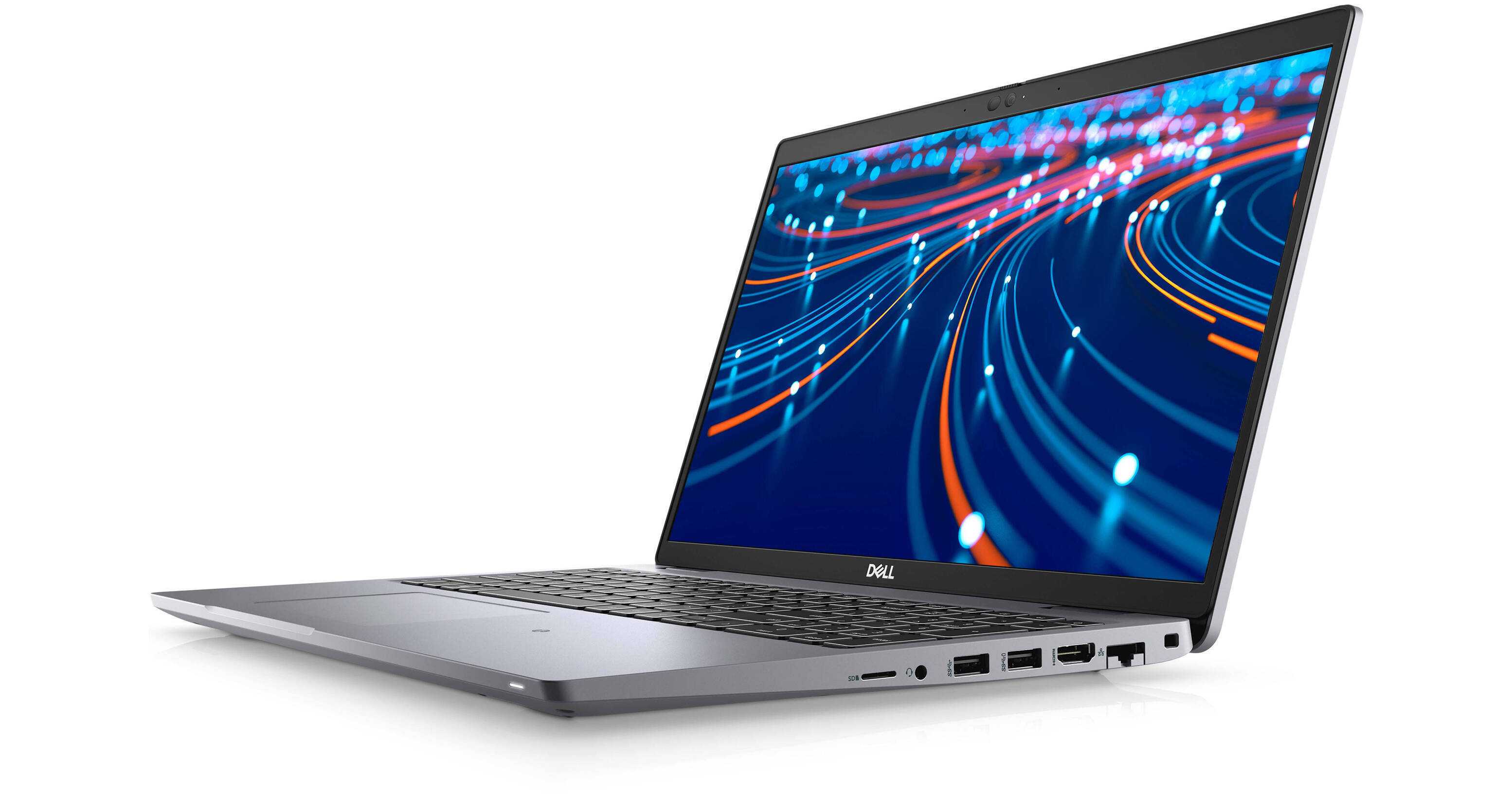
Dell 15.6" Latitude 5520 Notebook (Silver)

BH #DEL5520D3M2G • MFR #D3M2G
Print
Dell 15.6" Latitude 5520 Notebook (Silver)
Key Features
  • 3.0 GHz Intel Core i7 4-Core (11th Gen)
  • 16GB DDR4 RAM | 256GB SSD
  • 15.6" 1920 x 1080 LCD Display
  • Integrated Intel Iris Xe Graphics
Ideal for the traveling business professional, the Dell 14" Latitude 5520 Notebook sports a slim design while offering robust functionality and performance, allowing you to run your most important programs whether you are at the office or out and about.
More Details
No Longer Available
No Store Display
Microsoft 365 Subscription not included: add to your purchase
Ask an Expert
800-606-6969

Dell Latitude 5520 15.6" Overview

Ideal for the traveling business professional, the Dell 14" Latitude 5520 Notebook sports a slim design while offering robust functionality and performance, allowing you to run your most important programs whether you are at the office or out and about.

At the heart of the Latitude is an 11th Gen 3.0 GHz Intel Core i7 processor accompanied by 16GB of 3200 MHz DDR4 RAM and a 256GB SSD, allowing you to efficiently run a wide range of business-level software. The 14" 1920 x 1080 resolution display is backed by integrated Intel Iris Xe Graphics, producing a clean and smooth image suitable for work and play. Connect resource-demanding devices to the Latitude with two Thunderbolt 4 ports, giving you data transfer speeds up to 40 Gb/s for quick file migration, daisy chain multiple compatible devices for a streamlined desktop setup, and even support external displays for additional screen real estate. Connect devices such as mice and storage drives with two USB 3.2 Gen 1 Type-A ports or use wireless peripherals with Bluetooth 5.1 technology. An HDMI 2.0 port allows you to connect your Latitude to a wide range of displays so you can easily conduct presentations. Upload and download documents and files with Wi-Fi 6 (802.11ax) networking or use the Gigabit Ethernet port for hardwired network access.

Thunderbolt 4 Ports
Dual Thunderbolt 4 ports boast data transfer speeds up to 40 Gb/s for quick file migration. You can also support external displays, conveniently daisy chain multiple devices together, and attach resource-demanding devices like storage arrays. Additionally, Thunderbolt 4 ports can charge your mobile devices when out and about.
Peripheral Support
Connect a wide range of devices such as external storage drives and mice to the Latitude with two USB 3.2 Gen 1 Type-A ports. Expand your screen real estate with the HDMI port, and listen to conference calls and media privately with the 3.5mm combo audio jack. With Bluetooth 5.1 technology, you can connect wireless devices for a tether-free experience. Additionally, you can upload pictures from your camera or mobile device with the microSD card reader.
Wi-Fi 6 Connectivity
Connect to wireless networks easily with Wi-Fi 6 (802.11ax) technology, enhancing bandwidth so you can transfer files online, take part in conference calls, and even enjoy your favorite media.
Security Enhancements
Fingerprint Reader
Conveniently protect your information with a built-in fingerprint reader which uses a biometric scanning to keep others out and keep your information secure.
Smart Card
The Latitude includes a Smart Card reader for enhanced data security, preventing unauthorized others from accessing your private information.
NFC Capabilities
Near-Field Communications (NFC) capabilities allow you to use contactless wireless security devices for logging into your system or accessing secure data.
Windows 10 Pro
Start Menu
After its hiatus in Windows 8, the Start Menu has returned. Utilizing a combination of the traditional menu system and Windows 8's Live Tiles, the improved Start Menu gives you more information at a glance, showing notification information alongside your applications and other pinned items.
Cortana
Microsoft's digital personal assistant, Cortana can answer your questions with information gleaned from both your device and the internet at large. You can type or even talk with her, if your system has a microphone. Using her Notebook, Cortana keeps track of your needs and wants, and she learns over time to improve her information gathering skills.
Microsoft Edge
After nearly 20 years, Microsoft has finally replaced its Internet Explorer web browser. With Microsoft Edge, users can write directly on web pages and share notes with friends and colleagues. It also improves the online reading experience by adding a distraction-free mode and read-it-later functionality. Edge also has built-in Cortana integration; you can have her help you find a restaurant, make a reservation, and pull up directions without leaving your browser.
Windows Store
For Windows 10, Microsoft has unified the Windows Store. Now, apps for PCs, tablets, and phones will all be accessible from one place. And with support for Universal Apps, one version of an app can work across all your compatible devices automatically.
Windows Continuum
Windows 10 was designed for a variety of screen sizes and input styles, and with its Continuum feature, it automatically adapts to fit your needs. A Windows 10 tablet on its own requires a touch-centric approach, but attaching a mouse and keyboard will shift everything to a more traditional interface. You can even attach an external monitor to your Windows 10 phone for a near-desktop experience. But it's not just the operating system; Windows Universal Apps take advantage of Continuum as well.
Xbox on Windows 10
Gaming is a big focus of Windows 10. Xbox integration allows for PC players to match up against Xbox One players on supported games, and if you have an Xbox One, you can even stream compatible titles to your PC. Native support for recording with the new Game DVR feature makes it easy to capture and share your gameplay. The new DirectX12 takes better advantage of multi-core processors, giving games a performance boost, even on older hardware. Windows 10 also features native support for virtual reality headsets, such as the Oculus Rift.
Additional Windows 10 Pro Features
The Pro version of Windows 10 includes all of the features of Windows 10 Home plus many designed specifically for business users, including Hyper-V virtualization, BitLocker disk encryption, and remote desktop access. Devices will also be able to join domains and the Azure Active Directory, and they can even access a specialized version of the Windows Store featuring custom, company-specific applications.

Dell Latitude 5520 15.6" Specs

Key Specs
Operating System
Windows 10 Pro
Processor
Intel Core i7-1185G7 (11th Gen)
Installed RAM
16 GB
Display Size
15.6"
Native Resolution
1920 x 1080
Touchscreen
No
Total Installed Storage
256 GB
Ports
2 x USB-A 3.0 / 3.1/3.2 Gen 1
USB-C
2 x Thunderbolt 4
Display I/O
1x HDMI 2.0
Wi-Fi
Wi-Fi 6 (802.11ax); Dual-Band (2.4 & 5 GHz)
Weight
3.51 lb / 1.59 kg
Operating System
Windows 10 Pro
Model Year
Early 2022
Performance
Processor
Intel Core i7-1185G7 (11th Gen)
CPU
3 to 4.8 GHz Quad-Core
L3 Cache
12 MB
Graphics Type
Integrated
Installed RAM
16 GB
Buffered Memory
No
Display
Panel Type
LCD
Size
15.6"
Aspect Ratio
16:9
Native Resolution
1920 x 1080
Touchscreen
No
Finish
Anti-Glare / Matte
Maximum Brightness
250 nits / cd/m2
Variable Refresh Technology
No
Storage and Expansion
Total Installed Storage
256 GB
Optical Drive
No
Inputs / Outputs
Ports
2 x USB-A 3.0 / 3.1/3.2 Gen 1
USB-C
2 x Thunderbolt 4
Display I/O
1x HDMI 2.0
Audio I/O
1x 1/8" / 3.5 mm Headphone/Microphone Input/Output
Built-In Speakers
:
Built-In Microphones
:
Media/Memory Card Slot
Single Slot: microSD/microSDHC
Communications
Wi-Fi
Wi-Fi 6 (802.11ax); Dual-Band (2.4 & 5 GHz)
MU-MIMO Support
2 x 2
Bluetooth
5.1
GPS
No
NFC
Yes
Webcam
User-Facing: 720p
Battery
Capacity
4-Cell: 63 Wh
Keyboard & Mouse
Keyboard
Chiclet-Style Keyboard with Backlight, Number Pad
Pointing Device
TouchPad
General
Security
Fingerprint Reader
Power Supply
65 W with USB Type-C
Certifications
EPEAT, as per Manufacturer
Dimensions
14.09 x 9.3 x 0.78" / 357.8 x 236.2 x 19.87 mm
Weight
3.51 lb / 1.59 kg
Packaging Info
Package Weight
5.875 lb
Box Dimensions (LxWxH)
19.4 x 13.7 x 2.9"

Dell Latitude 5520 15.6" Reviews

See any errors on this page?
Whatever You Need, We've Got It