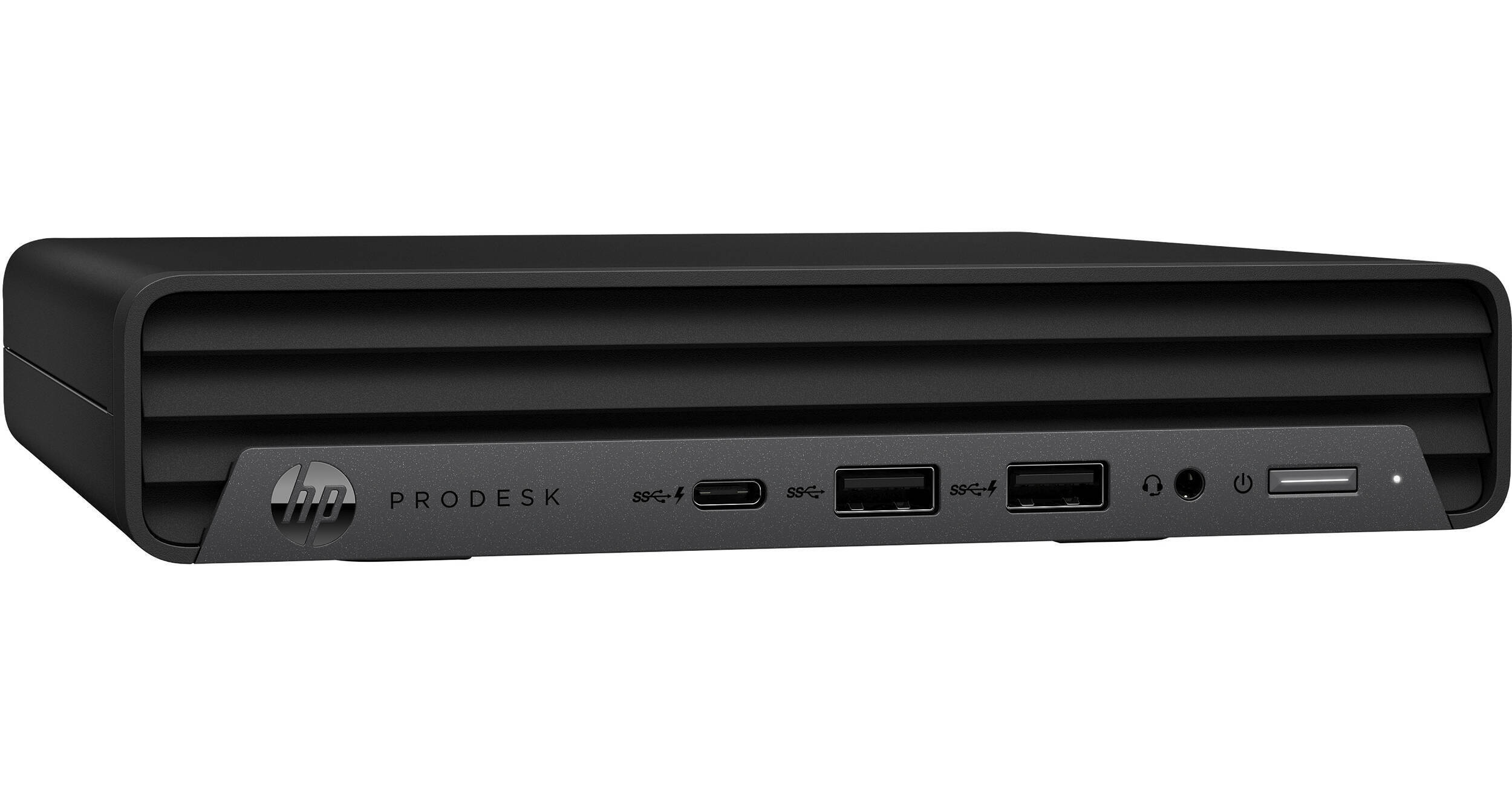
HP ProDesk 400 G6 Mini Desktop PC

BH #HE400691Z1UT • MFR #691Z1UT#ABA
Print
HP ProDesk 400 G6 Mini Desktop PC
Key Features
  • 2.3 GHz Intel Core i5 6-Core (10th Gen)
  • 16GB 2666 MHz DDR4 RAM
  • Integrated Intel UHD Graphics 630
  • 256GB M.2 SSD
Save space within your office without sacrificing performance or utility with the HP ProDesk 400 G6 Mini Desktop PC. Designed for businesses both big and small, the ProDesk 400 features a scalable design, allowing you to modify RAM and storage to fit your workload while sporting a minimalistic design.
More Details
No Longer Available
No Store Display
Microsoft 365 Subscription not included: add to your purchase
Ask an Expert
800-606-6969

HP 400 G6 DM Overview

Save space within your office without sacrificing performance or utility with the HP ProDesk 400 G6 Mini Desktop PC. Designed for businesses both big and small, the ProDesk 400 features a scalable design, allowing you to modify RAM and storage to fit your workload while sporting a minimalistic design.

At the heart of the ProDesk 400 is a 2.3 GHz Intel Core i5 processor, 16GB of 2666 MHz DDR4 RAM, and a 256GB M.2 SSD, all working together to enhance the performance of your system and your most important applications. Integrated Intel UHD Graphics 630 delivers high-resolution images onto two displays using DisplayPort and HDMI ports. Connect your peripherals with an array of USB 2.0, 3.2 Gen 1, and 3.2 Gen 2 ports. You can also use Bluetooth 5.0 technology to connect wireless devices like mice, keyboards, and even speakers. Upload and download important documents with Wi-Fi 6 (802.11ax) wireless networking or use a wired connection with the Gigabit Ethernet port.

Robust Connectivity
Connect a wide range of peripherals to your ProDesk with an array of USB ports. USB 2.0 Type-A ports are available for low-powered devices such as mice or the included keyboard. USB 3.2 Gen 1 Type-A ports provide you with up to 5 Gb/s data transfer speeds. The USB 3.2 Gen 1 Type-A and Type-C ports give you speeds up to 10 Gb/s, both of which are suitable for high-powered devices such as storage arrays, controllers, and more. You can also connect headsets and speakers to the ProDesk with 3.5mm audio jacks found on the front and the back of the device.
Security Features
Work efficiently and safely with an array of enhanced software and hardware security features. Power-on password, SATA port disablement, TPM 2.0, and chassis padlocks prevent others from modifying your system on a software and hardware level. Additionally, you can secure your ProDesk down to your workstation with a dedicated lock slot.
HP Software
Complete your desktop experience with a suite of software designed to streamline your production. HP Noise Cancellation Software, HP Support Assistant, and HP JumpStarts are included along with a 90-day free trial for Xerox DocuShare.
Windows 11 Pro
A New Start Position
Windows 11 has been completely redesigned from its predecessor to emphasize productivity, creativity, and ease of use. The customizable Start Menu is now at the center of the taskbar and utilizes the cloud, allowing you to quickly find and access recent files, regardless of what platform or device was previously used to view them. The streamlined Start Menu design also lets you pin apps and recent files in addition to powering down the system.
Making Productivity a Snap
Multitask with speed and efficiency with the ability to snap apps side by side. Snap Layouts and Snap Groups help to keep your windows organized using different layouts that are designed to fully optimize your screen space, no matter its size and resolution. Windows 11 also remembers their positions, so you can resume from where you left off when selecting Snap Groups from the task bar, allowing you to switch between both individual applications and entire projects. Snap Layouts are also automatically restored when docking laptops with external monitors.
Microsoft Teams Integration
Stay connected with friends, family, coworkers, and clients with Microsoft Teams Chat integrated onto the Windows 11 taskbar. With a touch, you can connect to your contacts via text, voice, and video, regardless of whether they're using Windows, Android, or iOS devices. You can also communicate with those who don't have the Teams app installed using two-way SMS messaging.
Adapting to You
The Adaptive Input feature automatically optimizes the Windows 11 interface to however you prefer to interact with your device, whether it's using a mouse, keyboard, touch, voice, or handwriting.
Next Level Gaming
Windows 11 is designed to deliver smooth, immersive gaming experiences with DirectX 12 Ultimate providing realistic graphics at high frame rates while Auto HDR automatically adjusts your game's lighting and contrast for high dynamic range. DirectStorage technology streamlines data access to better take advantage of high-speed devices such as NVMe solid-state drives and directly from graphics cards without dragging down the CPU, which minimizes load times while helping to reduce artifacts such as texture popping. Topping it all off is Xbox Game Pass integration, which provides you with access to a massive library of games with a membership subscription.
Redesigned Microsoft Store
The Microsoft Store is rebuilt from the ground up for a streamlined experience when looking for content such as apps, games, movies, and shows. Apps downloaded from the Store have been tested for security and family safety. Android apps will also be available on the Microsoft Store through the Amazon Appstore and can be used directly on your PC from the taskbar or Start Menu.
Additional Windows 11 Pro Features
The Pro version of Windows 11 includes all the features that Windows 11 Home offers plus many designed specifically for business users, including Hyper-V virtualization, BitLocker disk encryption, and remote desktop access. Devices can also join domains and the Azure Active Directory and have access to Enterprise device management features. Windows 11 Pro does not require a Microsoft Account or an internet connection when setting up for the first time.

HP 400 G6 DM Specs

Key Specs
Operating System
Windows 11 Pro
Processor
Intel Core i5 10500T (10th Gen)
GPU
Intel UHD Graphics 630
Installed RAM
16 GB
Total Installed Storage
256 GB
Ports
1 x USB-A 3.1/3.2 Gen 2
3 x USB-A 3.0 / 3.1/3.2 Gen 1
2 x USB-A 2.0
USB-C
1 x USB 3.1/3.2 Gen 2
Display I/O
1x DisplayPort 1.4
1x HDMI 1.4b
Audio I/O
1x 1/8" / 3.5 mm Headphone/Microphone Input/Output
1x 1/8" / 3.5 mm Line Output
Wi-Fi
Wi-Fi 6 (802.11ax); Dual-Band (2.4 & 5 GHz)
Keyboard
USB Full-Size Keyboard
Power Supply
65 W with Barrel/Proprietary
Operating System
Windows 11 Pro
Model Year
Early 2022
Performance
Chipset
Intel Q470
Processor
Intel Core i5 10500T (10th Gen)
CPU
2.3 to 3.8 GHz 6-Core
L3 Cache
12 MB
Graphics Type
Integrated
GPU
Intel UHD Graphics 630
Installed RAM
16 GB
Buffered Memory
No
Storage and Expansion
Total Drive Bays
1 x 2.5" (Internal)
SSD Slots
1 x M.2 2230
1 x M.2 2280
Total Installed Storage
256 GB
Solid State Storage
1 x 256 GB M.2 NVMe PCIe
Optical Drive
No
Inputs / Outputs
Ports
1 x USB-A 3.1/3.2 Gen 2
3 x USB-A 3.0 / 3.1/3.2 Gen 1
2 x USB-A 2.0
USB-C
1 x USB 3.1/3.2 Gen 2
Display I/O
1x DisplayPort 1.4
1x HDMI 1.4b
Audio I/O
1x 1/8" / 3.5 mm Headphone/Microphone Input/Output
1x 1/8" / 3.5 mm Line Output
Built-In Speakers
No
Built-In Microphones
No
Media/Memory Card Slot
No
Communications
Network I/O
1x RJ45 (Gigabit Ethernet)
Wi-Fi
Wi-Fi 6 (802.11ax); Dual-Band (2.4 & 5 GHz)
MU-MIMO Support
2 x 2
Bluetooth
5.0
NFC
No
Keyboard & Mouse
Keyboard
USB Full-Size Keyboard
Pointing Device
No
General
Security
Power-On Password, Accepts 3rd Party Security Lock Devices, Dedicated TPM Security Chip
Power Supply
65 W with Barrel/Proprietary
Operating Temperature
50 to 95°F / 10 to 35°C
Operating Humidity
10 to 90%
Dimensions
6.97 x 6.89 x 1.34" / 17.7 x 17.5 x 3.4 cm
Weight
2.75 lb / 1.25 kg

HP 400 G6 DM Reviews

See any errors on this page?
Whatever You Need, We've Got It