Video Chat with a Photography Expert - Live

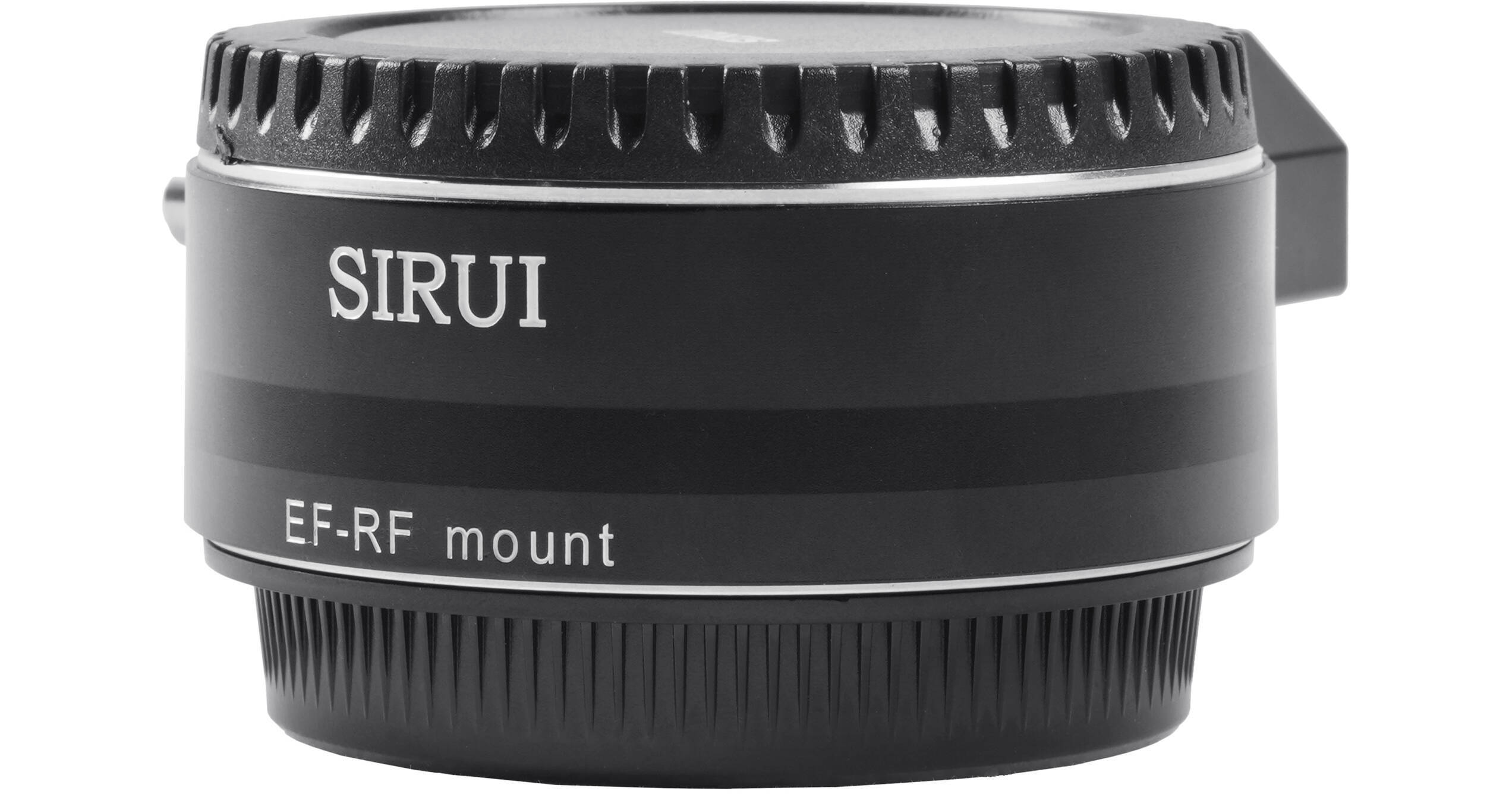
Sirui Jupiter EF-RF Adapter for Canon EF Lenses to Canon RF Cameras

BH #SIEFRFADAPTR • MFR #EF-RF ADAPTER
Print
Sirui Jupiter EF-RF Adapter for Canon EF Lenses to Canon RF Cameras
Key Features
  • Canon EF Lenses to Canon RF Cameras
  • Compatible with Jupiter Series Lenses
  • Precision Aluminum Construction
  • Integrated 1/4"-20 Tripod Socket
The Jupiter EF-RF Adapter from Sirui allows Canon EF-mount lenses to be attached to Canon RF-mount digital cameras. It is precision constructed from aluminum alloy to be lightweight and durable and allows a desired lens to be adapted with no loss in image quality. It features a built-in female 1/4"-20 tripod mount socket designed to keep the camera and lens setup in balance.
More Details
In Stock
No Store Display
$99.00
Free 2-Day Shipping
Protect Your Gear
Add a protection plan from $10.79
Ask an Expert
800-606-6969

Sirui EF-RF ADAPTER Overview

The Jupiter EF-RF Adapter from Sirui allows Canon EF-mount lenses to be attached to Canon RF-mount digital cameras. It is precision constructed from aluminum alloy to be lightweight and durable and allows a desired lens to be adapted with no loss in image quality. It features a built-in female 1/4"-20 tripod mount socket designed to keep the camera and lens setup in balance.

NOTE: This is a manual lens adapter and does not provide any electronic communication between the lens and camera body.

Sirui EF-RF ADAPTER Specs

Item Type
1x Lens Mount Adapter
Camera Compatibility
Canon RF Mount
Lens Compatibility
Canon EF Mount
Electronic Communication
No
Included Shims
Mounting
Tripod Mount: 1/4"-20 Female Thread
Materials
Aluminum
Dimensions
3.3 x 2.9 x 1.3" / 84.1 x 73.5 x 33.6 mm
Weight
6 oz / 170 g
Packaging Info
Package Weight
0.56 lb
Box Dimensions (LxWxH)
4.8 x 3.9 x 2.5"

Sirui EF-RF ADAPTER Reviews

This Is Unexciting And Works Well

By Ryan
Rated 5 out of 5
Date: 2025-11-24

Important To Note, This Is A DUMB Adapter, It Has No Electronics And Has No Way To Allow You To Adjust Your Aperture On A Traditional EF Lens. You're Going To Be Disappointed If That's What You Need. If You Have A Set Of Traditional Lenses That Were Modified To EF, This Adapter Is Perfect. As Far As I Can Tell, It Is Well Machined And The Tolerances Are Quite Good. I Haven't Experienced Any Play In The Lenses I've Used With It.

See any errors on this page?

this works for the blackmagic 6k g2 (Ef mount)?? ...

this works for the blackmagic 6k g2 (Ef mount)?? or what model will allow me to use an RF mount lens on this Ef mount body?
Asked by: maia
The Sirui Jupiter EF-RF Adapter for Canon EF Lenses to Canon RF Cameras is not compatible with the Blackmagic 6k g2 (Ef mount). Currently there are no adapters that would allow an RF lens to be used on an EF camera.
Answered by: Dan W
Date published: 2024-11-01

Just to be really clear, this will allow me to ...

Just to be really clear, this will allow me to use an RF mount lens on an EF mount body? It says compatible with Jupiter lenses, but they are PL or EF, not RF.
Asked by: Eric
This is a Canon EF Lens adaptor to Canon RF Cameras & is not limited to Jupiter lenses. As noted above: This is a manual lens adapter and does not provide any electronic communication between the lens and camera body.
Answered by: Yosef
Date published: 2025-09-09

how to you adjust the physical iris with this?

how to you adjust the physical iris with this?
Asked by: Dustin
The Sirui Jupiter EF-RF Adapter for Canon EF Lenses to Canon RF Cameras is a manual lens adapter and does not provide any electronic communications between the lens and camera body. A lens with manual focus and aperture control rings is recommended, such as the Venus Optics Laowa 15mm f/4 Macro Lens for Canon EF (B&H # VE1540C). This will allow for physical adjustment to the iris while using the lens adapter.
Answered by: Marvin C
Date published: 2023-08-28
  • y_2026, m_6, d_3, h_11CST
  • bvseo_bulk, prod_bvqa, vn_bulk_3.0.46
  • cp_1, bvpage1
  • co_hasquestionsanswers, tq_3
  • loc_en_US, sid_1708647, prod, sort_[SortEntry(order=HAS_STAFF_ANSWERS, direction=DESCENDING)]
  • clientName_bhphotovideo
Whatever You Need, We've Got It