Ask Our Experts800-606-6969
Hello, Log InAccount & Orders
Video Chat with a Pro Video Expert - Live
Key Features
- Install SATA SSDs in Atomos Monitors
- For Select Samsung 860/870 SSDs
- Slim Magnesium/Aluminum Construction
- Tools for Installation Included
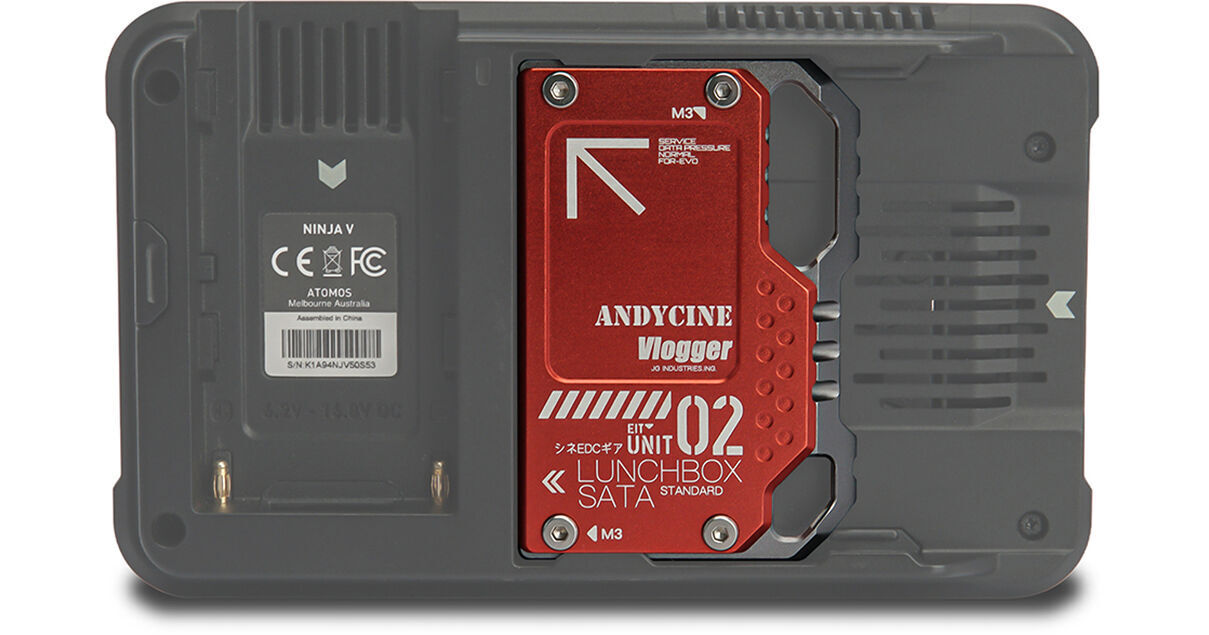
Use this red LunchBox II Magnalium Case from ANDYCINE to install your SSD directly into the slot on the back of the Ninja V. Compatible Samsung EVO and QVO SSDs have to be removed from the case, and the thermal adhesives stripped off in order to install. Replacement thermal adhesive then adapts your SSD into the LunchBox II case and protects it from heat. Then you're ready to connect and screw in the full assembly to your compatible Atomos recording monitor. The LunchBox II provides a compact and economical alternative to other options used for Atomos monitors, with all the tools needed for installation.
More DetailsSee any errors on this page?