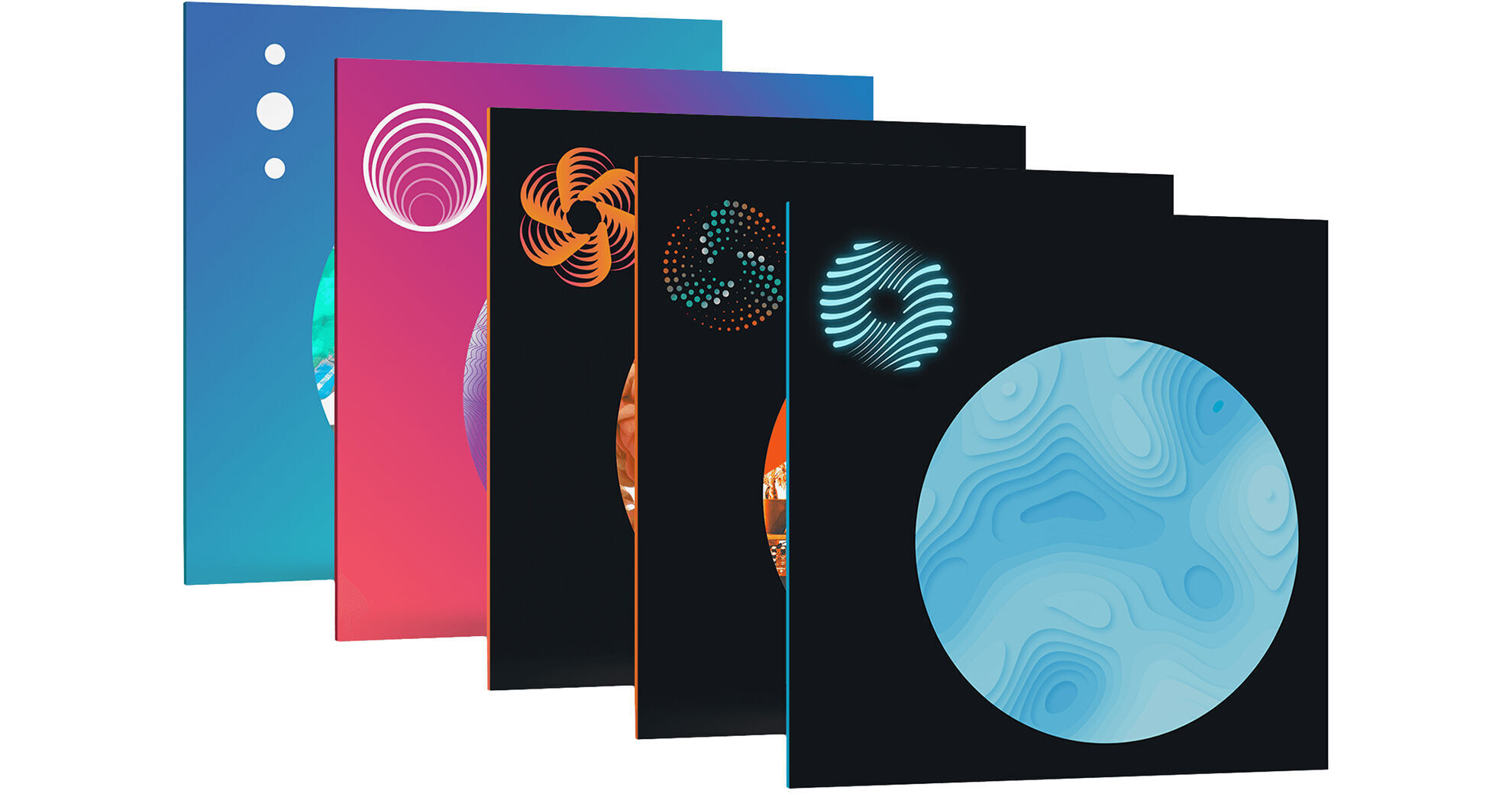


Audio professionals in need of mixing and mastering tools will appreciate the iZotope Mix & Master Bundle Advanced, a complete tool set that's designed for a streamlined mixing and mastering workflow. The bundle includes Ozone 10 Advanced, Neutron 4, Tonal Balance Control 2, Nectar 3 Plus, Neoverb, and Melodyne 5 Essentials, an award winning software for pitch and timing correction.
Audio engineers and music producers in need of a complete mastering solution will appreciate iZotope Ozone 10 Advanced, software that delivers superior-sounding releases with an advanced and innovative mastering plug-in suite. The software builds upon the offerings of previous iterations with visual improvements, CPU optimizing, new modules, and new assistive options. The software allows you to create masters of your music in an intuitive and user-friendly manner.
Balance and smooth your tracks with the new Stabilizer Module, or add punch and glue with the new Impact Module for sophisticated sonic improvements. You can match the sound of chart-topping hits or your favorite reference files with the new Master Assistant, while groundbreaking technology and an improved UI keep you in your flow. Adjust loudness while diving deep into the details with the new Magnify Soft Clip. As with the previous version, you'll find a reference section to load in your favorite reference tracks. You'll also find dither options and have the ability to audition how the master sounds through various lossy codecs. The software is compatible with Mac and Windows platforms in AU, VST2, VST3, and AAX formats. And now it's compatible with NKS supported environments as well.
- Improved Performance: Ozone 10 is compatible with Apple silicon native chips for faster processing.
- Improved UI Look and Feel: A refreshed look and simple interface helps to jumpstart your mastering process by keeping you in your flow.
- Hear the Difference: New buttons have been added that activate Delta monitoring, allowing you to hear just the frequencies that are being cut or boosted. This lets you know precisely how you are adjusting your track in the new Stabilizer and Impact Modules.
- Improved Metering with Tonal Balance Target Curve: Visualize how your master stacks up to chart-topping hits or to your own reference track, with the Tonal Balance target curve located in the new Assistant View for easy metering.
- Assistant View UI: The Master Assistant lands you on the new Assistant View, your intelligent control center for fast, personalized results.
Audio professionals wishing harness the power of artificial intelligence to help craft professional mixes will be inspired by iZotope Neutron 4, a complete suite of plug-ins that will help you mix smarter and faster, while keeping you in the flow.
Updates to version 4 include the new Assistant View, Target Library, and Unmask module, plus an updated Trash mode in the Exciter module, and a Punch mode in the Compressor module. The Assistant View feature's Neutron's AI powered mix assistant with modernized, intelligent control that produces fast, personalized results. As with previous iterations, you get an equalizer, a transient shaper, and sculptor.
- Assistant View: Neutron's beloved AI powered mix assistant is now modernized into the new Assistant View, your intelligent control center.
- Target Library: Dynamically match the tone of your track to a sample or stem using tone matching technology.
- Unmask Module: Makes space between two competing tracks, balancing your bass and kick or allowing vocals to shine over your mix.
- Trash Mode: Added to the Exciter module, you can distort and destroy sounds, allowing you to discover new extremes by blending between different textures
- Punch Mode: Added to the compressor module, you can control and visualize how hard your sound hits
- Make broad, sweeping sonic improvements to the Assistant's suggestion, using the Intent Controls for punch, adjusting punch, distortion and width. Toggle Neutron between the Assistant View and to the Detail View to customize your workflow.
- Tone and tame character changes in Neutron's Exciter with the new adjusting low or high frequency content and the new Tame button to preserve dynamic expression.
- Sidechain metering in the Compressor Module: See your sound, scope your sidechain. Visualize your dynamics with the new Oscilloscope View in Neutron's Compressor.
- Improved performance: Neutron is now compatible with Apple silicon native (M1, M1 Pro, M1 Max) chips for faster processing.
- Includes Visual Mixer and Relay to help your plug-ins talk to each other and Tonal Balance Control 2 to view your levels as you mix.
- Neutron’s AI-powered Mix Assistant is now modernized into the new Assistant View, your intelligent control center that produces fast, personalized results. Powered by machine learning, the Assistant View starts listening as soon as you play audio, producing a reference starting point and taking you to an intelligent control center where you can perfect your sound.
- Use the Intent Controls to make big sonic improvements by dialing in punch and distortion to taste before jumping into the Detail View to fine tune. This is your Mix Assistant, but even faster and more flexible.
- Neutron 4 discovers and fixes masking issues for you, enabling you to reach new levels of clarity. The new Unmask Module makes space between two competing tracks, balancing your bass and kick or allowing vocals to shine over your mix.
- Unmask from a track or bus in your DAW, then adjust levels to reach your optimal balance. It’s simple to set up and fixes muddy mixes in seconds.
- The Exciter Module in Neutron 4 now has a slice of fan favorite, Trash 2.
- Distort and destroy sound with Trash Mode, allowing you to discover new extremes by blending between different textures.
- Curate character changes with the new Tone Slider to explore the boundaries of weird and wild.
- Distort responsibly with the Tame button to preserve dynamic expression as you destroy.
- Make an impact using the new Punch Mode in the Compressor Module to control and visualize how hard your sounds hit.
- Add more thump, punch or snap to breathe life into vocals, percussion, bass, and more.
- Choose from Punch Mode, Modern Mode or Vintage Mode to easily manipulate microdynamics.
Available for download, iZotope Tonal Balance Control 2 is metering software designed for mixing and mastering music. It is designed to show you vital information about your mix's frequency profile, and to help guide you to a frequency target that best matches your genre.
Load up a genre or style from the Preset menu and see how your program material compares. If you want, you can also load individual songs or entire albums from your collection into the plug-in to be analyzed for comparison. Two viewing options are on hand: a finer view, and a more detailed view, for helping you see how you compare to your references. You can solo bass, middle, and treble ranges to hear them independently. A crest-factor meter tied to the low end shows how compressed your bass information is by measuring and displaying the peak-to-average ratio of low-end elements.
New to Tonal Balance Control 2 is inter-plug-in communication with other iZotope products. You can now tweak instances of Neutron, Ozone, and Relay within Tonal Balance Control 2, so you that you can correct issues within your mix from the same GUI you're using to meter. Tonal Balance Control 2 is compatible with Mac and Windows platforms. It will operate within AU, VST2, VST3, and AAX plug-in formats.
Polish your vocals to a professional sheen with iZotope Nectar 3 Plus, a downloadable plug-in designed for vocal mixing and production. Everything you need to process the human voice is here, from high-quality equalizers and compressors to modulation and time-based effects. No longer will you need to break out a vocal into parallel tracks or aux returns—now you can do it all in one intuitive yet powerful interface.
Nectar 3 Plus is a revamped version of Nectar 3, a plug-in venerated among top pros and aspiring amateurs alike for its ease of use and for its studio-quality sound. Chief among the improvements is an upgraded Virtual Assistant. Like many iZotope plug-ins, this software can analyze incoming audio and generate a custom-tweaked starting point for your mix. Nectar 3 Plus improves the Unmask Mode of the Virtual Assistant, giving you more control over how your vocal sits in the overall mix. Also, RX 8 Breath Control is now included, alongside Melodyne 4 Essentials for pitch correction.
- Shape your tracks with a comprehensive drag-and-drop EQ, one which can follow the harmonics in a vocal to automatically tamp down resonances or emphasize pleasant parts of the voice. This EQ can also be used in a dynamic mode for creative or tone-correcting effects.
- Balance your vocal level without pumping or other compression artifacts thanks to an exceedingly natural auto-level, which rides the vocal in a ±3 dB range of your selected target.
- De-ess your vocals transparently with the De-esser module.
- Add character-enhancing or dynamics-taming compression with a dedicated compression module, which has several selectable modes to model vintage or modern hardware.
- Gate out extraneous noise with the gate.
- Use subtle automatic pitch correction, or dive in deeper with Melodyne 4 Essentials, included with Nectar 3 Plus.
- Control stray breaths with RX 8's Breath Control Module.
- The Dimension module provides chorus, flanging, and more.
- Reverb and Delay modules offer exciting and tweakable time-based effects.
- The Harmony module offers the ability to add up to 8 voices of harmony, which can be pitched up or down, at Unison for double tracking effects, or played through MIDI. The Harmony mode offers modulation over the pitch and speed of the additional harmonies, and you can pan them all on an easy-to-read GUI.
- Add harmonic excitement to the vocals with Saturation.
Quit wasting hours trying to blend your reverb correctly in the mix; instead, download iZotope's Neoverb, and hear the right reverb in seconds, thanks to its AI-powered technology. The Reverb Assistant customizes the verb to your particular needs. No matter the sound source, Neoverb can listen to it, analyze it, and create the perfect reverberation setting in response.
Neoverb is a rare piece of software that is equally useful to beginners and professionals. For the beginner, tweaking a reverb to blend correctly is difficult and time-consuming, but Neoverb accomplishes this feat quickly. The Reverb Assistant also shows you how it generated settings through its intuitive interface, teaching you about reverb in the process. The professional engineer, on the other hand, is often working against deadlines. Neoverb cuts down on the time it takes to select and tweak the right plug-ins, helping you achieve the sound you want with greater speed.
Available for download, Celemony Melodyne 5 Essentials is pitch-and-time-shifting software that is well-regarded for its ability to tune and rhythmically realign notes. Professional mixing engineers often use Melodyne to heighten the performance of parts that don't quite make the cut, either in monophonic or polyphonic situations.
Version 5 boasts many new features and various improvements over version 4. A Level Macro can execute dynamics control in a more broadstroke manner, without sacrificing musical results. The new Melodic algorithm tunes material in such a way as to preserve its fundamental humanity and natural sound. For tuned instruments such as tablas or 808 kick drums, Melodyne 5 Essentials offers a new Percussive Pitch algorithm. Editing chords is also much easier thanks to the new Chord Track.
Overhauls have been made in integrating shortcuts and saving presets. Also, the file-saving system has been revamped: no more separate .mdd files; all detection data is now saved to the audio file itself, simplifying your file directory in the process.
Melodyne 5 Essentials is a standalone piece of production software, but it can communicate with supported DAWs via ARA integration, or you can use the sotware as a VST, AU, or AAX plug-in. It is compatible with Mac and Windows operating systems.
- New Melodic algorithm with sibilant detection for natural-sounding results
- New Leveling macro to reduce or eliminate excessive volume disparities between notes
- New Percussive Pitched algorithm for instruments such as tabla, berimbau, or 808 kick drums
- search functions for keyboard shortcuts, saving of shortcut sets
- Psychoacoustically Accurate Pitch Correction: Sometimes an out-of-tune note needs to stay untweaked to preserve the humanity of a performance. Sometimes a note needs to be tuned to sound correct. Melodyne can now better identify and pin down the all important human element while tuning vocal. The software can identify problem areas precisely, and the offset shown in the Note Inspector will be calculated from the pitch of each note at the crucial moment only, rather than its duration. As a result, double-clicking a note value can now yield a musical and correct result. Each individual note is pitched to perfection. Yet everything still sounds natural and alive
- Chord Track and Chord Grid: Melodyne 5 Editor offers a chord track that is linked to the Pitch Grid in the Note Editor. This makes working with chords far more enjoyable and working with harmonies much more transparent. Because you can see which pitches are compatible with the current chord at any time, you can adapt the notes accordingly with lightning speed. This is helpful when you're altering chords, and if you want to match any sample harmonically to your music
- Robust Pitch Curve: With this new option, you can obtain better sound quality when editing certain signals, such as those with a great deal of reverberation. When it is activated, the monophonic algorithms employ a pitch curve that has been slightly smoothed out
- Improved Complex Algorithm: This algorithm has been improved, and can now be used just as flexibly as the Tonal algorithm when it comes to formant preservation and manipulation
- Better Keyboard Shortcut: A new search function for keyboard shortcuts has been added, and the saving of personalized shortcut sets has been improved
- No More .mdd Files: Melodyne's detection data, which was previously saved to separate .mdd files, is now stored in the audio files themselves, making file directories clearer, and the sharing of projects easier
- Works as a plug-in or in standalone mode
- Connect via ReWire to compatible DAWs
- Supports ARA Audio Random Access in compatible DAWs
- Dynamic just intonation for transparent chord tuning
- Universal time-stretching algorithm
- Streamlined user-interface
- Enhanced key commands
- Tempo Intelligence: map and edit tempo fluctuations within a recording
- Manual or automatic correction of intonation and timing errors
- Refashioning of melodies, harmonies, timing, and rhythm
- Modifying various note parameters such as volume, vibrato, and formant spectrum
- In-depth editing of the timing of notes
- Pitch shifting and time stretching
- Requantization
- Modifying the pitch
- Modifying the pitch drift
- Modifying the pitch modulation
- Modifying the position
- Modifying the length
- Modifying the attack speed
- Modifying the time course within notes
- Modifying the volume
- Shifting the formant spectrum
- Modifying the pitch of any transition between notes
- Modifying the volume of any transition between notes
- Shifting the formant spectrum of any transition between notes
- Timing requantization
- Pitch quantization
- Cut, copy, and paste
- Modifying the pitch (relative)
- Modifying the position
- Modifying the length
- Modifying the volume
- Modifying the attack speed
- Modifying the time course within notes
- Shifting the formant spectrum
- Modifying the volume transition between blobs
- Shifting the formant spectrum of transitions between blobs
- Timing quantization
- Cut, copy, and paste