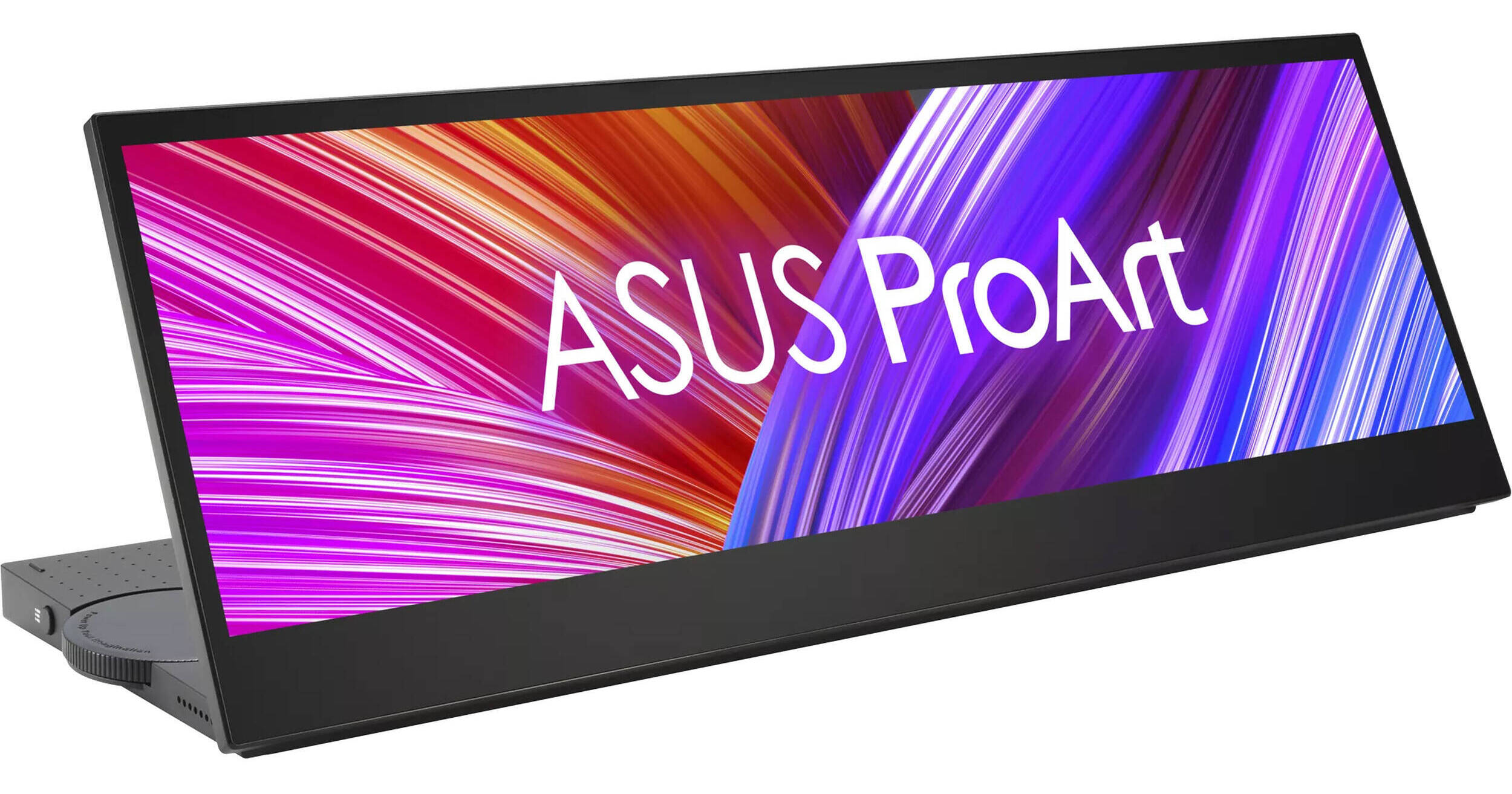
Whether you're in a studio or on location, the ASUS ProArt Display PA147CDV 14" Ultrawide Multi-Touch Monitor can significantly streamline your professional creative workflow. Designed to bring the dual screen experience found on the ZenBook Duo laptops to a broad range of devices, this ultrawide touchscreen may be used alongside your main display or laptop to keep application tools and shortcuts at your fingertips. Featuring a 1920 x 550 resolution with a 32:9 aspect ratio, this compact and portable display may be placed almost anywhere in your workspace to add 10-point multi-touch control, Microsoft Pen Protocol 2.0 compatible stylus support, a control dial, and extended content viewing to your computer.
An Efficient Workflow
The customizable control panel allows you to keep application tools and functions close at hand to make quick adjustments more efficiently. Use split-screen mode to make multitasking easier by showing shortcuts for different applications side-by-side. Adding a separately purchased stylus lets you make detailed edits to photos and documents in addition to illustrations and handwritten notes.
This portable widescreen display fits a variety of spaces, including underneath a desktop monitor or beside your laptop, where it's always within easy reach. Its integrated mechanical kickstand lets you adjust the tilt up to 70° to suit your needs. It can also lay flat for easy sketching, storage, and travel. The display may also be placed vertically alongside your main display.
Intuitive Control
The built-in ASUS Dial works with Adobe applications such as Photoshop, Lightroom, Premiere Pro, and After Effects to quickly adjust brush sizes or zoom in and out as needed. Or you can customize it to your needs.
Alternatively, you can customize a touchscreen control panel interface with the free ProArt Creator Hub software to swiftly access and switch between tools. You can add custom virtual buttons and dials to activate different shortcuts.
High Versatility
The ProArt Display has a variety of different applications, including:
Video Editing: View your timeline at full screen and scroll through it with ease.
Audio Recording and Mixing: Record, mix, and master tracks with extra space for additional controls.
3D Animation: Place the tool bar on the ProArt display while rendering 3D objects on your main display.
Game Streaming: Keep track of your chat and other information while live streaming gameplay.
Entertainment: Keep your playlist and other controls close by while working from the main display.
Dashboard: Maintain a close eye on your system performance and other parameters.
Rich Color
The Calman verified display is pre-calibrated with ΔE <2 color accuracy, delivering vivid images that cover 100% of the sRGB and Rec. 709 gamut. The gamut may be quickly switched between sRGB, Rec. 709, DCI-P3, Reading, and Darkroom presets to fit your project's needs.
ASUS Eye Care features such as TÜV Rheinland-certified flicker-free and low-blue-light technologies help to reduce eyestrain and ensure a comfortable viewing experience.
Quick Connectivity
Connect your computer to the ProArt display through the HDMI and USB-C ports while using the second USB-C port with a separately purchased power adapter. Using either USB-C port with a compatible laptop allows you reduce desktop clutter by transferring video, power, and touch input over a single cable.