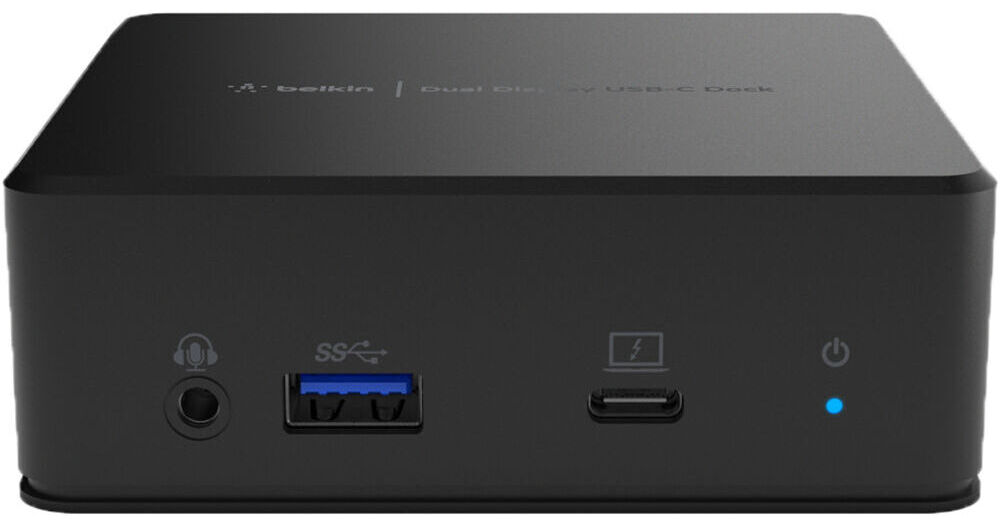
Expand your workspace with the USB-C Dual Display Docking Station from Belkin. Connect an external hard drive, mouse, keyboard, headphones, and other peripherals to the USB-C Dual Display Docking Station to reduce desktop clutter all through a single cable while 85W of power delivery ensures your laptop stays charged. DisplayLink technology enables you to connect two high-definition monitors to a Windows, macOS, or ChromeOS computer. This docking station offers wide compatibility with computers and laptops for any school, business, or home office environment.
Dual HD Displays
See everything in high definition and work on multiple applications across two screens. This dock allows your laptop to connect to two 1080p monitors simultaneously so you can enjoy sharper-looking, more detailed images, and visualize content across extended displays.
DisplayLink Technology
DisplayLink graphics technology makes it easy to connect a computer to a universal docking station and use multiple devices such as external displays, extra USB ports, audio, and Ethernet devices through the dock. Just plug in your MacBook, Windows PC, or Chromebook and they can all use the same large displays, keyboard, and mouse with low latency.
Note:
DisplayLink drivers must be installed on any computer that you wish to use with the dock for full display functionality.
Expand Your Ports
Your computer can connect to a single docking station for power and ease of use. Ports include HDMI, USB-A, USB-C, Gigabit Ethernet and audio in/out. The mountable design also includes a Kensington lock slot for added security.
85W of Power Delivery
Charge your laptop and accessories while working, streaming, or gaming. This dock features a USB-C port that supports pass-through power up to 85W.