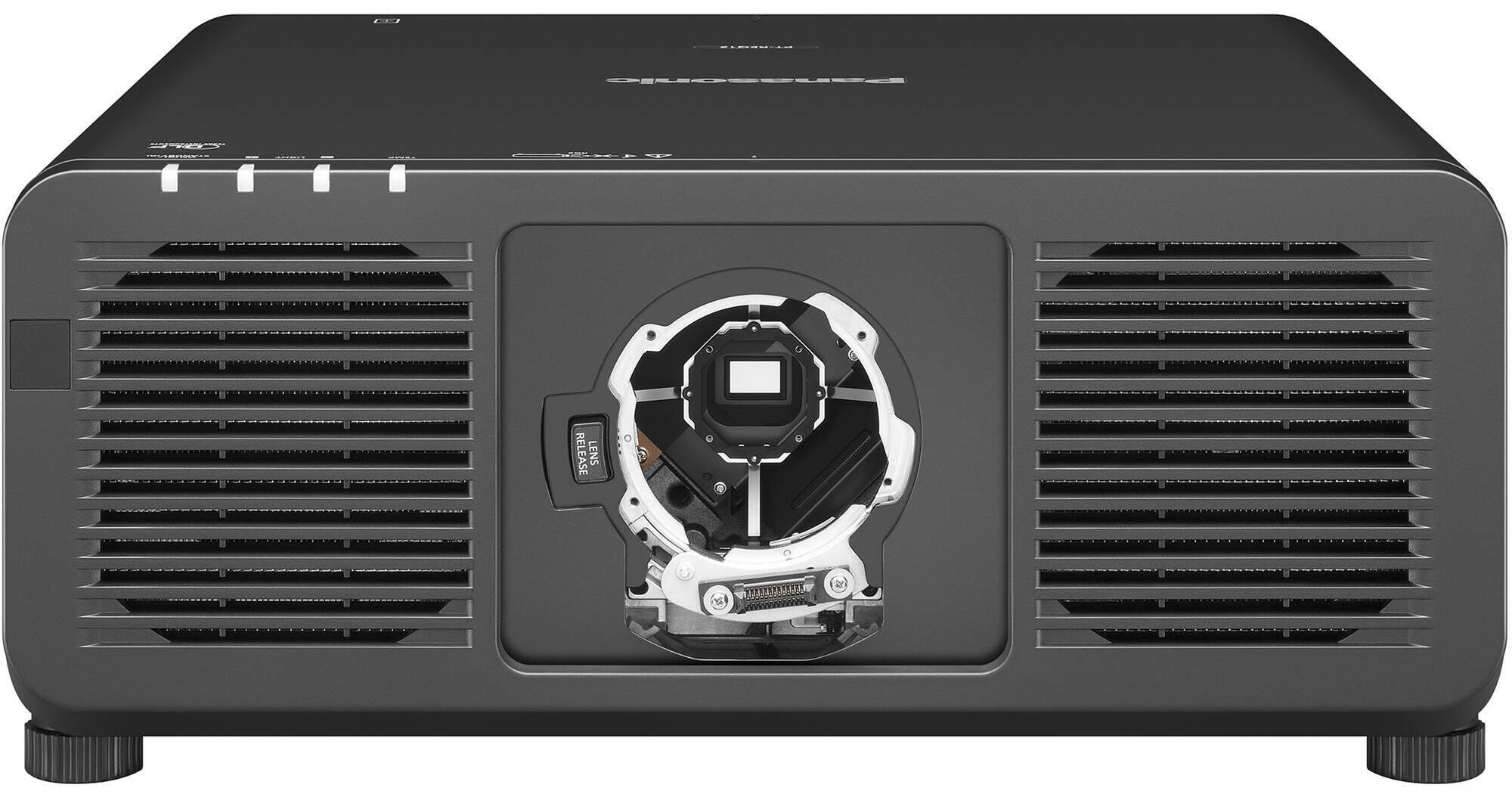
When equipped with a supported lens (not included), the black, Quad Pixel Drive-powered Panasonic PT-REQ80L 8000-Lumen WUXGA Laser DLP Projector offers a 1920 x 1200 resolution, but is capable of accepting content up to 4K for large venues with an incredibly bright 8000 lumens. Even fast-motion video is supported with 240 Hz refresh on up to 2K resolution footage and a low 6 ms latency. Many features are offered for remote and customized setup and management, even with the projector powered off. The PT-REQ80L is also extremely reliable, with an IP5X dust-resistant design and water-cooled multi-laser light that do not require filters and offer nearly maintenance-free operation for up to 20,000 hours.
Quad Pixel Drive
In addition to 4K and fast 2K240 support, the Quad Pixel Drive also features Dynamic Contrast for higher white brightness and deeper blacks, along with two modes of Rich Color Enhancer. Dynamic mode balances brightness and color, while Standard mode expands the red-channel output for more accurate artwork reproduction. These result in crisp images with no visible pixels or pixel-gridding, even when viewed up close.
Gradation Smoother
Three levels of color banding reduction are possible, which can be useful when time and/or budget do not permit additional content editing.
Evolved Dynamic Contrast
Each video frame is analyzed in real-time, where light output is continuously and automatically adjusted to optimize contrast.
Detail Clarity Processor 4
This helps to create a clear and lifelike image by analyzing low to ultra-high frequencies and using image quality correction circuitry to optimize each area.
Multi-Screen Black Level Adjustment
- Curved Screens: Using up to 17 control points set to within a half-pixel margin, black borders on curved screens can be eliminated when blending multiple projections on curved screens.
- Inside/Outside Display Area: Black level and geometric adjustment are unlinked, helping to eliminate distracting black-level bumps that can appear in blended images.
21:9 Widescreen
True-to-life cinematic visuals are possible with 21:9 widescreen input signal support using multimedia content, but can also benefit conferencing applications, where all remote guests remain at eye level across the width of the projection.
Test Patterns and Calibration
You have a variety of options when calibrating the PT-REQ80L. Use one of ten built-in test patterns, import and save up to three custom test patterns, or use saved BMP or PNG images of the content to be projected.
Smart Projector Control App
With simple QR code scans, you can use this app to set up and operate the PT-REQ80L and up to 63 others simultaneously. Without any need to enter OSD menus, you can do things like adjust test patterns, lens settings, focus adjustment, and more.
NFC Projector Prep:
Using a mobile device and NFC technology, you can prepare your projector without it even being powered on. Tap the decal on the PT-REQ80L to use the Smart Projector Control app to adjust settings that can then be applied when the projector is finally set up and powered on. This feature also lets you restore the PT-REQ80L to factory defaults when powered off.
Remote Control Screen Adjustment
Use the included remote control and Free Grid to make vertical and horizontal control point adjustments to fix distorted images, whether it be due to uneven surfaces or a curved screen. Choose different grid patterns from 2 x 2 to 17 x 17. Changes are saved automatically and can be done over a background image.
Pre-Activated Upgrade Kits
The PT-REQ80L comes with pre-activated upgrade kits for the free Geometry Manager Pro software. You get ET-CUK10 Auto Screen Adjustment and ET-UK20 Geometry Manager Pro upgrade kits. They add edge-blending, color uniformity, masking tools, and automatic edge-blending calibration features.
Fast Angle Correction
Finding the current orientation and installation angle is now as easy as checking the OSD menu. An embedded gyro sensor detects changes to pitch and roll angles, displaying their values on-screen in the OSD menu.
Remote Preview LITE
Accessed via software or web browser on a laptop, projectionists can preview the content's input signal as thumbnails on a laptop. A useful feature when actual screen testing and checking is not logistically possible.
Input Insurance
Using both HDMI inputs, two sources with identical content can be sent to the projector. If one should fail, the projector will automatically switch to the backup source in roughly 0.3 seconds. Fast enough for seamless projection without any partially blank sections.
Failover Circuitry
If one laser diode fails, rather than power being cut for a significant drop in brightness, built-in failover circuitry kicks in to continue to supply electricity to the remaining diodes to minimize brightness loss.
UPC: 885170405462