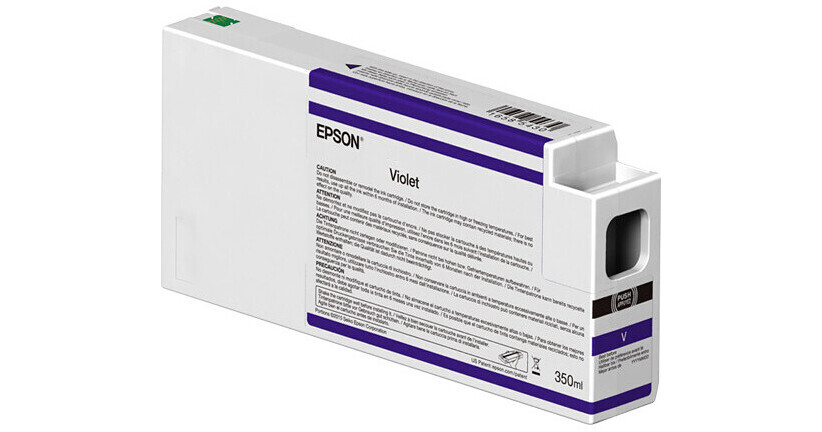
Epson T54XD00 UltraChrome HDX Violet Ink Cartridge (350ml)

BH #EPT54XUCVL • MFR #T54XD00
Print
Epson T54XD00 UltraChrome HDX Violet Ink Cartridge (350ml)
Key Features
  • For SureColor P9000 and P7000 Standard and Commercial Edition Printers
Make sure your printer doesn't run dry during an important job with this 350ml T54XD00 UltraChrome HDX Violet Ink Cartridge from Epson. This chipless, pigment-based ink cartridge tracks ink levels by an accurate droplet count and is available as a replacement or spare for the Epson SureColor P-series large-format printers.
More Details
In Stock
No Store Display
$153.00

Shipping Restriction:

Calculate Shipping
Ask an Expert
212-444-6615

Epson T54XD00 Overview

Make sure your printer doesn't run dry during an important job with this 350ml T54XD00 UltraChrome HDX Violet Ink Cartridge from Epson. This chipless, pigment-based ink cartridge tracks ink levels by an accurate droplet count and is available as a replacement or spare for the Epson SureColor P-series large-format printers.

Compatible Printers
SureColor P7000 Commercial Edition 24" Large-Format Inkjet Printer
SureColor P9000 Commercial Edition 44" Large-Format Inkjet Printer
UPC: 010343976894

Epson T54XD00 Specs

Quantity
1 Cartridge
Printer Type
Large Format Inkjet Printers
Container Type
Inkjet Cartridge
Color/Optimizer Type
Violet
Ink Type
Pigment-Based Color
Volume
350 mL
Compatibility
Epson SureColor:
P7000
P9000
Packaging Info
Package Weight
1.475 lb
Box Dimensions (LxWxH)
10.3 x 4.6 x 1.9"

Epson T54XD00 Reviews

Great Ink, but required update of firmware on printer

By Vic
Rated 4 out of 5
Date: 2023-11-01

I recently purchased a SC P9000 commercial printer. The 110ml ink provided with the printer is only enough to charge the system, so you will need either the 350ml or 700ml replacement cartridges right away. The model I ordered used the violet to charge - some use the light light black in the same slot. My original order of 350 ML cartridges for the printer came with Light Light Black, not violet, and once the Violet charger has been used, you cannot change it back. So, I had to order this violet cartridge separately. Once I received it, I inserted it, and the printer did not recognize it. After consulting the instruction sheet, it said that due to a redesign in the cartridge case, a firmware update of the printer was required. After jumping through the necessary hoops, I was able to update the firmware on the printer through the usb port, and after a restart, it then recognized the cartridge. Working fine now, with the resultant good quality prints.

See any errors on this page?
Whatever You Need, We've Got It