Video Chat with a Lighting Expert - Live

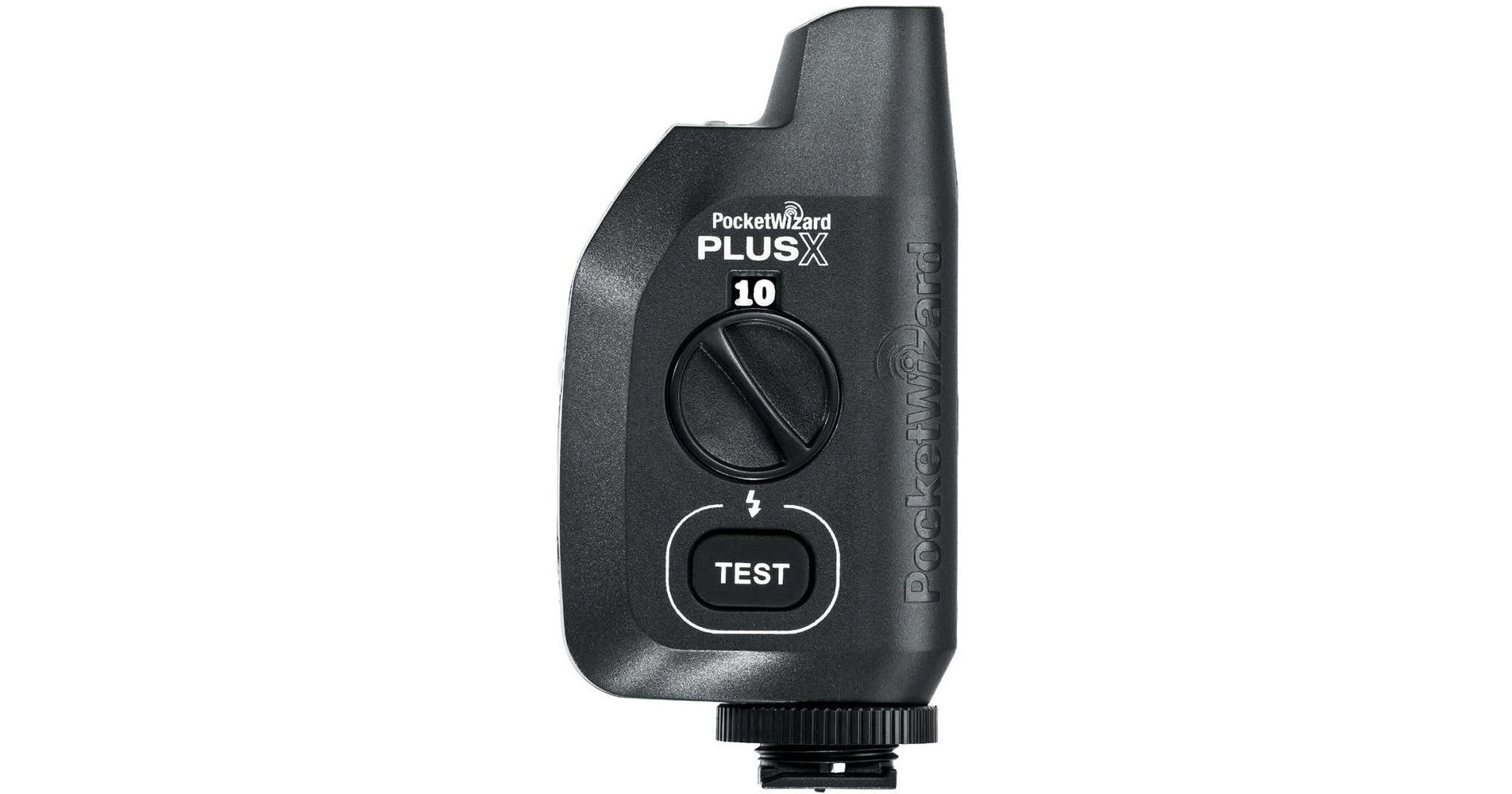
PocketWizard PlusXe Transceiver

BH #POPXETCV • MFR #12166
Print
PocketWizard PlusXe Transceiver
Key Features
  • E Release Firmware Installed
  • Enhanced Range and Reliability
  • Combination Transmitter and Receiver
  • Full PocketWizard E Series Compatibility
Wirelessly trigger remote cameras or off-camera flashes with the versatile PlusXe Transceiver from PocketWizard. This enhanced version of the PlusX offers incredible range and reliability with a simple-to-use and intuitive design. The PlusXe features intelligent Auto-Sensing technology to automatically work as a transmitter, a receiver, or both as needed. For maximum efficiency with existing radio setups, this radio trigger uses PocketWizard's E Release firmware protocol that makes it fully compatible with the brand's radios devices. This widely compatible transceiver can be used with virtually any camera via hot shoe or PC port and flash via sync connection.
More Details
In Stock
No Store Display
Free 2-Day Shipping
Protect Your Gear
Add a protection plan from $18.50
Quantity
Ask an Expert
800-606-6969

PocketWizard PlusXe Overview

Wirelessly trigger remote cameras or off-camera flashes with the versatile PlusXe Transceiver from PocketWizard. This enhanced version of the PlusX offers incredible range and reliability with a simple-to-use and intuitive design. The PlusXe features intelligent Auto-Sensing technology to automatically work as a transmitter, a receiver, or both as needed. For maximum efficiency with existing radio setups, this radio trigger uses PocketWizard's E Release firmware protocol that makes it fully compatible with the brand's radios devices. This widely compatible transceiver can be used with virtually any camera via hot shoe or PC port and flash via sync connection.

Note:
Cables are not included.
Easy-to-Use Interface and Design
Simply turn the dial to choose your channel. The PlusXe has a compact design for easier interaction with your subject. It allows you to trigger your devices from a distance even in challenging environments.
Compatibility
  • Fully compatible with PocketWizard E Series radios with E Release firmware
  • It is also compatible with the Raven from FUSION TLC
  • The radio can be downgraded to PocketWizard Legacy firmware for compatibility with older PocketWizard radios
  • You can switch between the firmware versions by setting the unit to the respective channel, then pressing and holding the test button while powering on the radio
UPC: 860010715208

PocketWizard PlusXe Specs

Key Specs
Channels
10
Wireless Range
1600' / 487.7 m
Wireless
Yes
Inputs/Outputs
1x 1/8" / 3.5 mm (Flash)
Bottom Mount
Hot Foot (Locking)
1/4"-20 Thread
Battery Type
2x AA
Wireless
Channels
10
Wireless Range
1600' / 487.7 m
Wireless
Yes
Radio Frequency
344 MHz
General
Control Modes
Auto
Flash Interval
14.5 Flashes per Sec
Sync Speed
1/250 Sec (Normal)
1/500 Sec (Leaf)
Mobile App Compatible
No
Connectivity
Inputs/Outputs
1x 1/8" / 3.5 mm (Flash)
Mounting
Bottom Mount
Hot Foot (Locking)
1/4"-20 Thread
Electrical
Battery Type
2x AA
Sync Voltage
300 V
Physical
Operating Conditions
5 to 120°F / -15 to 48°C
Storage Conditions
-22 to 185°F / -30 to 85°C
Dimensions
4.2 x 2.1 x 1.2" / 10.7 x 5.3 x 3 cm
Weight
3.9 oz / 111 g
Packaging Info
Package Weight
0.2 lb
Box Dimensions (LxWxH)
5.1 x 4.8 x 1.9"

PocketWizard PlusXe Reviews

Very short range

By Angela
Rated 2 out of 5
Date: 2026-03-23

Got these for a March Madness game. Ended up only getting a few frames from my remote across the whole game, because they did not connect well. Should've spent a little more on the new Ve or gotten a used IIIe pair.

unreliable

By Keith
Rated 2 out of 5
Date: 2024-10-28

Been using these for years. Older ones stop communicating and very difficult to get factory service. So I throw them away and replace theme with new ones. Not a lot of options for other brands. Just purchase two new generation units and the misfire EVERY 10-15 shots. You have to reset them during your shoot by tripping the button. VERY ANNOYING for new units. If anyone knows of a better, simple radio remote please LMK.

See any errors on this page?

What cord will I need to connect PlusXe ...

What cord will I need to connect PlusXe Transceiver to Canon 7d and 5dMkiv?
Asked by: tracy
The Pocketwizard Plus Xe Transceiver will attach to any camera hot shoe. If your camera has a center pin, it will fire the flash when you click the shutter. If you are looking for more advanced features, you may want to consider the PocketWizard CM-N3-ACC-1 Pre-Trigger Remote Cable (1').
Answered by: Michael S
Date published: 2024-10-02

Will this work on Sony A1, A7R5 & A6700 without ...

Will this work on Sony A1, A7R5 & A6700 without cable or hot shoe adapter?
Asked by: Larry
The PlusXe should work on the Sony cameras without any adapters however we have heard from some customers that some Sony shoes may work better with a hot shoe adapter.
Answered by: PocketWizard Expert
Date published: 2024-09-18

Before purchasing, I'd like to confirm, will ...

Before purchasing, I'd like to confirm, will these trigger the Pocket Wizard IIIe?
Asked by: Nelson J
Yes, the PocketWizard PlusXe Transceiver (2-Pack) works with the Pocket Wizard IIIe.
Answered by: Rob K
Date published: 2024-10-10

Am i reading correctly that this will hold both ...

Am i reading correctly that this will hold both firmware versions concurrently, e and legacy, just need to change the channel?
Asked by: Daniel
Yes, if you have a PlusX with the E Release installed, you can switch firmware versions by doing this: Turn on the radio. Set the unit to Channel 4, press test. Switch to Channel 3, press test. Switch to Channel 2, press test. Switch to Channel 1, press test. Then turn the unit off then on again and it should be all set. This will not work with a regular PlusX, the board must be programmed with the E Release firmware first. If you have a regular PlusX and want to upgrade, you can send them in, and we can program them. https://bhpho.to/3zxRPpm
Answered by: Davis H
Date published: 2024-09-19

Will these trigger from the camera if it is in ...

Will these trigger from the camera if it is in electronic shutter mode, or does the camera have to be in mechanical shutter? My xplus will only work when my Sony A1 is in mechanical shutter if I want to use the camera to trigger a receiver.
Asked by: Charles
Some camera settings will automatically disable the hot shoe, like electronic shutter or continuous high speed drive. This varies by camera model. If the hot shoe is active, the camera should send the sync pulse and that should trigger a transmitting PocketWizard in its hot shoe. If the hot shoe is disabled (either on purpose or by a specific setting), you can use a remote camera cable and that will send the trigger to the transmitting PocketWizard through the remote port. (This is for triggering a remote camera.) If you are triggering a remote flash and the hot shoe is disabled, you can use a PC sync port if your camera has one for proper flash sync. NOTE: If you are triggering a remote camera from a handheld camera, it is always best to use cables on both cameras.
Answered by: PocketWizard Expert
Date published: 2026-04-11
  • y_2026, m_6, d_2, h_13CST
  • bvseo_bulk, prod_bvqa, vn_bulk_3.0.46
  • cp_1, bvpage1
  • co_hasquestionsanswers, tq_5
  • loc_en_US, sid_1772220, prod, sort_[SortEntry(order=HAS_STAFF_ANSWERS, direction=DESCENDING)]
  • clientName_bhphotovideo
Whatever You Need, We've Got It