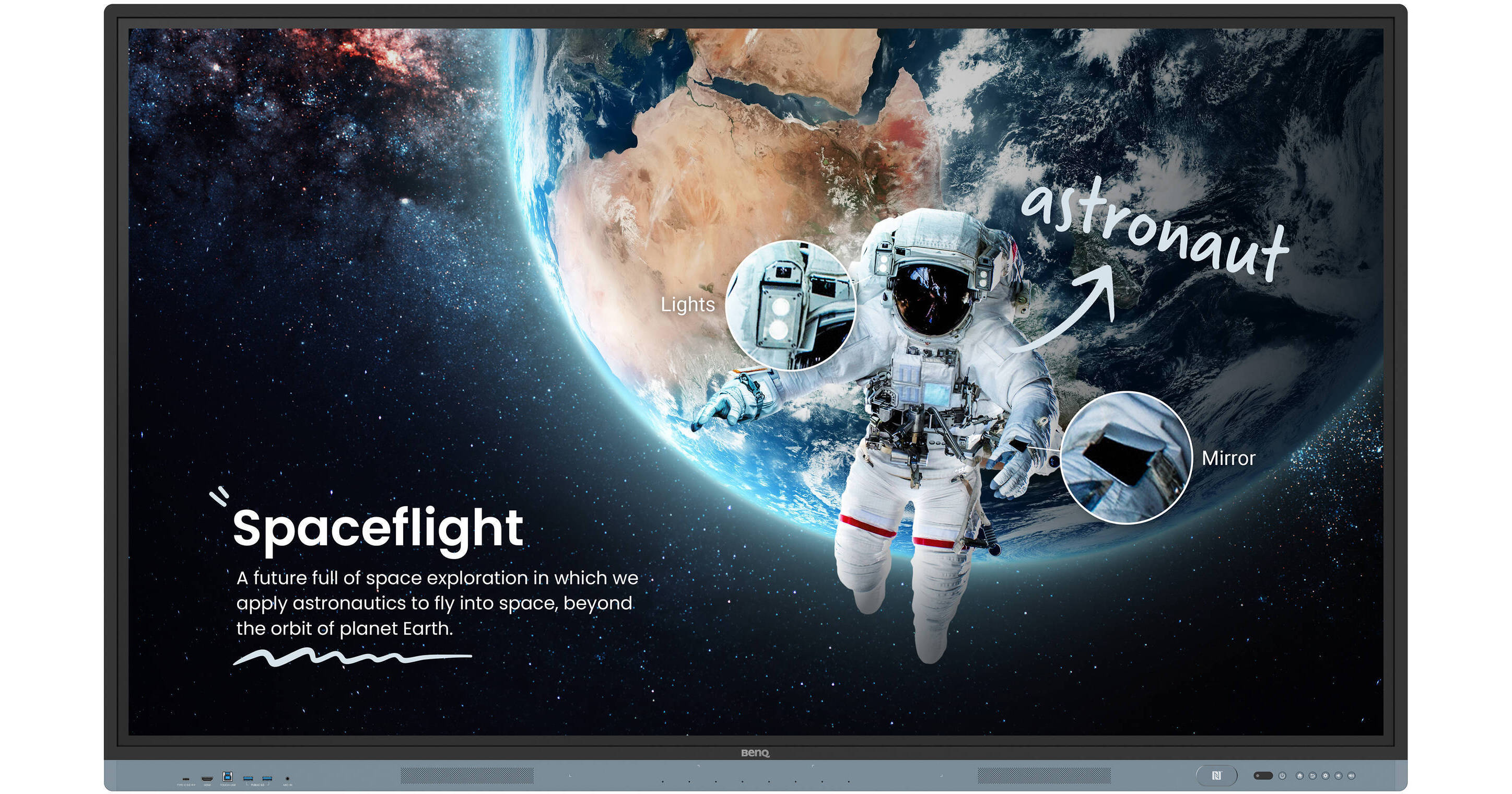
BenQ EDLA Board Master RM04 Series 65" UHD 4K Touchscreen Commercial Monitor

BH #BERM6504 • MFR #RM6504
Print
BenQ EDLA Board Master RM04 Series 65" UHD 4K Touchscreen Commercial Monitor
Key Features
  • UHD 4K (3840 x 2160) Native Resolution
  • LCD Panel with IR Touch
  • LAN & RS-232 Controllable
  • 3 x HDMI | 1 x DisplayPort | 1 x VGA
Harness the power of BenQ hardware and Google services for education with the BenQ EDLA Board Master RM04 Series 65" UHD 4K Touchscreen Commercial Monitor. The RM6504 is a 400 nits bright display powered by Android 13 OS which comes loaded with built-in access to Google apps, tools, and voice assistant.
More Details
Special Order
Expected availability: 7-14 Business Days
No Store Display
Shipping Charges Apply
Protect Your Gear
Add a protection plan from $109.99
Size
Ask an Expert
866-842-7675

BenQ RM Overview

Harness the power of BenQ hardware and Google services for education with the BenQ EDLA Board Master RM04 Series 65" UHD 4K Touchscreen Commercial Monitor. The RM6504 is a 400 nits bright display powered by Android 13 OS which comes loaded with built-in access to Google apps, tools, and voice assistant.

Designed for classrooms, it features up to 40 touch points for multiple users at the same time. The IR touch on zero-gap bonded glass provides a smooth and accurate interactive experience. Connect a wide variety of devices via HDMI, DisplayPort, VGA, USB-C, or wireless screenshare and annotate freely with the included EZWrite whiteboard software. 

Google EDLA Certified
Enhance your lessons with interactive educational apps from Google Play. The RM04 comes with Google Core Services such as Google Drive and Meet. Fully utilize Google Docs, Sheets, and Slides on a large touchscreen display. Open files from your Google Drive to teach with material you've prepared beforehand, and save them right back onto the cloud so you can always have access to the latest files. Google's security features on your RM04 prevent data leaks, phishing, malware, and data loss. Additionally, you can let your voice guide your lessons using Google Assistant via the RM04 remote control.
Personalized Home Screen
You can change the layout of your Home screen by moving apps, putting them in folders, or dragging them to a new page. Look up information and access lesson materials in an instant without having to open the browser. Add widgets to display the information that matters most to you and your students, like sticky notes, the calendar, or weather reports. 
Google AI Tools for More Inclusive Lessons
Hear text as it is displayed or written on screen with Text-to-Speech. Multilingual translation allows you to translate text in numerous languages for more context-rich lessons. With Optical Character Recognition (OCR) you can easily edit text from photos and scanned pages.
EZWrite 6 Whiteboard Software
Enhance your lessons using EZWrite, a powerful whiteboard that’s packed with classroom tools you can use for more engaging face-to-face or hybrid classes. EZWrite is an interactive canvas that makes lessons more immersive and engaging for the whole class.

Use the whiteboard to develop ideas together for any subject, using any device, and from any location. Open PowerPoint, Word, Excel, and PDF files to teach with and make notes on during class. When you’re done, save the lesson as an editable whiteboard file to pick up where you left off or as a PDF for students to review at home.

Cloud whiteboarding lets students join the session from their seats or even from home. Remote students can use the whiteboard as if they were right on the display.

Stream and Record Classes with AI
Combine the BenQ Board with the DV01K smart 4K UHD camera (sold separately) for high-quality video streaming and recording. Ensure clear and dynamic audiovisuals with the camera's built-in AI features including auto framing, face and voice tracking, and active noise cancellation.
All-Around Sound
The two 20-Watt front-facing speakers provide room-filling sound for any class. Together with the 8-microphone array, they ensure everyone can hear and be heard during calls or audiovisual lessons.
InstaShare 2 Screen Share
Wirelessly share content onto the RM04 from anywhere in the room. Cast lesson materials from your laptop or let multiple students share their screens with InstaShare 2. Control your device from the board, share multiple screens simultaneously, and cast the board to connected devices.

InstaShare 2 does more than screen sharing. You can also cast photos, videos, or your live camera feed for more dynamic presentations and discussions. Even with multiple students sharing, it’s easy to take control of the session on InstaShare 2. You can select which screens to show or hide, decline sharing requests, and even block inappropriate content with AI.

Effortless Management
BenQ’s device and user management platforms allow IT staff to maintain their BenQ Boards without added complexity. BenQ helps significantly reduce their workload so they can focus on other tasks. Expedite user list management by syncing your BenQ Board user account list with your existing lists on Google Workspace, Microsoft Entra ID (formerly Azure Active Directory), ClassLink, LDAP, or other SAML-based identity provider.

You can remotely monitor and manage all your BenQ devices. Install, update, and delete apps from a single dashboard that also lets you push firmware updates and set startup and shutdown times.

School-Wide Communication
Deliver clear messages to multiple BenQ displays with X-Sign Broadcast. Keep everyone informed and up to date on events, safety protocols, and emergencies.
Protect User Health
The BenQ Board Master is fitted with ClassroomCare features that help schools make every classroom a healthier place for learning. Educators can teach with confidence while their students learn actively and interact safely. BenQ Boards help prevent disease transmission through their TÜV and SIAA-certified germ-resistant screens, interfaces, and pens.

BenQ RM Specs

Key Specs
Display Size
65"
Native Resolution
3840 x 2160
Maximum Brightness
400 nits / cd/m2
Touchscreen
Yes: Infrared (IR)
A/V Inputs
3.5 mm / 3.5 mm (Analog Audio) / DisplayPort 1.2 / HDMI 2.0 / VGA
A/V Outputs
3.5 mm (Analog Audio) / HDMI 2.0 / Optical
USB I/O
USB-A 3.2 Gen 1 / USB-B 3.2 Gen 1 / USB-C 3.2 Gen 1
Ethernet I/O
2x RJ45 Gigabit Ethernet
Built-In Speakers
Yes: 2x 20 W
Display
Size
65"
Panel Type
LCD
Aspect Ratio
16:9
Display Orientation
Landscape
Native Resolution
3840 x 2160
Maximum Brightness
400 nits / cd/m2
Lighting System
Direct LED
HDR Support
No
Contrast Ratio
1200:1
Response Time
8 ms
Refresh Rate
60 Hz
Surface
Touchscreen
Yes: Infrared (IR)
Multi-Touch Points
40
Video
TV Tuner
No
Connectivity
A/V Inputs
1x 1/8" / 3.5 mm
3x HDMI 2.0
1x DisplayPort 1.2a
1x VGA
1x 1/8" / 3.5 mm (Analog Audio)
A/V Outputs
1x HDMI 2.0
1x TOSLINK Optical (Digital Audio)
1x 1/8" / 3.5 mm (Analog Audio)
HDCP Support
Yes
USB I/O
2x USB-A 3.0 / 3.1/3.2 Gen 1
1x USB-B 3.0 / 3.1/3.2 Gen 1
2x USB-A 2.0
1x USB-A 3.0 / 3.1/3.2 Gen 1
2x USB-B 3.0 / 3.1/3.2 Gen 1
1x USB-C 3.0 / 3.1/3.2 Gen 1 with DP Alt Mode [Audio/Photo/Video/Touchscreen Control]
2x USB-C 3.0 / 3.1/3.2 Gen 1
1x USB-A 3.0 / 3.1/3.2 Gen 1
Ethernet I/O
2x RJ45 Gigabit Ethernet
NFC
Yes
Other I/O
1x DE-9/DB-9 Serial (RS-232C) Control Input
OPS/Expansion Slots
Yes: 1
Ambient Light Sensor
Yes
Multi-Input Support (PIP/PBP)
No
Speaker
Built-In Speakers
Yes: 2x 20 W
Speaker Configuration
2-Channel
Hardware
Smart TV
Yes: Android 13
CPU
Quad-Core
A73 (4 Core)
A53 (4 Core)
Storage
32 GB
RAM
8 GB
Built-In Mic
Yes
Electrical
Power Consumption
Typical: 106.1 W
Maximum: 395.0 W
Standby: < 0.5 W
Input Power
100 to 240 VAC, 50 / 60 Hz
Power Adapter Type
Internal
General
Operating Conditions
32 to 104°F / 0 to 40°C at 20 to 80% Humidity
Storage Conditions
14 to 140°F / -10 to 60°C at 10 to 80% Humidity
VESA Mounting-Hole Pattern
600 x 400 mm
Environmental Resistance
Dust-Resistant (IP5X)
Lock Slot
No
Dimensions
58.6 x 35.7 x 3.4" / 1489.3 x 905.8 x 87.1 mm
Weight
83.3 lb / 37.8 kg

BenQ RM Reviews

See any errors on this page?
Whatever You Need, We've Got It