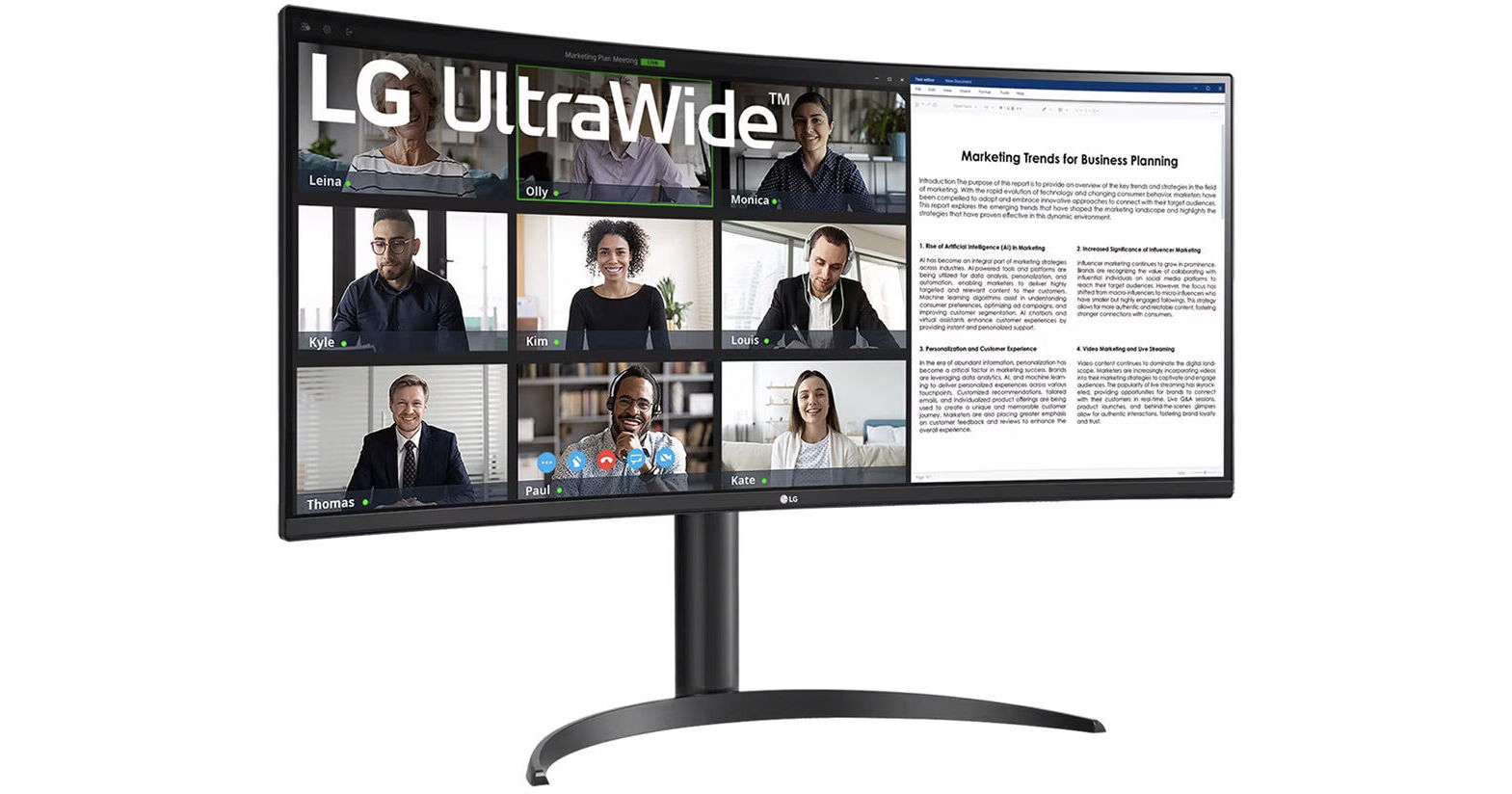
LG UltraWide BR55QC-B 34" QHD Curved Monitor

BH #LG34BR55QCB • MFR #34BR55QC-B
Print
LG UltraWide BR55QC-B 34" QHD Curved Monitor
Key Features
  • 34" Vertical Alignment (VA) Panel
  • HDMI | DisplayPort | USB-C
  • 3440 x 1440 Resolution at 100 Hz
  • FreeSync Premium
Improve your productivity or better your enjoyment of your favorite content with the UltraWide BR55QC-B 34" QHD Curved Monitor from LG. Flicker-Safe Technology, Reader mode, and FreeSync Premium support help provide an enjoyable viewing experience while, protecting your eyes during long work days, gaming sessions, or watching a movie.
More Details
In Stock
No Store Display
Free 2-Day Shipping
Protect Your Gear
Add a protection plan from $28.00
Savings Available:
Save Up to $5.00
Ask an Expert
800-606-6969

LG BR55QC-B Overview

Improve your productivity or better your enjoyment of your favorite content with the UltraWide BR55QC-B 34" QHD Curved Monitor from LG. Flicker-Safe Technology, Reader mode, and FreeSync Premium support help provide an enjoyable viewing experience while, protecting your eyes during long work days, gaming sessions, or watching a movie.

Featuring a 3440 x 1440 resolution at 100 Hz, a 3000:1 contrast ratio, a 300 nits brightness rating, and a 99% sRGB color gamut that provides support for up to 16.7 million colors, this monitor makes a great option for editing photos and video. Additionally, FreeSync Premium and a 5 ms (GtG) response time offer a smooth gaming experience. Easily connect your computer, game consoles, and other devices with two HDMI ports and a DisplayPort. A USB-C port allows display and data transfer while also providing up to 65W of power delivery and access to two USB-A 3.0 ports.

Easy Multitasking Benefits
Improve your ability to multitask with Picture-by-Picture (PBP) support, allowing you to connect up to two computers on one screen.
Reader Mode and Flicker Safe Display
Protect your eyes from harmful blue light and reduce eye fatigue with reader mode and a Flicker Safe display.
OnScreen Control Software
Easily control your screen settings with a few clicks, thanks to the OnScreen control software.
HDR 10 Support
This monitor is compatible with industry standard HDR10 technology, allowing you to enjoy content with improved color and brightness.
Ergonomic Stand
Find your preferred viewing angle with a height and tilt adjustable ergonomic stand.
UPC: 195174069882

LG BR55QC-B Specs

Key Specs
Display Size
34"
Panel Type
VA LCD
Native Resolution
3440 x 1440
Maximum Brightness
300 nits / cd/m2
HDR Support
Yes: HDR10
Color Support
16.7 Million Colors (8-Bit)
Color Gamut
90% sRGB
Finish
Anti-Glare
Touchscreen
No
A/V Inputs
DisplayPort / HDMI
USB I/O
USB-A 3.2 Gen 1 / USB-C
Built-In Speakers
No
Display
Size
34"
Panel Type
VA LCD
Aspect Ratio
21:9
Native Resolution
3440 x 1440
Maximum Brightness
300 nits / cd/m2
HDR Support
Yes: HDR10
Contrast Ratio
1500:1
Response Time
5 ms (GtG)
Refresh Rate
100 Hz
Variable Refresh Technology
FreeSync Premium
Color Support
16.7 Million Colors (8-Bit)
Color Gamut
90% sRGB
Viewing Angle (H x V)
178 x 178°
Curved Display
Yes: 1800R
Finish
Anti-Glare
Surface
Touchscreen
No
Connectivity
A/V Inputs
2x HDMI
1x DisplayPort
HDCP Support
Yes
USB I/O
1x USB-C Power Only (No Data) with USB PD 65 W
2x USB-A 3.0 / 3.1/3.2 Gen 1
Other I/O
1x 1/8" / 3.5 mm Output
Multi-Input Support (PIP/PBP)
Yes: Picture-by-Picture (PBP)
Speaker
Built-In Speakers
No
Electrical
Power Consumption
Typical: 48.0 W
Input Power
100 to 240 VAC, 50 / 60 Hz
Power Adapter Type
External
General
Adjustments
Tilt
Height
VESA Mounting-Hole Pattern
100 x 100 mm
Lock Slot
No
Dimensions
31.9 x 22.4 x 10.2" / 810.3 x 569 x 259.1 mm (with Stand)
31.9 x 14.1 x 3.6" / 810.3 x 358.1 x 91.4 mm (without Stand)
Weight
15.2 lb / 6.9 kg (with Stand)
11 lb / 5 kg (without Stand)
Packaging Info
Package Weight
22 lb
Box Dimensions (LxWxH)
38.5 x 20.5 x 8"

LG BR55QC-B Reviews

the USB-C can be used for display

By yangzi
Rated 5 out of 5
Date: 2026-01-29

A very nice piece of monitor for someone who needs to keep thousands of windows open at the same time (lol). Need to connect to an external audio device. Connection your device through 2 hdmi, 1 display port and 1 type c. When connected through usb c, the monitor severs as a hub with two additional usb a connection for mouse, key boards all that. Good value.

See any errors on this page?
Whatever You Need, We've Got It