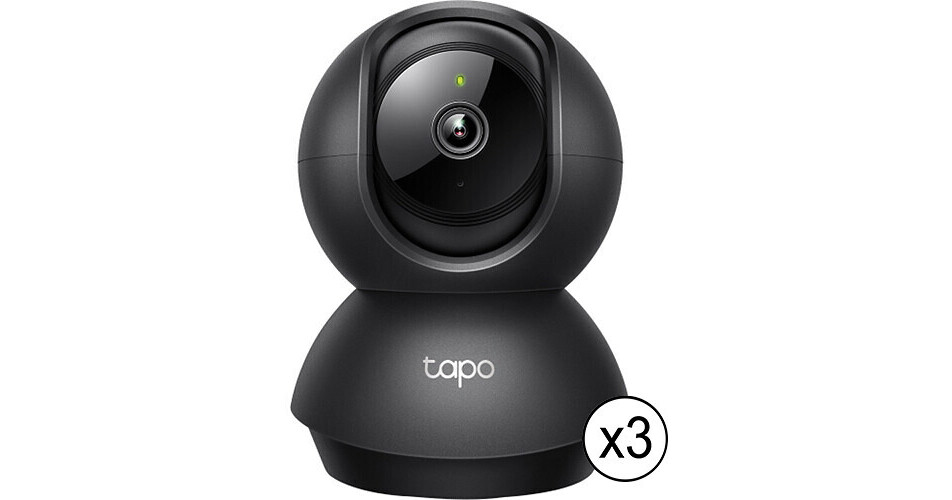
TP-Link Tapo C211 3MP Pan & Tilt Indoor Wi-Fi Security Camera with Night Vision (3-Pack)

BH #TPTAPOC211K
Print
TP-Link Tapo C211 3MP Pan & Tilt Indoor Wi-Fi Security Camera with Night Vision (3-Pack)
Key Features
  • 2304 x 1296 Resolution at 15 fps
  • IR LED for Night Vision to 30'
  • 4mm Fixed Lens
  • 360° Panning, 114° Tilting
Monitor a room or hallway with the Tapo C211 3MP Pan & Tilt Wi-Fi Security Camera from TP-Link. This unit uses a 1/2.8" sensor that captures 2304 x 1296 resolution video at 15 fps. An IR LED provides up to 30' of night vision. The camera features a 4mm fixed lens with 360° panning and 114° tilting ranges, along with a built-in speaker and microphone for two-way audio. A memory card slot supports microSD cards up to 512GB (available separately).

The Tapo app for iOS and Android enables remote management. Compatibility with Amazon Alexa and Google Assistant enables seamless voice commands.

More Details
Temporarily Out of Stock
No Store Display
Free Standard Shipping
Protect Your Gear
Add a protection plan from $12.99
Quantity
Ask an Expert
800-606-6969

TP-Link C211 Overview

Monitor a room or hallway with the Tapo C211 3MP Pan & Tilt Wi-Fi Security Camera from TP-Link. This unit uses a 1/2.8" sensor that captures 2304 x 1296 resolution video at 15 fps. An IR LED provides up to 30' of night vision. The camera features a 4mm fixed lens with 360° panning and 114° tilting ranges, along with a built-in speaker and microphone for two-way audio. A memory card slot supports microSD cards up to 512GB (available separately).

The Tapo app for iOS and Android enables remote management. Compatibility with Amazon Alexa and Google Assistant enables seamless voice commands.

Easy setup and management with Tapo app
Receive instant notifications via Tapo app for iOS and Android
Motion detection, person detection, and baby crying detection
Voice commands via Amazon Alexa and Google Assistant
Create customizable activity zones for alerts from pertinent areas
Privacy zone enables you to set customizable block zones to keep certain spaces from being recorded
802.11b/g/n Wi-Fi protocols
WPA and WPA2-PSK wireless security
128-bit AES encryption with SSL/TLS
Reset button
LED indicator for status
Optional Tapo Care cloud storage (subscription required)
UPC: 840030706752

TP-Link C211 Specs

Key Specs
Image Sensor
1/2.8"-Type
Focal Length
4mm
Pan/Tilt
Pan: 360° 
Tilt: 114°
Wireless
Wi-Fi 4 (802.11n)
Built-In Microphone
Yes
Smart Home Ecosystems
Amazon Alexa, Google Assistant
Power I/O
1x Barrel Input
Imaging
Number of Lenses
1
Image Sensor
1/2.8"-Type CMOS
Effective Sensor Resolution
3 Megapixel
Exposure Control
Minimum Illumination
0 Lux (Black and White)
Lens
Focal Length
4mm
Maximum Aperture
f/2
Video
Max IP Streaming
H.264 via RJ45
2304 x 1296 up to 15 fps
Control
Pan/Tilt
Pan: 360° 
Tilt: 114° 
Networking
Cellular Support
No
Wireless
Wi-Fi 4 (802.11n)
Encryption
Yes: 128-Bit AES/WPA/WPA2
Interface
Media/Memory Card Slot
Single Slot: microSD/microSDHC/microSDXC [512 GB Maximum]
1- or 2-Way Audio
Two-Way
Built-In Microphone
Yes
Built-In Speaker
Yes
Internal Storage
No
External Storage Options
Cloud
System Integration
Smart Home Ecosystems
Amazon Alexa, Google Assistant
Cloud Platform
Tapo Care (Subscription Required)
Sensors & Alarms
Sensors
Motion Detection
Night Vision
Sound
Sensor Range
Night Vision: 30' / 9.1 m
Event Trigger
Yes
Event Action
Recording, Notification, Alarm
Power
Power I/O
1x Barrel Input
Power Consumption
Power Supply: 100 to 240 VAC at 0.3 A
Environmental
Operating Conditions
32 to 104°F / 0 to 40°C at 10 to 90% Humidity
Storage Conditions
-40 to 158°F / -40 to 70°C
Environmental Resistance
No
General
Certifications
EAC, FCC (Part 15 Class B), KC
Illumination
850 nm IR LED up to 30' / 9.1 m
OS Compatibility
Android/iOS
Dimensions (W x H x D)
4.6 x 3.4 x 3.3" / 117.7 x 86.6 x 85 mm
Packaging Info
Package Weight
1.025 lb
Box Dimensions (LxWxH)
8.2 x 6.3 x 4.3"

TP-Link C211 Reviews

Great camera

By Rich
Rated 5 out of 5
Date: 2025-12-16

The camera does exactly what I wanted. I love being able to create my own area where I want it to detect the action that I want detected, while not going off on things I don't want it to alert me about. To pair with your router, be sure to have the camera plugged in right next to the router to make it pair correctly. Then, you can put it where you want it to be. It's a good buy.

See any errors on this page?
Whatever You Need, We've Got It