Video Chat with a Pro Audio Expert - Live

RME AoX MADI Optical 128x128 MADI Expansion Board for HDSPe AOX PCIe Cards

BH #RMAOXMADIOPT • MFR #AOX-MADI-EXT-SFP
Print
RME AoX MADI Optical 128x128 MADI Expansion Board for HDSPe AOX PCIe Cards
Key Features
  • For HDSPe AoX-M & HDSPe AoX-D PCIe Cards
  • Add up to 128x128 MADI Channels
  • 2 Optical SFP I I/O, Multimode Modules
  • BNC Word Clock
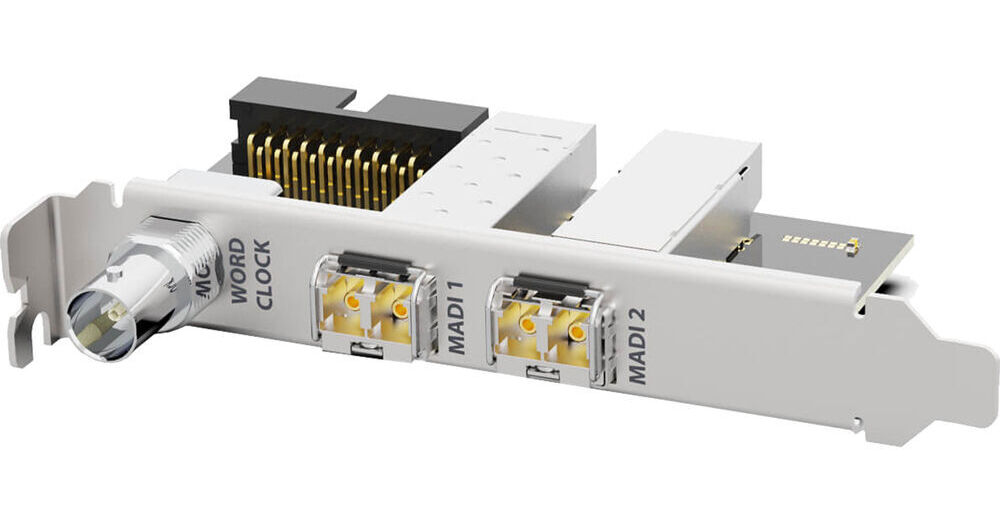
The RME AoX MADI Optical 128x128 MADI Expansion Board enables you to add 128 channels of MADI audio to your HDSPe AoX-M or HDSPe AoX-D network audio-interface PCIe card. The board features two optical SFP I/O connectors and a BNC Word Clock I/O connector. The board comes with SFP Multimode MADI modules. An SFP single-mode MADI module is available separately.
More Details
In Stock
No Store Display
Free 2-Day Shipping
Protect Your Gear
Add a protection plan from $26.00
Ask an Expert
800-606-6969

RME AoX MADI Overview

The RME AoX MADI Optical 128x128 MADI Expansion Board enables you to add 128 channels of MADI audio to your HDSPe AoX-M or HDSPe AoX-D network audio-interface PCIe card. The board features two optical SFP I/O connectors and a BNC Word Clock I/O connector. The board comes with SFP Multimode MADI modules. An SFP single-mode MADI module is available separately.

Each HDSPe AoX PCIe card can integrate up to two, optional AoX MADI Optical or AoX MADI Coax extension boards, providing a total of four additional MADI input signals, four MADI output signals, plus up to 256 network audio channels per direction within a single HDSPe AoX PCIe card—on macOS and Windows.

RME AoX MADI Specs

General
Compatible Interfaces
RME HDSPe AoX-M / HDSPe AoX-D
Connectivity
Analog Audio I/O
No
Digital Audio I/O
2x Duplex SC-Plug Optical MADI In & Out
Host Connection / USB
No
USB (Non-Host)
No
Sync I/O
1x BNC Clock Input or Output
Network I/O
No
MIDI I/O
No
Digital Audio
Bit Depths
24-Bit
Sync Sources
MADI, Word Clock
Packaging Info
Package Weight
0.64 lb
Box Dimensions (LxWxH)
7.9 x 4.9 x 2.1"

RME AoX MADI Reviews

See any errors on this page?
Whatever You Need, We've Got It