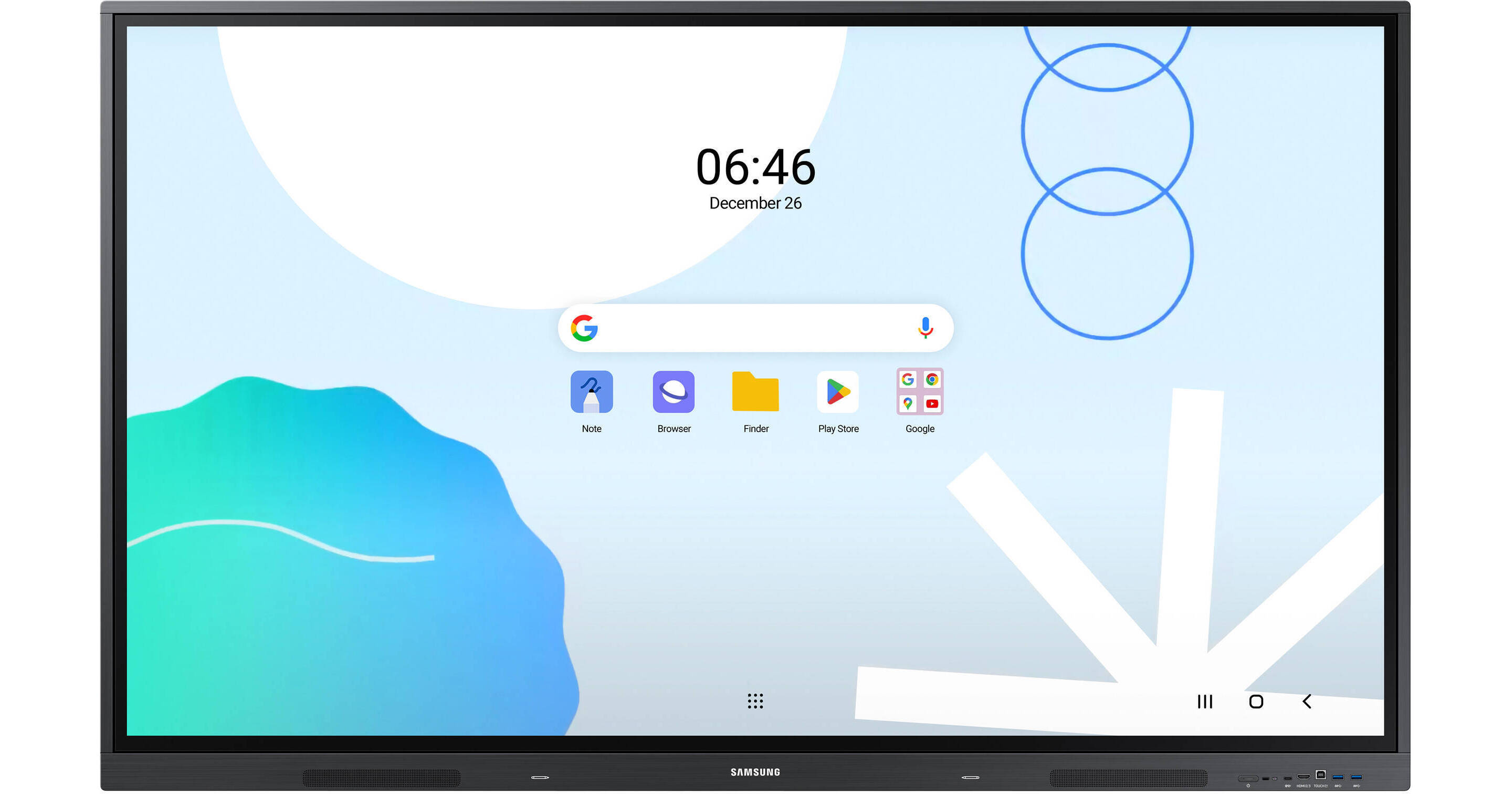
The Samsung WA65D 65" UHD 4K Touchscreen Commercial Monitor is a 400 nits bright, interactive display featuring an Android operating system and Google EDLA certification for advanced functionality and ease of use in educational applications. This durable monitor can be connected to devices via HDMI, USB-C, VGA, and OPS inputs, and provides access to hundreds of apps and wireless screen sharing via Wi-Fi or LAN connectivity.
Powered by Android
The WAD series offers familiarity to its users. It's compatible with other Android devices and provides a variety of widgets and an easily customizable home screen. These features create more flexibility in building an environment that suits various learning needs.
Google EDLA Certification
With an EDLA certification, the WAD series supports a variety of Google services like Google Play and YouTube. This access to major educational apps like Google Classroom leads to increased efficiency and enhanced communication with students.
Easy Multitasking with Multiple View Modes
Various screen modes, including split screen and multi-window, enable teachers to easily display information and multitask at the same time on the WAD series. This flexibility of the screen formats provides convenient access to everything that's required to create engaging learning environments.
Powerful Screen Sharing
The WAD series supports screen mirroring for up to nine devices, increasing student engagement. This feature ensures every student is included and engaged as content can be shared on both the large display and individual devices. It can be used on iOS, Mac, Windows, Android, or Chrome OS.
Multi-Point Touch
Multiple users can write on the whiteboard at the same time with the display’s advanced multi-touch capabilities. Up to 40 simultaneous touchpoints are possible, allowing large groups of students and teachers to collaborate and learn together in a fun and natural way.
Switch Pens Without Changing Settings
The dual pen function enables the use of two different writing tools with no downtime. With the double-sided nib applied, users can effortlessly switch between two different colors on the front and back side of the pen, without needing to change the settings or interrupt the flow of the lesson.
3-in-1 USB-C Port
Connectivity is enhanced with the 3-in-1 USB-C port, enabling screen mirroring, touch control, and external device charging (max. 65W). Teachers can simply connect to the USB-C port, allowing them to deliver interactive and engaging lessons without any hassle.
HDMI Out for Multi-Display Applications
With the HDMI-Out function, whiteboard screen content can be shared on a different and larger screen in the classroom. This feature ensures teachers can provide a real-time, interactive experience for students who can easily view the screen content regardless of where they sit in the classroom.
All-in-One Capability with OPS (Open Pluggable Specification)
With the addition of a separately available OPS module, the OPS slot in the WAD series can transform the interactive display into a Windows device, eliminating the need for an external PC. Users will have access to all the features and functionalities they are familiar with from a standard computer, directly on the display.
Seamless Device Management
The WAD series provides access to both a cloud-based and on-premises device management solution, which is essential for advanced educational environments. This solution optimizes the remote management of whiteboard settings and applications, guaranteeing operational efficiency and stability.
The cloud-based DMS solution is provided free of charge for one year. Pricing policy is subject to change.
Advanced Messaging Across Multiple Devices
Immediately send important messages across campuses, classrooms, and public spaces. Urgent communications are displayed on interactive whiteboards, so students and other personnel are alerted in real time.
TUV Certification
The WAD series is equipped with features to protect users' eye health. The anti-glare panel, low blue light, and flicker-free functions effectively block blue light and flicker while also diffusing reflection. The WAD series prevents glare even in bright settings.
Superior Durability
The WAD series protects against electrical surges by using a ceramic fuse and 500V(DC) capacitor that absorbs instant spikes in voltage. With anti-humidity glue applied to the critical areas of the chipset, it can also be a valuable tool for schools in areas with high humidity or rainy climates.
Please note, the claims of enhanced surge and humidity protection for the WAD series are based on Samsung's internal testing.
UPC: 887276843636