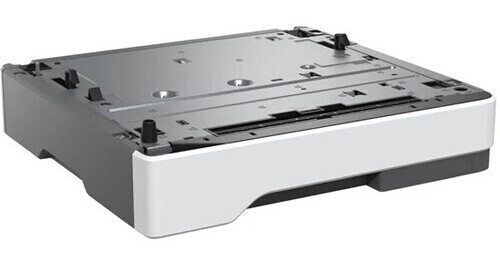
Lexmark 250-Sheet Paper Tray for Select Monochrome and All-in-One Laser Printers

BH #LEX250ST • MFR #38S2910
Print
Lexmark 250-Sheet Paper Tray for Select Monochrome and All-in-One Laser Printers
Key Features
  • For MS632dwe Monochrome Laser Printer, MS631dw Monochrome Laser Printer, MX532adwe All-in-One Monochrome Laser Printer, MS531dw Monochrome Laser Printer, MX632adwe All-in-One Monochrome Laser Printer
With added input capacity of 250-sheets and media flexibility, the 250-Sheet Paper Tray from Lexmark is an accessory that supports greater productivity and less printer management. Have different print media ready in the printer when you need it and print without reloading. This accessory is perfect for those who want to add input capacity and media flexibility to their monochrome laser printers and weighs only 9 lb.
More Details
In Stock
No Store Display
Free Standard Shipping
Ask an Expert
800-606-6969

Lexmark 38S2910 Overview

With added input capacity of 250-sheets and media flexibility, the 250-Sheet Paper Tray from Lexmark is an accessory that supports greater productivity and less printer management. Have different print media ready in the printer when you need it and print without reloading. This accessory is perfect for those who want to add input capacity and media flexibility to their monochrome laser printers and weighs only 9 lb.

Added input capacity increases uptime
Reduce trips to the printer to reload paper with this paper input accessory
Save time by refilling your paper trays less often
This unit supports A4, A5, Executive, Folio, JIS B5, Letter, Legal, Oficio, and statement sizes. Paper (16 to 32 lb, 60 to 120 gsm), transparencies, and labels may be used from this unit
UPC: 734646735216

Lexmark 38S2910 Specs

General
Compatibility
Lexmark MS632dwe / MS631dw / MX532adwe / MS531dw / MX632adwe
Physical
Color
Gray
Dimensions
15.3 x 14.7 x 3.1" / 38.9 x 37.3 x 7.9 cm
Weight
9 lb / 4.1 kg
Packaging Info
Package Weight
10.87 lb
Box Dimensions (LxWxH)
18.3 x 17 x 6.5"

Lexmark 38S2910 Reviews

See any errors on this page?
Whatever You Need, We've Got It