Video Chat with a Pro Video Expert - Live

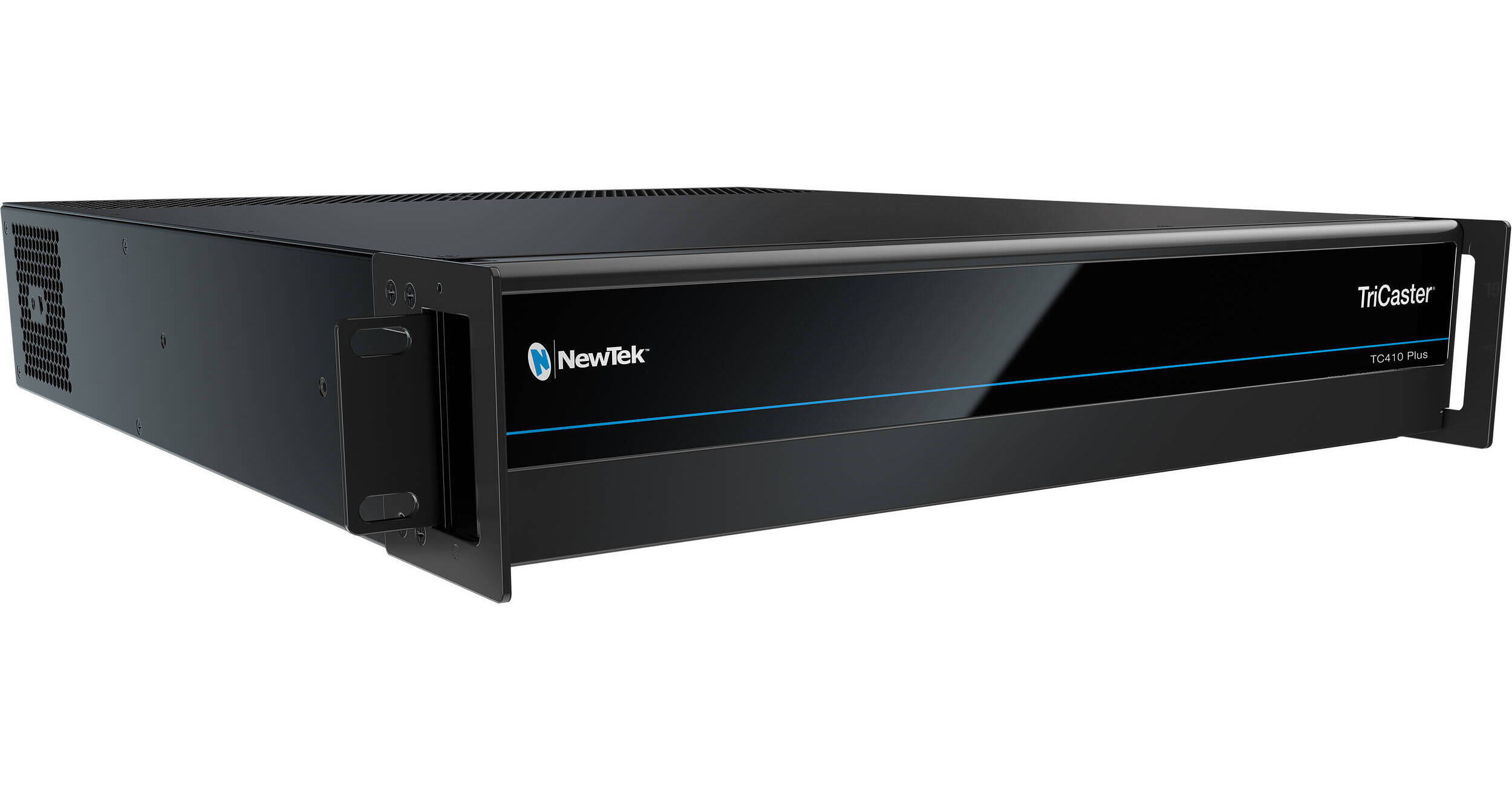
Vizrt TriCaster TC410 Plus

BH #VITC410P2RUC • MFR #FG-003308-R001
Print
Vizrt TriCaster TC410 Plus
Key Features
  • Simultaneously Broadcast, Stream, Record
  • Switch Between 4 HD-SDI or 8 NDI Sources
  • Supports up to 1080p59.94 Resolution
  • 2 HD/SD-SDI Outputs, 4 NDI Outputs
Simultaneously broadcast, stream, and record live productions from virtually anywhere with the TriCaster TC410 Plus from Vizrt. This compact, all-in-one eight-input switcher lets you easily switch between four HD/SD-SDI or eight NDI video sources, mix audio, add graphics and titles, and add advanced effects such as virtual sets and animated transitions. Featuring an intuitive and full-featured control software, the TriCaster TC410 Plus is suited for both new users and seasoned professionals.

In addition to the four HD/SD-SDI inputs, you can choose from eight NDI devices on the network, including computers, PTZ cameras, or even wireless capture devices. Two HD/SD-SDI outputs, four NDI IP video mix outputs, and two independent IP live streams are supported for sending the program output with audio to external devices and services. The SDI, NDI, and streaming formats support up to 1080p59.94 resolutions, and the TC410 Plus also supports four-channel audio mixing.

The TriCaster TC410 Plus features 3TB of internal storage and also supports recording to external storage via USB 3.0. The comprehensive switcher also supports live streaming to multiple platforms and services simultaneously. An optional control panel can also be incorporated for traditional tactile control with a T-bar and illuminated buttons.

More Details
In Stock
No Store Display
This item cannot be returned.
Free 2-Day Shipping
Protect Your Gear
Add a protection plan from $524.99

Business Financing Options

Ask an Expert
800-606-6969

Vizrt TC410 Plus Overview

Simultaneously broadcast, stream, and record live productions from virtually anywhere with the TriCaster TC410 Plus from Vizrt. This compact, all-in-one eight-input switcher lets you easily switch between four HD/SD-SDI or eight NDI video sources, mix audio, add graphics and titles, and add advanced effects such as virtual sets and animated transitions. Featuring an intuitive and full-featured control software, the TriCaster TC410 Plus is suited for both new users and seasoned professionals.

In addition to the four HD/SD-SDI inputs, you can choose from eight NDI devices on the network, including computers, PTZ cameras, or even wireless capture devices. Two HD/SD-SDI outputs, four NDI IP video mix outputs, and two independent IP live streams are supported for sending the program output with audio to external devices and services. The SDI, NDI, and streaming formats support up to 1080p59.94 resolutions, and the TC410 Plus also supports four-channel audio mixing.

The TriCaster TC410 Plus features 3TB of internal storage and also supports recording to external storage via USB 3.0. The comprehensive switcher also supports live streaming to multiple platforms and services simultaneously. An optional control panel can also be incorporated for traditional tactile control with a T-bar and illuminated buttons.

Broadcast-Quality Production
The TriCaster TC410 Plus is an integrated video production system designed to create multi-platform productions live and on-demand. Your shows will be polished; engage with viewers through social and second-screen experiences, deliver revenue opportunities, and extend your brand. TriCaster 410 Plus is scaled for smaller racks and mobile units and gives you an end-to-end IP workflow from acquisition to delivery.
Minimal Complexity
TriCaster TC410 Plus enables producers to create high-end video smoother, faster, and more easily. With only 2 RU of rack space in a flight pack or tight space, you gain the freedom of movement that's just not possible with racks of individual components pieced together. With an all-in-one design, do-it-yourself setup, and hundreds of entry-level and advanced production capabilities, you can be on your way to building captivating productions from anywhere simply and efficiently.
Reach Diverse Viewers
Live stream to multiple destinations simultaneously, including Facebook Live, Microsoft Azure, Periscope, Twitch, Ustream, YouTube Live, and more. Share media to multiple user accounts on your favorite social networks like Facebook, Imgur, LinkedIn, Twitter, Vimeo, YouTube, and more.
Customizable Workflows
Connect cameras directly or expand your available live sources over IP, flex your workspace and control to suit a single operator or a small team, and output to one or multiple destinations simultaneously on site or across the network.
Automated Tasks
Record common moves with macros and expand your production possibilities while reducing any on-air mistakes. Streamline sequences with a single action when they're too complicated to execute live. Use MIDI control, on-camera hot spots, and PTZ cameras to make smaller productions look like larger shows.
Control in the Palm of Your Hand
NewTek LivePanel for TriCaster TC410 Plus and TC1 makes it easier for more people to have control of the live production process. Providing the ability to configure a custom user interface that delivers exactly the tools and functions you need, accessible through any web browser or operating system.
Live Virtual Sets
Save on studio and set expenses without sacrificing production value. With integrated LiveSet technology, TriCaster TC410 Plus can transport your talent into professionally designed virtual environments complete with multiple angles, virtual camera movements, real-time reflections, specular highlights, animated lens flares, and stunning augmented reality effects that blur the line between virtual and reality. Select from more than 30 included virtual sets, purchase your choice of premium ready-made sets, or create endless custom environments with the optional Virtual Set Editor software.

Vizrt TC410 Plus Reviews

See any errors on this page?

What are the dimensions of the unit? How deep of ...

What are the dimensions of the unit? How deep of a rack case would be needed if mounting in a portable case?
Asked by: Chris
The Vizrt TriCaster TC410 Plus dimensions are listed below. Dimensions: 2RU chassis with 500W PSU and multi-tiered hardware and software fail-safe – 19.0 x 3.5 x 19.57 in (48.3 x 8.9 x 49.7 cm) with rack ears attached – 26 lbs (12kg)
Answered by: Chris H
Date published: 2026-02-03

Is the Tricaster TC Mini Control Surface compatibl

Is the Tricaster TC Mini Control Surface compatible with this model?
Asked by: Chris
Yes, the Vizrt TriCaster TC410 Plus is compatible with control surfaces like the Vizrt TriCaster Mini 4K Control Surface because TriCaster control panels designed for TriCaster Mini and other TriCaster systems work with the TC410 Plus when used with the appropriate software interface or LivePanel features.
Answered by: Nick Y
Date published: 2026-02-25

Does the base configuration (no CS hardware, as I

Does the base configuration (no CS hardware, as I already have my own from previous TriCasters) include permanent TriCaster software license and introductory 3-year Flowics license?
Asked by: Mike
The Vizrt TriCaster TC410 Plus does come with a permanent software license but Flowics is not included. Flowics can be bundled or purchased separately.
Answered by: John W
Date published: 2026-06-30

What would be a recommended & compatible portable ...

What would be a recommended & compatible portable case or portable ru rack?
Asked by: Chris
The Vizrt TriCaster TC410 Plus (B&H# VITC410P2RUC) could be installed in the SKB 6U Roto Rolling Rack Case (B&H# SK1SKBR6UW).
Answered by: Yoni S
Date published: 2026-02-04

Doest this come with a Flowics or Premium Access l

Doest this come with a Flowics or Premium Access license?
Asked by: Karyn
The Vizrt TriCaster TC410 Plus does not include a Flowics or Premium Access license.
Answered by: Nick Y
Date published: 2026-06-29
  • y_2026, m_7, d_18, h_7CST
  • bvseo_bulk, prod_bvqa, vn_bulk_3.0.48
  • cp_1, bvpage1
  • co_hasquestionsanswers, tq_5
  • loc_en_US, sid_1861409, prod, sort_[SortEntry(order=HAS_STAFF_ANSWERS, direction=DESCENDING)]
  • clientName_bhphotovideo
Whatever You Need, We've Got It