Ask Our Experts800-606-6969
Hello, Log InAccount & Orders
Video Chat with a Photography Expert - Live
90-Second Intro
Key Features
- 50MP Full-Frame Stacked BSI CMOS Sensor
- AI Tracking & Human Pose Estimation
- 8K 30p and 4K 120p Video in 10-Bit
- Up to 30 fps Shooting with AF/AE
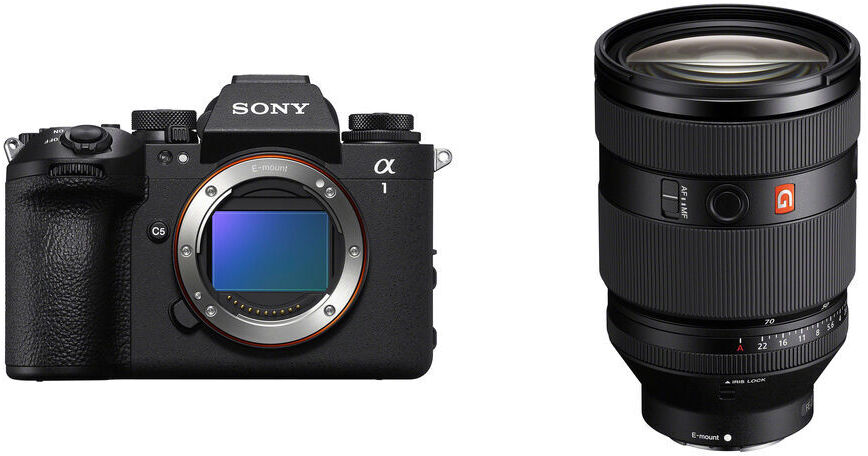
A high-powered and versatile pairing, the Sony a1 II Mirrorless Camera with 28-70mm f/2 Lens Kit from B&H bundles the company's flagship mirrorless camera with the FE 28-70mm f/2 GM standard zoom lens.
More DetailsIn Stock
Business Financing Options
Protect Your Gear
Add a protection plan from $215.99
See Options
Savings Available:
Save Up to $250.00
Build Bundle
See any errors on this page?
Is metadata timecode supported, making this a ...
Is metadata timecode supported, making this a practical second or third camera for filming work -e.g., with an FX6, FX3 or FX30?
Yes, the metadata time code in the Sony a1 II Mirrorless Camera can be used with other video cameras such as the Sony FX6, FX3 or FX30. This adapter would be required for time code in the A1 Mark 2: Sony VMC-BNCM1: https://bhpho.to/3IOjL8R
Date published: 2024-11-20
Can Canon RF Lenses be adapted to the Sony A1 II?
Can Canon RF Lenses be adapted to the Sony A1 II?
No, there is not any Canon RF lens adapter for the Sony A1 II.
Date published: 2025-06-08
Can the Sony a1 mkii shoot stills during video ...
Can the Sony a1 mkii shoot stills during video recording? Or, can it place markers during video recording to find stills later??
Unfortunately no, the Sony a1 II Mirrorless Camera cannot shoot stills while shooting video. However, you can grab frames from the video and save them as stills later. Using the still frames from 8k video would produce the best results.
Date published: 2024-12-04
Is precapture only for stills ? or does it work ...
Is precapture only for stills ? or does it work for video as well ?
The Sony a1 II Mirrorless Camera's pre-capture feature is only for when the camera is shooting stills.
Date published: 2024-12-04
Does anyone know if the Sony ECM-B1M mic is ...
Does anyone know if the Sony ECM-B1M mic is compatible? Or is there a better solution (sony or other brand).
Yes, the Sony ECM-B1M Camera-Mount Digital Shotgun Microphone for Sony Cameras is compatible with the Sony a1 II Mirrorless Camera.
Date published: 2025-02-13
Can you record to ssd
Can you record to ssd
No, the Sony a1 II Mirrorless Camera cannot record directly to an SSD via its USB-C port. The camera records footage internally to either a CFexpress Type A card or an SD card.
Date published: 2025-10-28
Does the A1 MarkIi have new imaging sensor or ...
Does the A1 MarkIi have new imaging sensor or does it recycle the sensor on the original A1?
Yes, the Sony a1 II Mirrorless Camera uses the same sensor as the original a1. The main improvement is that the a1 II autofocus system has an AI chip that gives the camera better subject detection and tracking. The other major difference is that the camera's IBIS system has been improved to up to 8.5 stops compared to 5.5 stops on the original a1. Also, the a1 II has a fully articulated LCD screen instead of just a tilting screen.
Date published: 2025-06-06
Has anyone had any issues with image quality? ...
Has anyone had any issues with image quality? Noise at low iso, not sharp? I have 2 and both have poor image quality.
We are not aware of image quality issues with the Sony a1 II Mirrorless Camera. Reviews have all been very positive.
Date published: 2025-01-08