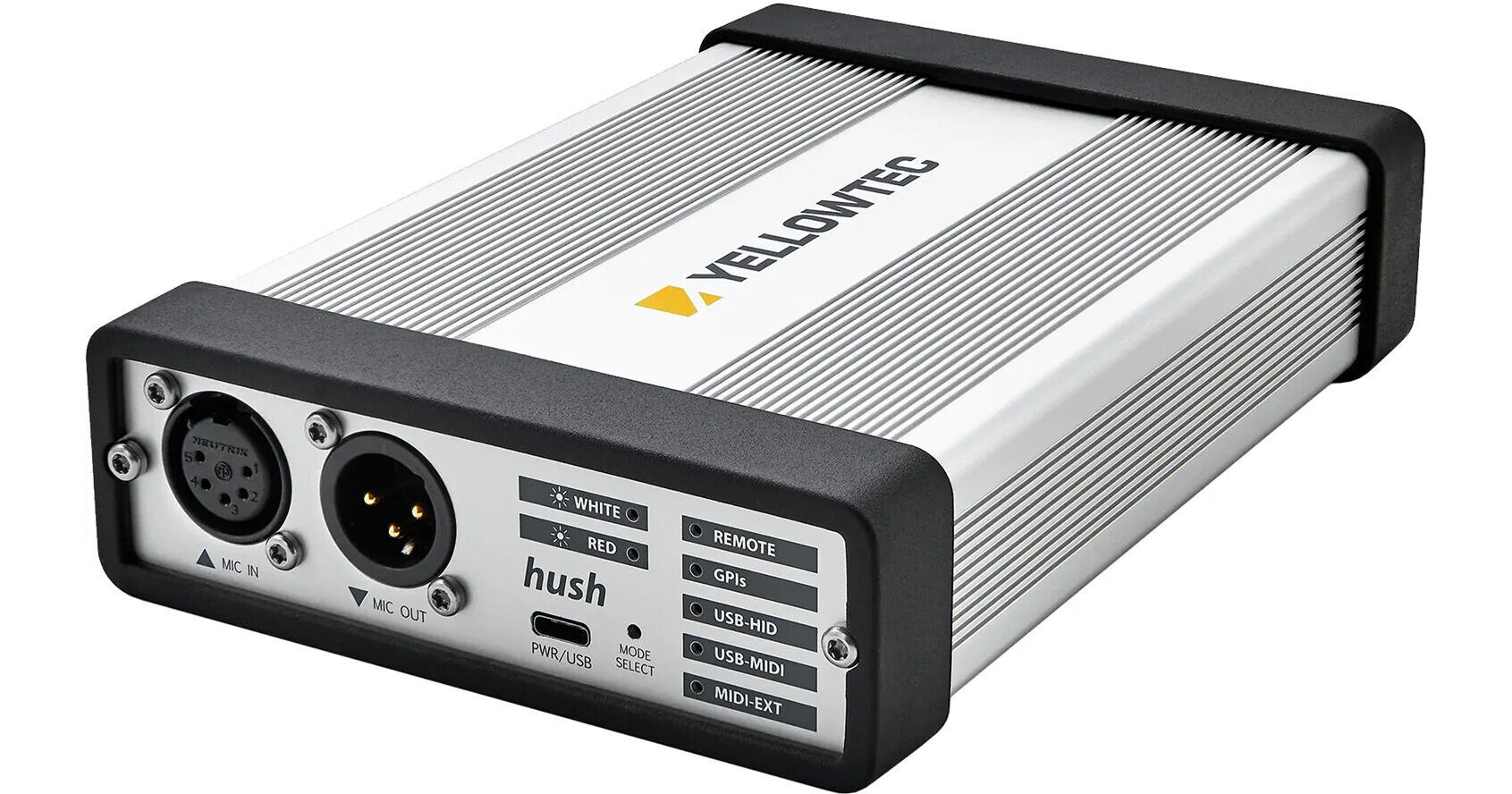


This Yellowtec m!ka hush+ OnAir Controller BaseUnit with Built-In Mic Preamp and Remote Control is a system that enables controlling the On/Air signal of your m!ka OnAir Mic Arm. The remote connects to the hush+ unit via USB-C. The remote allows you to mute the audio signal, as well as turn the OnAir sign on and off with the touch of a button.
This Yellowtec m!ka hush+ OnAir Controller BaseUnit with Built-In Mic Preamp is a controller for your m!ka OnAir LED signal. It mates with the 5-pin XLR at the bottom of your m!ka MicArm OnAir's cable. The hush+ has an integrated preamp that delivers a gain of 12 to 75 dB at -129 dB input-referred noise. In addition, it supports a mute function and can control high-pass filter and phantom power via the hush app and an optional remote. The Hush+ can also be controlled via GPI/Os, USB-HID, or MIDI.
This m!ka Hush Remote Control from Yellowtec connects to your Hush or Hush+ OnAir Controller via the included USB-C cable. Control your m!ka Mic Arm's OnAir button via the remote's OnAir button, press the OnAir button and it instantly activates the OnAir signal, turning it red to indicate you are on the air. Press the button again to turn the signal off.
NOTE: The Remote's mute button only functions with the Hush+ and does not work when connected to a standard Hush controller.