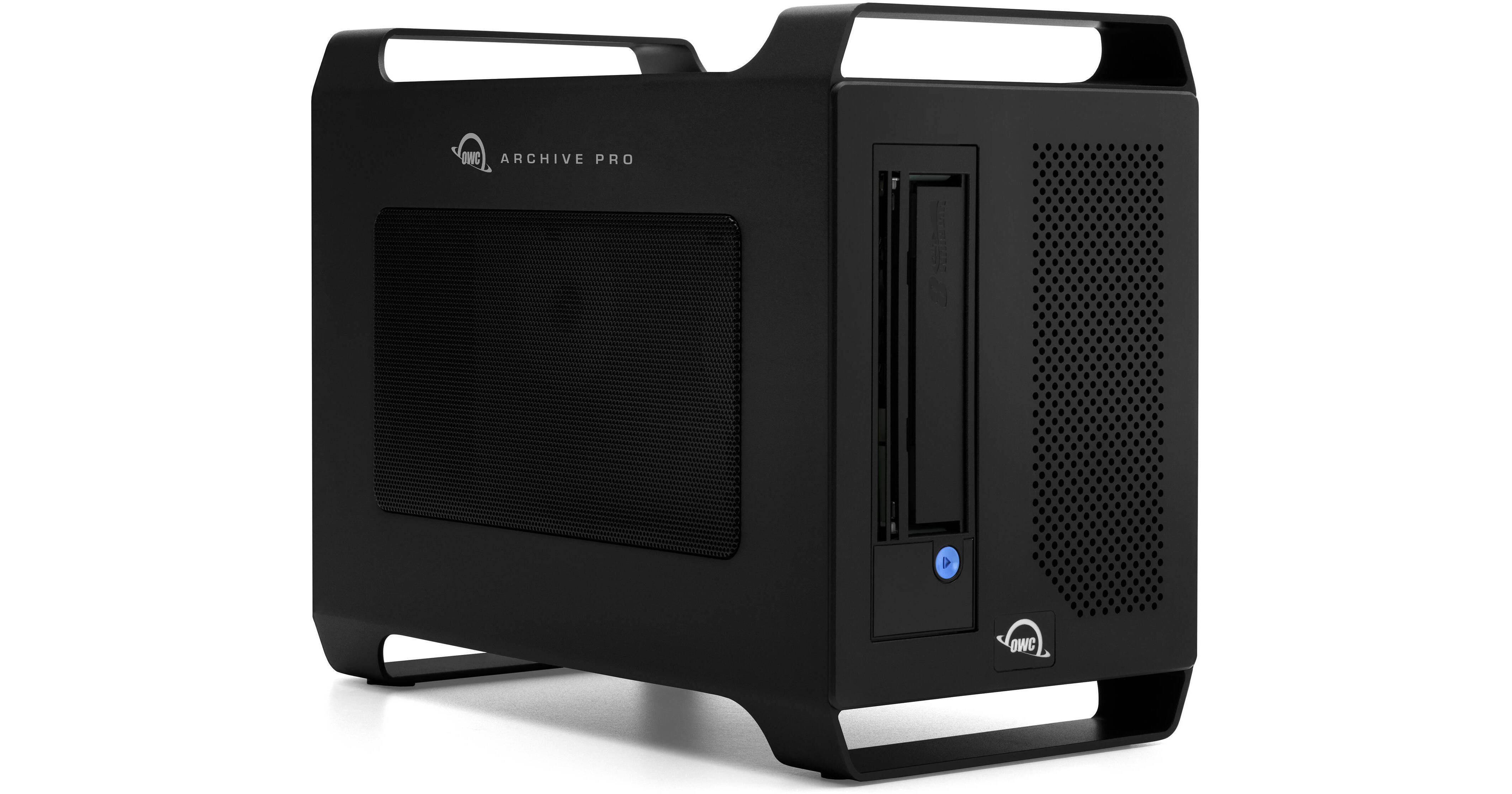
OWC Archive Pro LTO-7 Tape Storage Solution with 4TB Onboard Storage

BH #OWLTMP70N04H • MFR #OWCTBLTMP70N04H
Print
OWC Archive Pro LTO-7 Tape Storage Solution with 4TB Onboard Storage
Key Features
  • 1 x 3.5/2.5" SAS/SATA Drive Bay
  • 1 x LTO-7 Tape Drive
  • Supports Tapes up to 6TB (Native)
  • 2 x Thunderbolt 3 Ports
The Archive Pro LTO-7 Tape Storage Solution from OWC / Other World Computing is a mission-critical requirement for protecting and preserving huge volumes of data for longer periods with familiar drag-and-drop operation and better economies of scale than disk-based storage. Ruggedly small with a built-in handle, the Archive Pro is able to go on set or move among studio, department, or office computers for a shared data protection solution.
More Details
Special Order
Expected availability: 7-14 Business Days
No Store Display
Free Standard Shipping
Protect Your Gear
Add a protection plan from $279.99

Business Financing Options

Ask an Expert
800-606-6969

OWC OWCTBLTMP70 Overview

The Archive Pro LTO-7 Tape Storage Solution from OWC / Other World Computing is a mission-critical requirement for protecting and preserving huge volumes of data for longer periods with familiar drag-and-drop operation and better economies of scale than disk-based storage. Ruggedly small with a built-in handle, the Archive Pro is able to go on set or move among studio, department, or office computers for a shared data protection solution.

This solution features one LTO-7 tape drive that supports LTO-7 and LTO-6 media, with native capacities up to 6TB, compressed capacities up to 15TB, native transfer speeds of up to 300 MB/s, compressed transfer speeds of up to 750 MB/s, and WORM. An included onboard 4TB OWC Aura Ultra IV PCIe 4.0 NVMe SSD provides extra storage and backup capacity. It easily integrates into your Windows, Mac, or Linux workflow and connects to your host system using a 40 Gb/s Thunderbolt 3 port that provides up to 85W of power, with a second Thunderbolt 3 port available for powering devices up to 15W, adding five additional Thunderbolt devices, or connecting a USB-C or DisplayPort device. Also available is one DisplayPort 1.4 port that supports displays up to 8K at 60 Hz and one 12 Gb/s Mini-SAS HD port (SFF-8644). If you need additional storage, an expansion bay supports 2.5/3.5" SAS and SATA drives.

Archiving Made Drag-and-Drop Easy
By using industry-standard Linear Tape Open (LTO) tapes formatted with the Linear Tape File System (LTFS), the tapes can be accessed on your computer just like a hard drive or SSD. Files appear in folders and moving them to/retrieving them from tape is drag-and-drop easy. Thanks to LTFS, LTO tapes can be read from a system running macOS, Windows, or Linux, so there's no extra software to buy or proprietary hardware concerns.
Advanced Yet Future-Ready
Because LTFS is an open, cross-platform system, and LTO tape is the dominant archiving medium that has continued to advance since being introduced in 2000, you can be confident knowing you'll be able to access your data with any brand of LTO hardware for decades to come. This Archive Pro uses the latest LTO-7 or LTO-6 tapes.
Experience up to 55% Lower TCO
Compared to using hard drives for archival storage, the OWC Archive Pro offers an instant ROI, and pays for itself in no time by continually and dramatically lowering project and production costs.
Meets Stringent Regulations
Whether you need to keep sensitive data secure during transportation or ensure irreplaceable data will be archive protected, the OWC Archive Pro enables healthcare, financial, and related industries to meet strict legal and regulatory procedures for data confidentiality and integrity. By using a WORM (Write Once, Read Many) LTO tape, you can store your data in a non-erasable, non-rewritable format to prevent accidental overwriting or malicious data alteration.
The Perfect Solution for a Variety of Industries
LTO Tape archiving is used by a wide variety of industries for diverse needs:
  • Anyone seeking offsite data storage that is separated from the read/write host
  • Businesses desiring database and content backup protection against ransomware, cyber-attacks, and operations disruption due to natural disasters
  • Local, State, and Federal Government agencies with ISR (Intelligence, Surveillance, Reconnaissance) workflows; videos and files related to law/ordinance passage and day-to-day operations
  • Healthcare providers and organizations with medical records and imaging data
  • Educational institutions needing to keep a myriad of data, including research, produced by students, teachers, and professors accessibly protected while freeing up more costly storage options for short-term use and backup
  • Video surveillance operations with an increasing number of higher resolution color cameras
  • Motion picture industry production companies needing to meet bondable and insurable archive requirements
  • Digital media companies freeing up production disk capacity to shorten production windows by reusing and editing existing footage for new productions
Simple Workflow Integration and Expansion
The Archive Pro enables you to archive data seamlessly in your workflow via the included Thunderbolt cable connected to your Mac or PC. You can also optionally enhance your workflow by:
  • Adding up to a 16TB SSD to the 2.5/3.5" drive expansion bay for extra storage and backup capacity
  • Connecting a USB 3.0, USB-C, or Thunderbolt (USB-C) device to the Archive Pro's second Thunderbolt port for added functionalities
  • Adding a second display with up to 8K resolution via the DisplayPort 1.4 interface
  • Keeping your notebook charged with the 85W Thunderbolt port
Easy on You, Easy on Your Tapes, Easy on Your Wallet
Creating LTO tapes is easy with Hedge Canister. After breezing through a simple setup complete with driver selection assistance, use Canister's user-friendly interface to drag and drop files to the Archive Pro just like an external drive. Catalogs are created for every tape, so they mount as a network drive and are fully searchable by Finder. Now you can search for files and select only what you need to retrieve without activating the tape to prevent unneeded tape wear from winding back and forth. No longer are you forced to work around LTFS' shortcomings. This added value is futureproof, open to everyone with no vendor lock-in, and included with the Archive Pro.
Canister Highlights
  • Create cross-platform LTFS archives using LTO-7 or LTO-6
  • True drag-and-drop archival/retrieval
  • Supports archiving to a single LTO or to two LTOs simultaneously
  • Supports tape spanning
  • xxHash64 verification ensures an exact replica of your source is copied to LTO
  • Catalogs are created for every tape
  • Catalogs mount as a network drive and are fully searchable by Finder (macOS)
  • Generates Transfer logs, Media Hash List, and Manifests
  • In-app Console
Display Support
  • One 8K display at 60 Hz
  • One 4K display at 120 Hz
  • One 5K display at 60 Hz
  • Two 4K displays at 60 Hz
  • One 4K display at 60 Hz and one 4K display at 30 Hz
  • One 4K display at 60 Hz
  • One 4K display at 30 Hz

OWC OWCTBLTMP70 Specs

Key Specs
Supported Tape Types
LTO-5, LTO-6, LTO-7
Number of SSD/HDD Bays
1x 2.5"/3.5"
WORM Support
Yes
Inputs/Outputs
2x USB-C (Thunderbolt 3)
1x SFF-8644 SAS 12 Gb/s
1x DisplayPort 1.4
Storage
Supported Tape Types
LTO-5, LTO-6, LTO-7
Supported Tape Capacities
6 TB (Native)
Supported Compression Rates
2.5:1
Number of SSD/HDD Bays
1x 2.5"/3.5"
Number of Included Storage Drives
1
WORM Support
Yes
General
Data Transfer Rate
300 MB/s (Native)
750 MB/s (Compressed)
Encryption Support
No
OS Compatibility
Windows 10 or Later
Windows Server 2022
macOS 11 to 15
Barcode Reader
No
Inputs/Outputs
2x USB-C (Thunderbolt 3)
1x SFF-8644 SAS 12 Gb/s
1x DisplayPort 1.4
Power
Power Consumption
200 W
Input Power
90 to 246 VAC, 50 / 60 Hz at 1.0 to 1.8 A
Physical
Operating Conditions
41 to 95°F / 5 to 35°C
Form Factor
Internal Drive
Dimensions
11.5 x 9.1 x 6.1" / 29.2 x 23.1 x 15.5 cm
Weight
12.1 lb / 5.5 kg

OWC OWCTBLTMP70 Reviews

See any errors on this page?
Whatever You Need, We've Got It