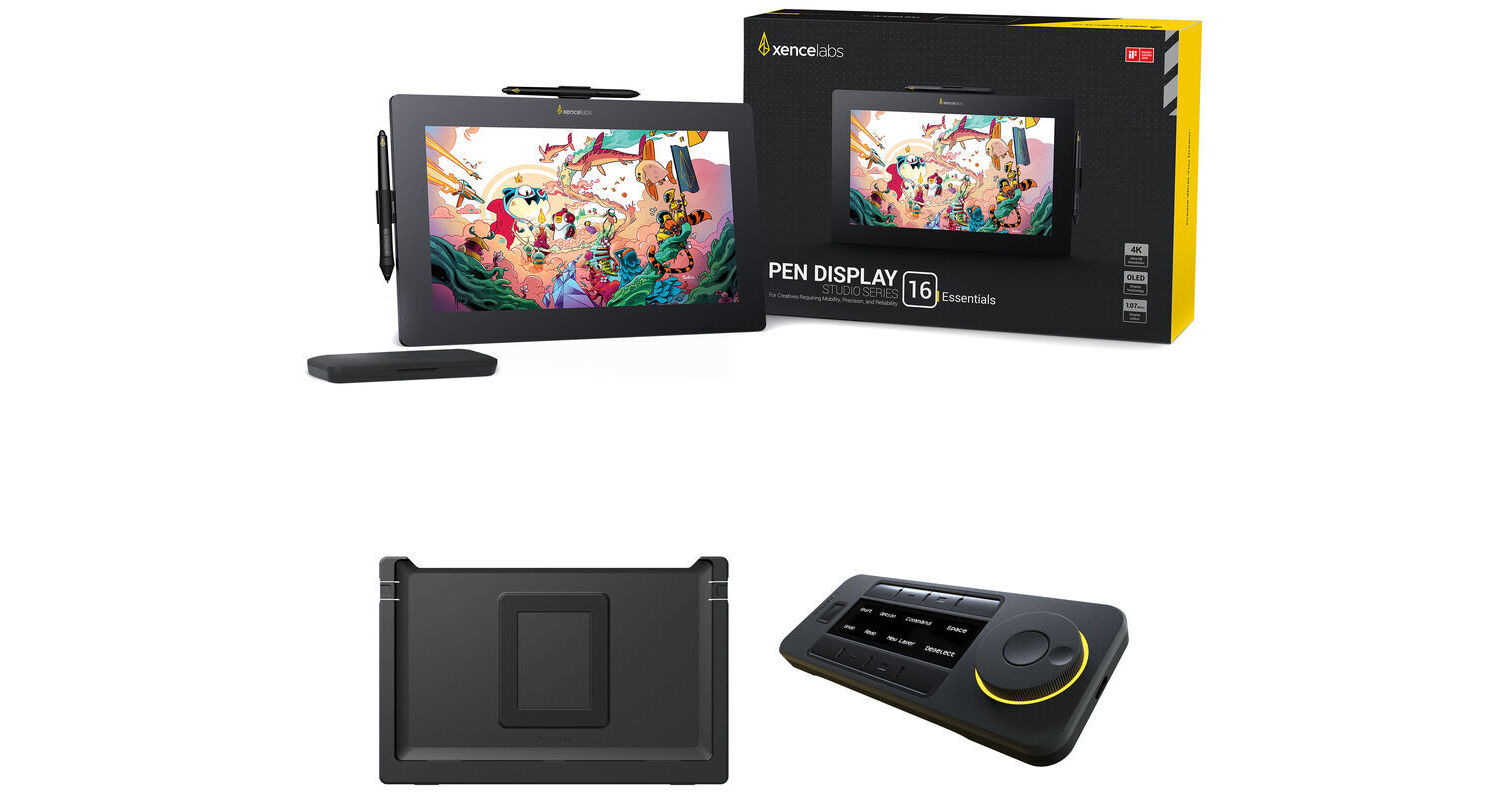
Xencelabs Pen Display 16 Essentials Kit with Desktop Easel and Quick Keys Remote

BH #XEPDS16EFSK • MFR #111523
Print
Xencelabs Pen Display 16 Essentials Kit with Desktop Easel and Quick Keys Remote
Key Features
  • 13.6 x 7.6" Active Area
  • 16" 3840 x 2160 4K OLED Pen Display
  • 8192 Levels of Pen Pressure Sensitivity
  • USB-C Port
Take full advantage of your Xencelabs Pen Display 16 with the Xencelabs Pen Display 16 Essentials Kit with Desktop Easel and Quick Keys Remote from B&H. The Pen Display 16 features a 16" 4K OLED pen display with a 13.6 x 7.6" active area. The display has pen support for 8192 pressure levels. Also included with this kit is the Desktop Easel, which provides a variety of tilt options. The Quick Keys Remote features eight programmable buttons with five key sets that allow you to create up to 40 shortcuts per application to accelerate your workflow
More Details
Temporarily Out of Stock
No Store Display
Free Expedited Shipping
Protect Your Gear
Add a protection plan from $162.99
Ask an Expert
800-952-1815
Kit Contains:

From Manufacturer

Take full advantage of your Xencelabs Pen Display 16 with the Xencelabs Pen Display 16 Essentials Kit with Desktop Easel and Quick Keys Remote from B&H. The Pen Display 16 features a 16" 4K OLED pen display with a 13.6 x 7.6" active area. The display has pen support for 8192 pressure levels. Also included with this kit is the Desktop Easel, which provides a variety of tilt options. The Quick Keys Remote features eight programmable buttons with five key sets that allow you to create up to 40 shortcuts per application to accelerate your workflow

Xencelabs Pen Display 16 Essentials

Create professional illustrations and diagrams from almost anywhere with the Xencelabs Pen Display 16 Essentials. Designed for high portability, the slim and lightweight 16" 4K OLED pen display has a 13.6 x 7.6" active area and may be connected directly to a DisplayPort in Alt Mode compatible USB-C port with a single cable.

A 3-button standard pen is included alongside a thin pen, both of which have erasers, 8192 pressure levels, ±60° tilt, and don't require batteries. Other accessories include a drawing glove, cleaning cloth, and carrying case.

Rich Visuals
The 3840 x 2160 resolution 4K OLED pen display features a tempered edge-to-edge textured anti-glare glass surface and 13.6 x 7.6" active area, delivering a highly responsive pen and paper-like experience. The pen display also delivers lifelike visuals with support for 1.07 billion colors, covering 98% of the Adobe RGB and DCI-P3 color gamut.
Dual Pens
This pen tablet includes both a 3-button wide barrel pen and a thin barrel 2-button pen. Choose the one that best fits your comfort and workflow and draw freely. Both use battery-free electromagnetic resonance technology and detect 8192 levels of pressure with a ±60° tilt. Standard and felt pen nibs are included, providing you with the feel of a pen or pencil.
VESA Mountable
You can use this pen display with a 75 x 75mm or 100 x 100mm VESA mountable easel.
Virtual Tablet Mode
Enhance your multitasking and workflow by extending your virtual workspace across other connected displays while using pen control.
Easy Connectivity
The Pen Display 16 connects to compatible devices using a single USB-C cable.
Hub Compatible
Don't worry if you system doesn't have a DisplayPort in Alt Mode compatible 15W USB-C port. Simply add a separately purchased Xencelabs hub for HDMI, DisplayPort, and power connectors. It also increases the max brightness from 170 to 300 nits.
Compatibility
Windows
macOS
Linux
Note:
Internet access is required to download drivers.
UPC: 850052635619
Xencelabs Desktop Easel for Pen Display 16

Designed for the Pen Display 6, the Xencelabs Desktop Easel provides continuous tilt adjustment between 10 to 80° when in landscape orientation or 16 to 65° when in portrait mode. The desktop easel also compatible with 75 or 100mm VESA mounts. With quick release buttons, you can easily remove the Pen Display 16 from the desktop easel.

Highlights
One handed adjustment of continuous tilt angles between 10 to 80° when in landscape orientation or 16 to 65° when in portrait orientation
Continuous rotation turntable with lock screw to adjust rotation friction. Rotation at angles other than portrait or landscape is possible when Desktop Easel and Pen Display 16 is placed toward the edge of the desk
This desktop easel adds support for 75mm and 100mm VESA mounts, which are compatible with most third-party arms
Quick release buttons make it easy to attach and remove the Pen Display 16 in seconds
Portrait orientation can be optimized for both left and right-handed artists
UPC: 850065239279
Xencelabs Quick Keys Remote

Give your creative workflow a major boost with the Quick Keys Remote from Xencelabs. This compact device features eight programmable buttons with five key sets that allow you to create up to 40 shortcuts per application to accelerate a variety of different tasks. The bright OLED display displays your different shortcuts and can positioned in horizontal or vertical orientations to fit your needs and environment. Use the convenient dial for fine control over different functions that include zoom and brush size. The dial's colored LED backlight indicates which of the four programmed functions is active. The remote controller also features an ambidextrous design and can be connected directly to your Windows or Mac computer using the included angled USB Type-C cable or wirelessly through the RF adapter. Its internal battery is rated to provide up to 53 hours of use from a 1.5-hour charge. The adjustable sleep timer helps to ensure that the Quick Keys will conserve power while fitting your personal workflow. The remote also includes convenient accessories such as a USB Type-A to USB Type-C adapter and a carrying case.

Compatibility
Windows 7 or later
macOS 12.10 or later
Linux
UPC: 850013593088
Kit Contains:

Xencelabs Pen Display 16 Essentials

Key Specs
Display Size
16"
Aspect Ratio
16:9
Native Resolution
3840 x 2160
Active Area
13.6 x 7.6" / 344.2 x 193.6 mm
Display
Panel Type
OLED
Size
16"
Aspect Ratio
16:9
Native Resolution
3840 x 2160
Contrast Ratio
Near Infinite (Black Pixels Emit No Light)
Color Gamut
98% Adobe RGB
98% DCI-P3
99% sRGB
99% Rec. 709
82% Rec. 2020
Maximum Brightness
170 nits / cd/m2
Display Colors
1.07 Billion
Tablet
Active Area
13.6 x 7.6" / 344.2 x 193.6 mm
Number of Buttons
No
Buttons Customizable
No
Inputs/Outputs
1x USB-C (Unspecified Interface)
Connectivity Cable
USB-C
Stylus
Pressure Sensitivity
Yes: 8192 Levels
Tilt
120°
Number of Switches
3
Resolution
5080 lpi
Technology
Electromagnetic Resonance (EMR)
General
Wireless
No
Cable Length
6.6' / 2 m
OS Compatibility
Windows / macOS / Linux
Adjustments
Tilt
Multi-Touch
No
Weight
2.6 lb / 1.2 kg
Packaging Info
Package Weight
9.5 lb
Box Dimensions (LxWxH)
18.7 x 13.5 x 4.9"

Xencelabs Pen Display 16 Reviews

The best

By Ken (Leading Software Maniacs)
Rated 5 out of 5
Date: 2024-09-14

As a Wacom user, I took the risk with a newer, lighter pen display with a larger display area (and OLED with 4K resolution). I am very impressed. Not only did B&H rush this to me, but the out of box experience was amazing. Very clear instructions, quality build, and drivers that instantly work! I am sold on what Xencelabs offers (and my Wacom Cintiqs are posted on eBay). In fact, I bought a second one for my isolation booth recording studio. Since a power adapter isn't necessary, there is no fan. Wow.

See any errors on this page?
Whatever You Need, We've Got It