Ask Our Experts212-444-6615
Hello, Log InAccount & Orders
Video Chat with a Pro Video Expert - Live
90-Second Intro
Key Features
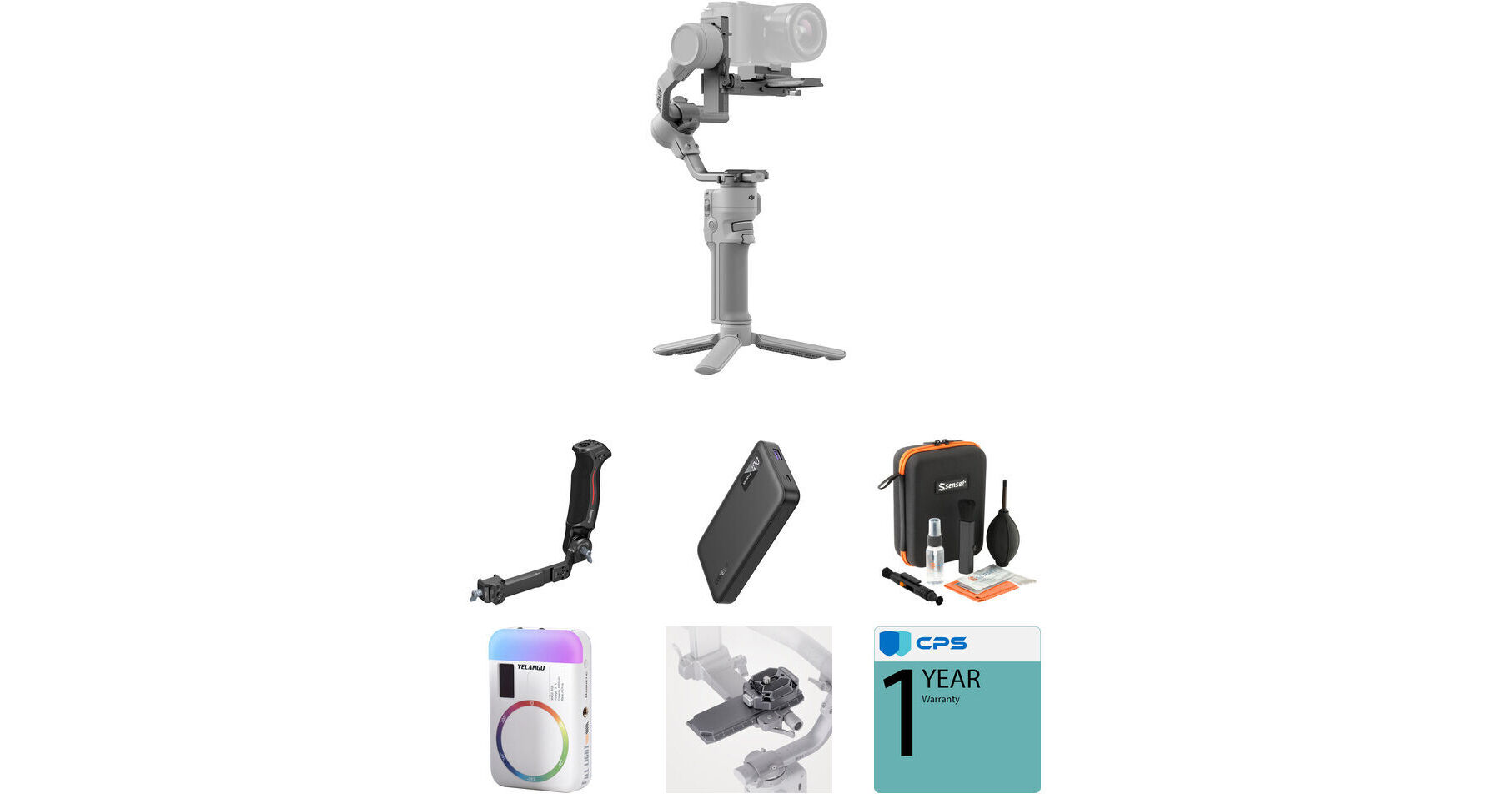
- DJI RS 4 Mini Gimbal Stabilizer
- Sling Handle, USB-C Power Bank
- RGB LED Light
- Optics Care and Cleaning Kit
The DJI RS 4 Mini Vlogging Kit from B&H outfits you with the RS 4 Mini gimbal, an additional sling handle, a USB-C power bank, an optics care and cleaning kit, and an RGB LED light. All of these accessories help you film high-quality, stable vlog content.
More DetailsIn Stock
$531.11
Shipping Restriction:
See any errors on this page?
Is there an adapter to use a galaxy fold phone?
Is there an adapter to use a galaxy fold phone?
A smartphone holder is not included with the DJI RS 4 Mini Vlogging Kit but DJI does offer the DJI Phone Holder for RS 4 Mini (https://bhpho.to/3DhCWcN).
Date published: 2025-03-05
Is it compatible with Nikon z8?
Is it compatible with Nikon z8?
Dear Customer,
Hello! Thank you for your inquiry. According to DJI’s official product specifications and compatibility information, the Nikon Z8 is not listed in the official compatibility list for the DJI RS 4 Mini. Actual performance may vary depending on firmware versions, operating conditions, and other factors, so please refer to actual usage for confirmation.
Should you need any further assistance, please feel free to contact our DJI Support at http://www.dji.com/support
We are always here to help.
Best regards,
DJI Support
Date published: 2025-09-26
Is the RS 4 Mini compatible with the Canon C70?
Is the RS 4 Mini compatible with the Canon C70?
Dear Customer,
Hello! Thank you for your inquiry. According to DJI’s official product specifications and compatibility information, the Canon C70 is not listed in the official compatibility list for the DJI RS 4 Mini. Actual performance may vary depending on firmware versions, operating conditions, and other factors, so please refer to actual usage for confirmation.
Should you need any further assistance, please feel free to contact our DJI Support at http://www.dji.com/support
We are always here to help.
Best regards,
DJI Support
Date published: 2025-09-26
what is the minimum payload? can i mount DJI ...
what is the minimum payload? can i mount DJI action 5 Pro?
The minimum payload for the DJI RS 4 Mini Combo Kit is 0.88 lb. No, the DJI Osmo Action 5 Pro does not meet this weight standard for balancing.
Date published: 2025-07-14
Cab I use wired AND bluetooth control at the same ...
Cab I use wired AND bluetooth control at the same time for more functions with compatible cameras such as Sony A7IV or A7SIII?
Once you connect a DJI multi-camera control cable to the DJI RS 4 Mini Combo Kit, Bluetooth control would not be available. No, you cannot use both wired and wireless Bluetooth control at the same time with any camera connected to the gimbal.
Date published: 2025-06-30
Is it completely silent or you can hear some ...
Is it completely silent or you can hear some noise in very quiet environments?
No, the DJI RS 4 Mini Combo Kit is not silent when operating.
Date published: 2025-02-22
Can the intelligent tracking module follow ...
Can the intelligent tracking module follow vehicles/structures/objects as well or just people?
Dear Customer,
Hello, thank you for your inquiry. The DJI RS Intelligent Tracking Module only supports detecting human subjects and does not support other types of subjects. In addition, it supports tracking only one subject at a time.
Should you need any further assistance, please feel free to contact our DJI Support at http://www.dji.com/support
We are always here to help.
Best Regards,
DJI Support
Date published: 2025-10-18
Is it able to shoot panorama photos that match a ...
Is it able to shoot panorama photos that match a no-parallax panorama head setup?
Dear Customer,
Thank you for your interest and support for DJI products.
Kindly note that the DJI RS 4 Mini supports Panorama shooting when paired with a compatible camera.
However, if an incompatible camera is used, the gimbal will not be able to trigger the camera to take photos or record videos automatically — you would need to trigger the shutter manually on the camera.
For Timelapse and Panorama shooting, please set the interval shooting function directly on the camera.
If you have any further questions, please feel free to contact us — we’re always happy to assist.
Best regards,
DJI Support Team
Date published: 2025-10-10