Ask Our Experts800-606-6969
Hello, Log InAccount & Orders
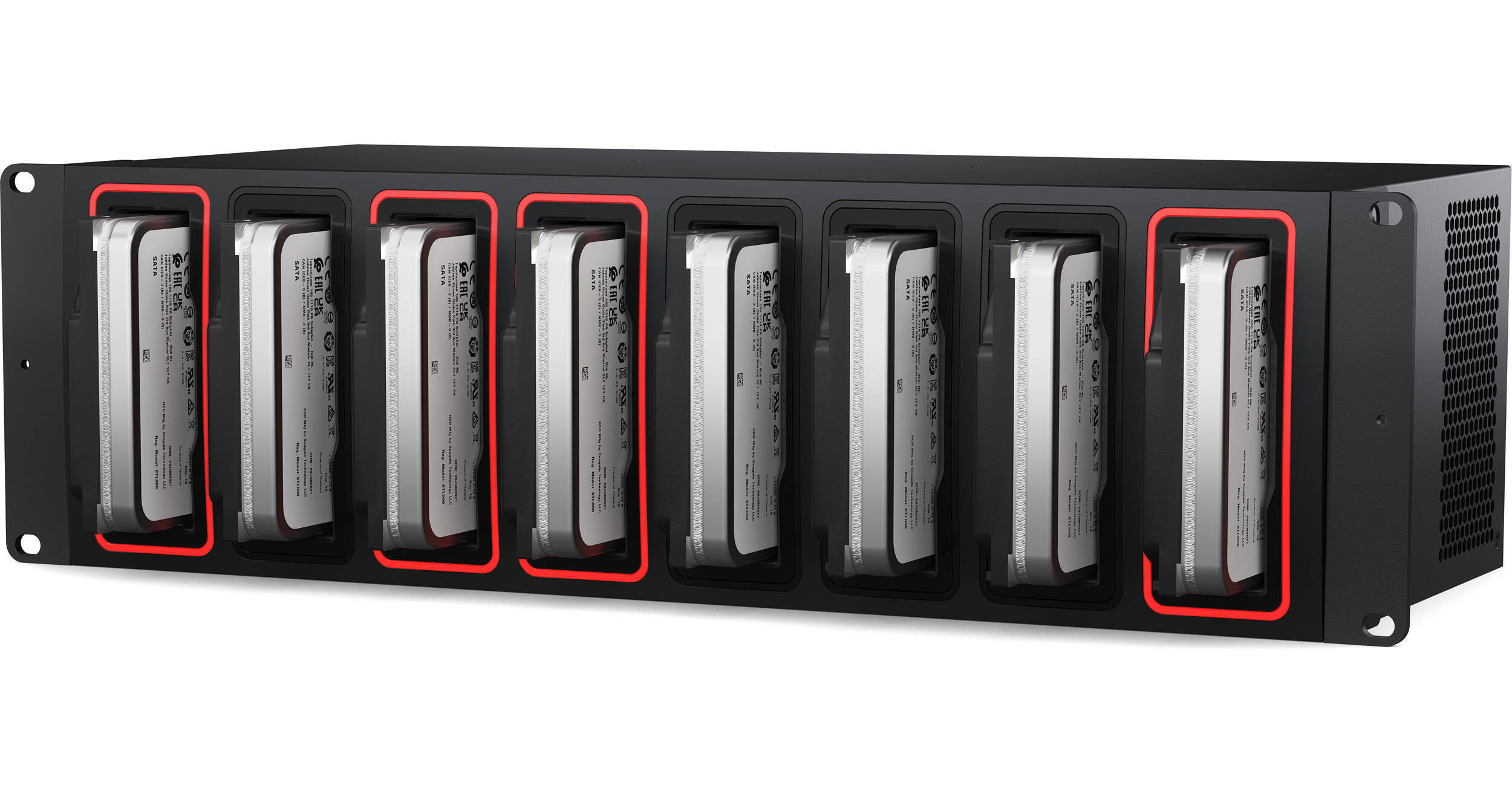
Key Features
- Back Up and Share Your Media to HDDs
- 8 x SATA 3.5" Drive Bays
- 4 x 10Gb Ethernet Ports
- 1 x USB-C 3.2 Gen 1 Port
The Cloud Backup 8 from Blackmagic Design is made for post-production workflows where users need to archive projects to low-cost storage, which is accomplished using 8 x SATA 3.5" drive bays. The Cloud Backup 8 also syncs to the Blackmagic Cloud for backing up collaborative projects in DaVinci Resolve. When the drives are full, they may be removed and replaced with new ones for increased storage. The Cloud Backup 8 is equipped with four 10Gb Ethernet ports, a 5 Gb/s USB-C 3.2 Gen 1 port that also supports Ethernet, and an HDMI output for real time monitoring. Compatible with Windows and Mac, this unit features a rackmount form factor and has no associated subscription costs.
More DetailsIn Stock
Protect Your Gear
Add a protection plan from $89.99
See Options
See any errors on this page?
how big of a hard drive are we allowed to put in? ...
how big of a hard drive are we allowed to put in? does it max out at 20Tb?
At this time, 24TB is the largest drive you can use in the Blackmagic Design Cloud Backup 8.
Date published: 2025-06-04
Can this work with SAS drives?
Can this work with SAS drives?
The Blackmagic Design Cloud Backup 8 is not compatible with SAS drives.
Date published: 2025-08-10
Will this sync to Dropbox?
Will this sync to Dropbox?
The Blackmagic Design Cloud Backup 8, B&H # BLCBU8, will only sync to Blackmagic Cloud.
Date published: 2025-04-21
I have 8, 8TB hard drives. Will I be able to put ...
I have 8, 8TB hard drives. Will I be able to put them all into this or is this a cap on the maximum storage?
The Blackmagic Design Cloud Backup 8 will be able to use 8x 8TB drives.
Date published: 2025-04-21
can you format disks with disk utility once ...
can you format disks with disk utility once inserted into this unit?
No, you cannot use Disk Utility directly within the Blackmagic Design Cloud Backup 8 unit itself to format disks. The Blackmagic Cloud Backup 8 uses a dedicated utility for managing its settings and syncing with the Blackmagic Cloud.
Date published: 2025-08-10
Just to confirm, the drives can't be raided ...
Just to confirm, the drives can't be raided together like a NAS, correct? This is just an individual docking station type thing
The Cloud Backup 8 cannot be configured as a RAID.
Date published: 2025-08-11
Is it also a network switch? if two computers are ...
Is it also a network switch?
if two computers are connected to it
can they see each other?
The Blackmagic Design Cloud Backup 8 can also work as an unmanaged switch.
Date published: 2025-08-18
can this use mixed drive capacity?
can this use mixed drive capacity?
The Blackmagic Design Cloud Backup 8 (B&H # BLCBU8) is compatible with a mixed drive combination.
Date published: 2025-05-15