
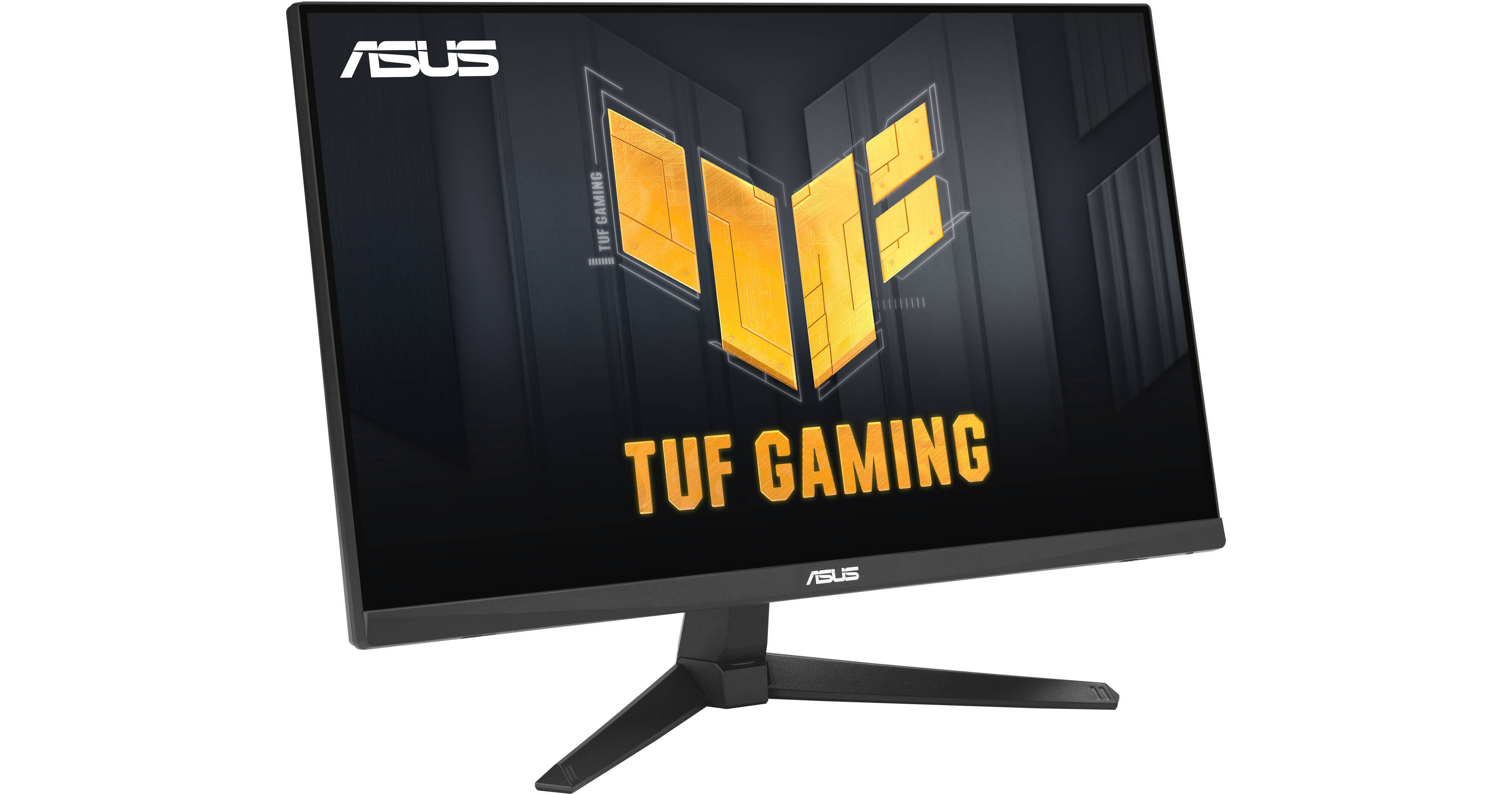
ASUS TUF Gaming VG249QE5A 23.8" 146 Hz IPS Gaming Monitor

BH #ASVG249QE5A • MFR #VG249QE5A
Print
ASUS TUF Gaming VG249QE5A 23.8" 146 Hz IPS Gaming Monitor
Key Features
  • 23.8" 16:9 IPS Panel
  • HDMI 2.0 | DisplayPort 1.2 | 3.5mm
  • Full HD 1920 x 1080 at 146 Hz (OC)
  • VESA Adaptive-Sync
Designed for gaming enthusiasts looking to immerse themselves into their favorite games, the ASUS TUF Gaming VG249QE5A 23.8" 146 Hz IPS Gaming Monitor provides a solid foundation that offers crisp visuals with fluid graphics suitable for competitive and solo games.
More Details
In Stock
No Store Display
Free Standard Shipping
Protect Your Gear
Add a protection plan from $8.99
Ask an Expert
800-606-6969

ASUS VG249QE5A Overview

Designed for gaming enthusiasts looking to immerse themselves into their favorite games, the ASUS TUF Gaming VG249QE5A 23.8" 146 Hz IPS Gaming Monitor provides a solid foundation that offers crisp visuals with fluid graphics suitable for competitive and solo games.

Sporting a 23.8" Full HD In-Plane Switching (IPS) panel, you get a 1920 x 1080 resolution with a 146 Hz refresh rate (OC), giving you a clean and fluid picture quality suitable for both work and play. VESA Adaptive-Sync technology ensures smooth, tear-free visuals with low latency. The 1 ms Gray-to-Gray (MRPT) response time work together to provide additional smoothness. Achieve enhanced color accuracy with support for 16.7 million colors with 1000:1 contrast ratio and up to 250 nits brightness. You get one HDMI and one DisplayPort video input, allowing you to connect multiple devices to the display with seamless switching. Dual 2W speakers are built into the TUF along with a 3.5mm audio jack so you can listen to your media with or without headphones.

Smooth Gameplay
The screen features up to a 146 Hz refresh rate (OC) and a 1 ms MPRT response time, providing lag-free, motion blur-free gameplay. These features provide smooth gameplay in first person shooters, racers, real-time strategy, and sports titles. The monitor also features VESA Adaptive-Sync technology, which ensures smooth, tear-free visuals with low latency.
ELMB Sync Software
The ELMB Sync software can enable ELMB to work simultaneously with adaptive-sync technology toe eliminate ghosting and tearing for sharp, high frame-rate gaming.
Variable Overdrive
Integrated ASUS Variable Overdrive technology allows this monitor to dynamically alter its overdrive setting as frame rates fluctuate, ensuring optimal results for any game. You can choose how strong you want the overall effect to be.
Intuitive Controls
DisplayWidget Center software features an improved user interface so that you can easily change monitor settings with a mouse, removing the need to access the OSD menu.
Shadow Boost
ASUS Shadow Boost technology clarifies dark areas of the game without overexposing brighter areas, improving overall viewing while also making it easier to spot enemies hidden in dark areas of the map.
GamePlus
The ASUS-exclusive, integrated GamePlus hotkey offers in-game enhancements that help you get more out of your game. This function is co-developed with input from pro gamers, allowing them to practice and improve their gaming skills.
GameVisual
ASUS GameVisual Technology has seven pre-set display modes to optimize visuals for different types of content. This unique feature can be easily accessed through a hotkey or the on-screen display settings menu.
Flicker-Free Technology
This monitor reduces flicker and minimize eyestrain to improved comfort, thanks to Flicker-Free technology.
Low Blue Light
Reduce your exposure to blue light with the ASUS Low Blue Light technology. Four different filter settings are available to control the amount of blue light reduction.
Extensive Connectivity
DisplayPort and HDMI ports are available on this monitor. There is also a 3.5mm combo audio jack if you want to plug in headphones.
Ergonomic Design
The ergonomic stand provides tilt, so you can adjust the monitor to an ideal viewing position. The display is also VESA mount compatible, which allows you to mount it to the wall or a monitor arm.
UPC: 197105871441

ASUS VG249QE5A Specs

Key Specs
Display Size
23.8"
Panel Type
IPS-Type LCD
Native Resolution
1920 x 1080
Maximum Brightness
300 nits / cd/m2
HDR Support
No
Color Support
16.7 Million Colors
Color Gamut
125% sRGB
90% DCI-P3
Finish
Anti-Glare
Touchscreen
No
A/V Inputs
DisplayPort 1.2 / HDMI 2.0
A/V Outputs
3.5 mm (Analog Audio)
USB I/O
No
Built-In Speakers
Yes: 2x 2 W
Display
Size
23.8"
Panel Type
IPS-Type LCD
Aspect Ratio
16:9
Native Resolution
1920 x 1080
Maximum Brightness
300 nits / cd/m2
HDR Support
No
Contrast Ratio
1500:1
Response Time
1 ms (MPRT)
Refresh Rate
146 Hz
Variable Refresh Technology
Adaptive-Sync
Color Support
16.7 Million Colors
Color Gamut
125% sRGB
90% DCI-P3
Viewing Angle (H x V)
178 x 178°
Curved Display
No
Finish
Anti-Glare
Surface
Touchscreen
No
Connectivity
A/V Inputs
1x HDMI 2.0
1x DisplayPort 1.2
A/V Outputs
1x 1/8" / 3.5 mm (Headphone)
HDCP Support
Yes
USB I/O
No
Multi-Input Support (PIP/PBP)
No
Speaker
Built-In Speakers
Yes: 2x 2 W
Electrical
Power Consumption
Operational: 15.0 W
Input Power
100 to 240 VAC, 50 / 60 Hz
General
Adjustments
Adjustable
Tilt: 28° (-5 to 23°)
VESA Mounting-Hole Pattern
100 x 100 mm
Lock Slot
No
Dimensions
21.3 x 15.5 x 6.8" / 541 x 393.7 x 172.7 mm (with Stand)
21.3 x 12.7 x 2.2" / 541 x 322.6 x 55.9 mm (without Stand)
Weight
7.2 lb / 3.3 kg (with Stand)
5.9 lb / 2.7 kg (without Stand)
Packaging Info
Package Weight
10.37 lb
Box Dimensions (LxWxH)
23.3 x 15.8 x 7.6"

ASUS VG249QE5A Reviews

Perfect budget friendly

By Madison
Rated 5 out of 5
Date: 2026-06-15

Perfect little gaming monitor for those on a budget or with limited space. My boyfriend uses it with his PS5 and loves the quality of it. I do wish i had bought one maybe 2 inches bigger.

AMAZING

By arushr4
Rated 4 out of 5
Date: 2025-12-26

nice easy setup nice minimal look and very good price just make sure to download the software provided asus display software on google if u cant find and turn off power saving mode to acces all the customizatrion in the menu.

See any errors on this page?
Whatever You Need, We've Got It