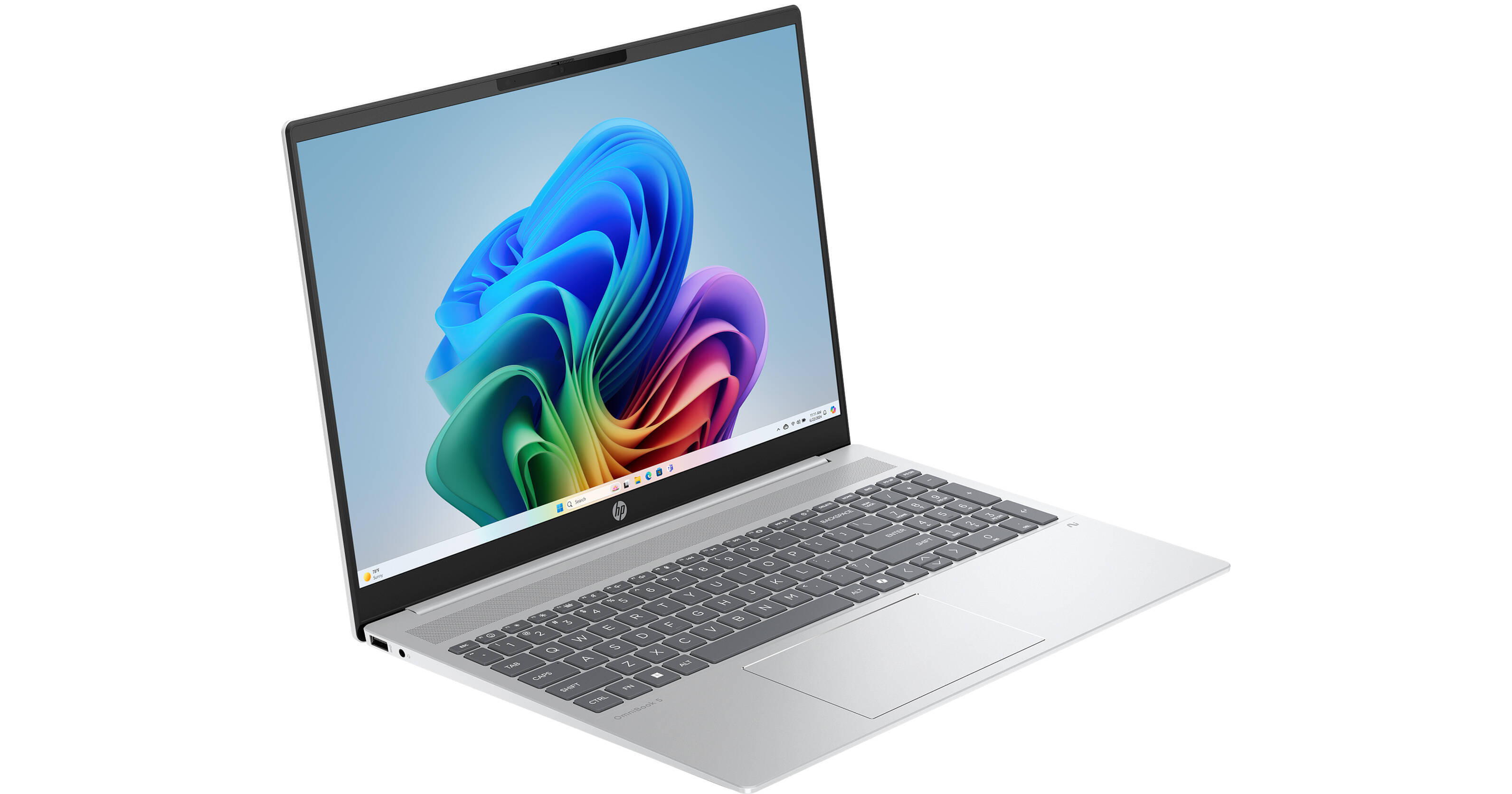
Get the full Microsoft Copilot experience with the HP 16" OmniBook 5 AI Laptop. With NPU performance up to 12 TOPS and an Intel Core Ultra 5 225U 12-Core processor, the OmniBook 5 enhances your productivity and power efficiency through a variety of AI features. There is even a dedicated Copilot key to provide instant one-touch AI access. Add a 16" IPS display, a backlit keyboard, and Wi-Fi 6, and the OmniBook 5 can handle your productivity tasks with ease. Windows 11 Home is the installed operating system.
Intel Core Ultra Performance
The power efficient Intel Core Ultra 5 225U processor drives applications with two Performance cores while the eight Efficient cores handle background tasks. The P-cores have a base speed of 1.5 GHz and a 4.8 GHz Max Turbo frequency. A dedicated NPU can process 12 trillion operations per second (TOPS) to accelerate AI tasks.
16" IPS Touchscreen
The 16" display features a 1920 x 1200 resolution and a 16:10 aspect ratio. The IPS panel provides wider viewing angles. The screen has 300 nits of brightness. The screen also covers 62.5% of the sRGB color space. The display also features edge-to-edge glass with micro-edge bezels and low blue light technology.
Work Smarter with the Copilot+ PC Experience
Recall
Searching for a document, email, or web page on your PC can be time-consuming. Now, just describe how you remember something, and Recall will find it, instantly.
Cocreator
Become an artist by describing or drawing your vision with text or image prompts and watch Cocreator generate it.
Microsoft OneNote
Get help from Copilot to summarize your handwritten notes in Microsoft OneNote.
Adobe Photoshop
With simple text prompts in everyday language, you can create, edit, transform, and bring your imagination to life with the power of generative AI.
Live Captions
Whether video calls or dialogue in a streaming video, get accurate subtitles in real-time with automatic Live Captions. Translate 44 languages to English.
Windows Studio Effects
Improve lighting, cancel noises, and blur distractions during video calls. When presentation matters, turn on Windows Studio Effects.
Searching for a document, email, or web page on your PC can be time-consuming. Now, just describe how you remember something, and Recall will find it, instantly.
Cocreator
Become an artist by describing or drawing your vision with text or image prompts and watch Cocreator generate it.
Microsoft OneNote
Get help from Copilot to summarize your handwritten notes in Microsoft OneNote.
Adobe Photoshop
With simple text prompts in everyday language, you can create, edit, transform, and bring your imagination to life with the power of generative AI.
Live Captions
Whether video calls or dialogue in a streaming video, get accurate subtitles in real-time with automatic Live Captions. Translate 44 languages to English.
Windows Studio Effects
Improve lighting, cancel noises, and blur distractions during video calls. When presentation matters, turn on Windows Studio Effects.
Stay Connected
With Wi-Fi 6 and Bluetooth 5.4 technology, the OmniBook 5 keeps you connected, whether you're checking emails, browsing the web, and more. Need to take video calls? The Full HD 1080p webcam allows you to join video calls in crisp image quality. When you're done, you can use the physical shutter to prevent unauthorized access.
Windows 11 Home
Microsoft simplified the design and user experience with Windows 11. It has a modern, clean design with a new Start Menu position. Snap Layouts, Groups, and Desktops allow you to multitask with ease. Microsoft has also integrated some of their apps, such as Microsoft Teams. The redesigned Microsoft Store makes it easier to look for supported apps.