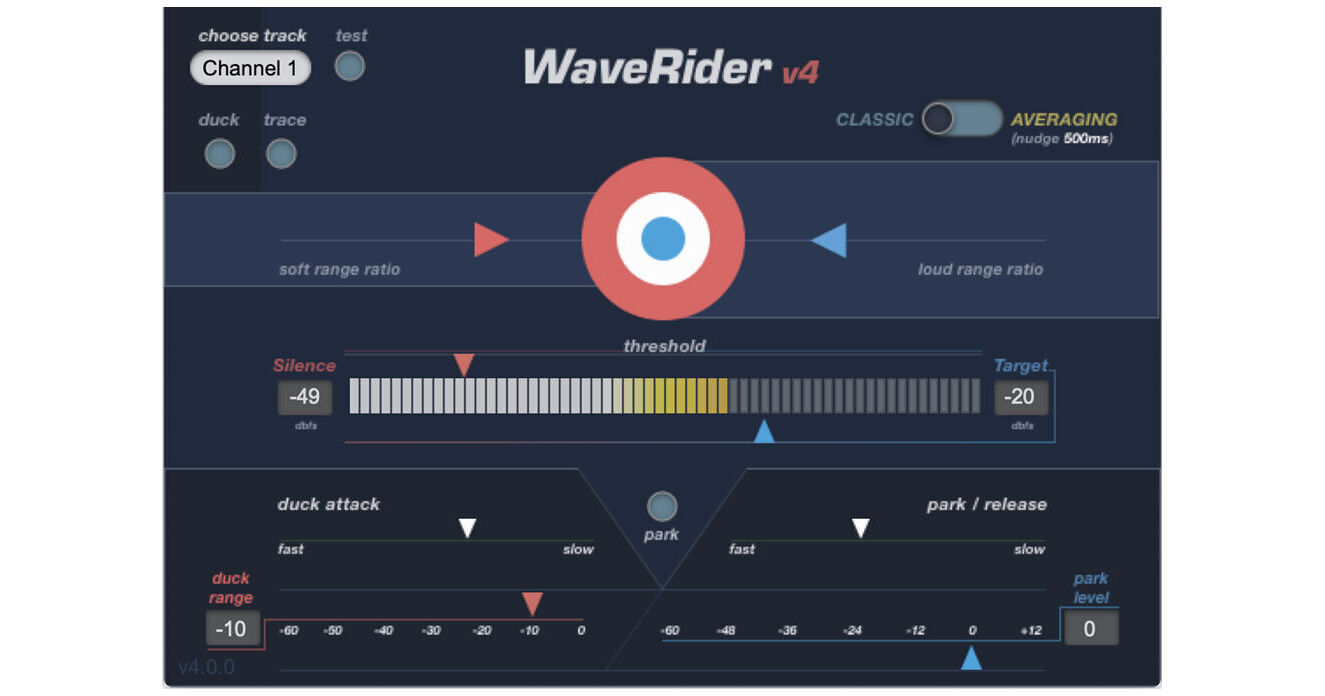
The WaveRider Volume Automation Plug-In by Quiet Art Ltd. is made to make a busy sound engineer's job easier and give them a break. Enjoy multiple automatic editing modes like Ride, Duck, Park on Silence, and Trace to automatically sculpt the volume of your tracks.
Editing Modes
- Ride—In this default mode, WaveRider's level detecting algorithm automatically raises or lowers the fader to maintain a user selectable output level by writing volume automation on the timeline. User's then alter the volume automation as needed. Be it your vocal, bass, voice-over, or dialog, WaveRider makes it a breeze to maintain a smooth and consistent level so you don't end up over-compressing.
- Duck—This function will lower the signal of a target track by a user selectable amount if there's signal present on the inserted track. Narration and announcements over music as heard on radio channels rely on keyed compressors with poor results—now cooler with WaveRider.
- Park on Silence—This is a function you'll find in Automatic Mixer boxes. The faders are parked at a user-defined low level when there's little signal, and they come up to full output when there's strong signal present, maintaining a steady output level. Particularly useful in situations where there are a lot of mics open and you want to have the cleanest signal without much background noise. Park mode works in situations to replace a noise gate.
- Trace—Trace function is practically the opposite of what the Ride function is. It actually makes volume graphs of the envelope of the signal. This helps you to copy the dynamics of a signal to another track. Pretty useful when trying to combine two sounds together seamlessly.