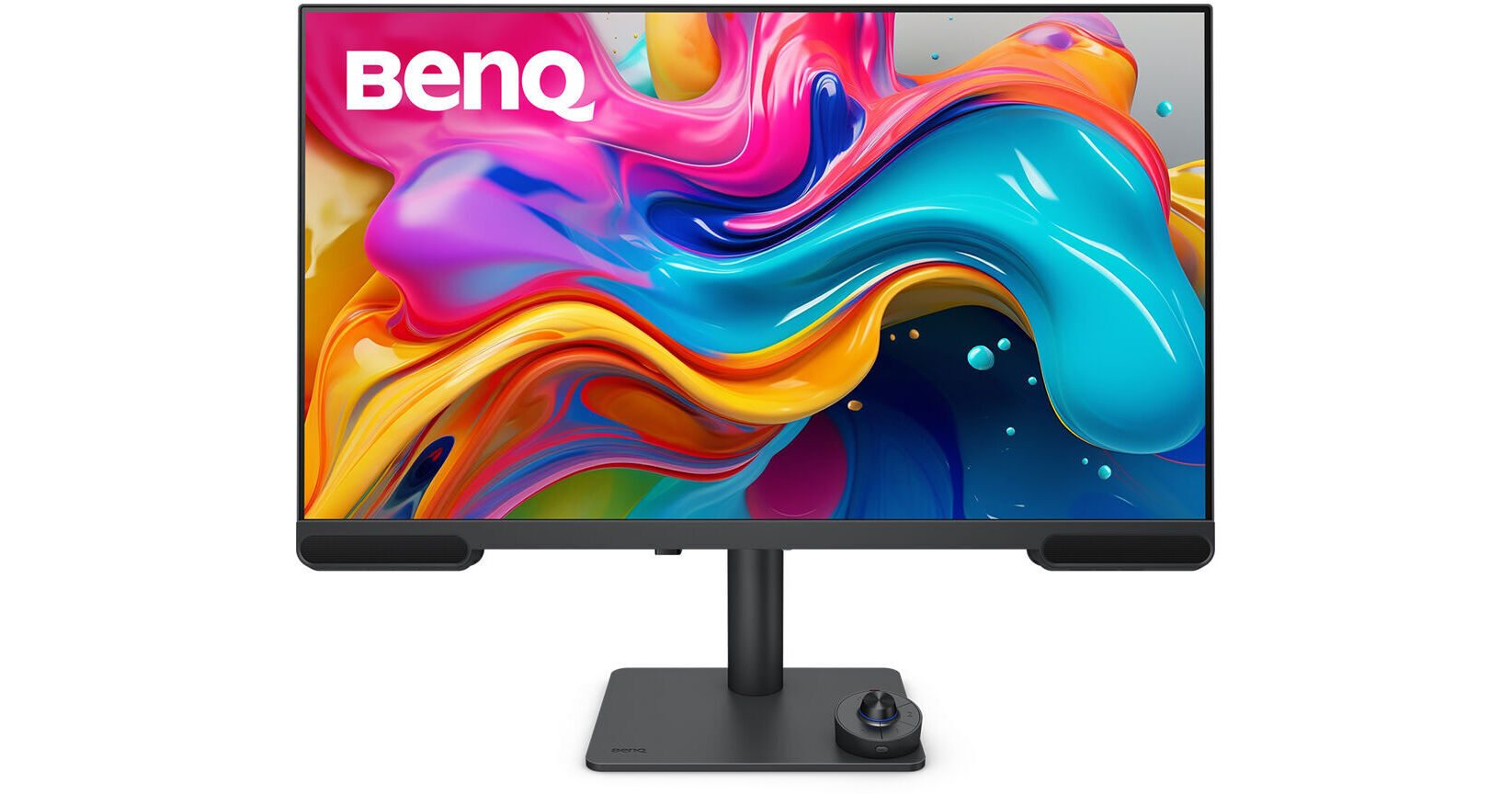
BenQ VideoVue PV3200U 31.5" 4K HDR Video Editing Monitor

BH #BEPV3200U • MFR #PV3200U
Print
BenQ VideoVue PV3200U 31.5" 4K HDR Video Editing Monitor
Key Features
  • 31.5" 16:9 IPS Display
  • HDMI 2.0 | USB-C (65W)
  • 4K UHD 3840 x 2160 at 60 Hz
  • 5 ms (GtG) Response Time
Designed for professional video creators, the BenQ VideoVue PV3200U 31.5" 4K HDR Video Editing Monitor delivers uniform Delta E ≤2 color accuracy and studio quality audio so that you can confidently create content without over-editing.
More Details
In Stock
No Store Display
Free 2-Day Shipping
Protect Your Gear
Add a protection plan from $44.99
Savings Available:
Save Up to $5.00
Ask an Expert
800-606-6969

BenQ PV3200U Overview

Designed for professional video creators, the BenQ VideoVue PV3200U 31.5" 4K HDR Video Editing Monitor delivers uniform Delta E ≤2 color accuracy and studio quality audio so that you can confidently create content without over-editing.

This Calman and Pantone validated 4K UHD 3840 x 2160 resolution display features 95% DCI-P3 and 100% Rec. 709 and sRGB coverage. There is also a 2W mid-high stereo speaker system and a dedicated 5W subwoofer built in. USB-C connectivity allows you transfer video, audio, data, and up to 65W of power over a single cable with compatible laptops. Three HDMI 2.0 ports are also available. Use the integrated USB 3.2 Gen 1 hub to connect up to 5 Gb/s compatible flash drives and other peripherals. The included Hotkey Puck G3 allows you to quickly manage and change your monitor settings.

Edit with Precision
Color Accuracy
The 31.5" IPS panel is factory calibrated for 1.07 billion colors, covering 100% of the sRGB and Rec.709 gamut in addition to 95% DCI-P3. VESA DisplayHDR 400 certified HDR10 support with a 1000:1 contrast ratio and 400 nit peak brightness deliver realistically bright highlights and deep shadows.
Mobile Device Color Preview
With the iDevice Color Sync software, you can preview how colors will look on iPads, iPhones, and MacBooks before exporting.
Hear It Right
Studio Mode
Designed for audio-focused video creators, Studio Mode delivers unprocessed true-to-source sound, preserving every voice, background sound, and effect without over-editing or heavy tuning.
2.1-Channel Frequency Separation
Say goodbye to ear fatigue. Built-in 2W mid-high speakers and a dedicated 5W woofer deliver balanced sound.
Enhanced Workflow
Hotkey Puck G3
The included Hotkey Puck G3 allows you to control the OSD remotely and cordlessly. Supporting up to three compatible monitors at once, the Hotkey Puck G3 includes an information key that shows the current color data, including the brightness, white point, Gamma, and Gamut values, which benefits users who work with different color settings.
USB Hub
Connect up to 5 Gb/s compatible devices to the three USB-A and one USB-C port.
Customize Your Workspace
BenQ's free Display Pilot 2 software lets you organize essential functions like ICCsync, Color Modes, and Desktop Partition for a seamless editing experience. Keep your workflow efficient by tailoring the interface to your needs.

M-book mode ensures color matches with Mac and MacBook displays.
ICCsync automatically syncs ICC profiles between your connected Mac and the monitor when switching color modes.
iKeyboard control integrates the MacBook's display brightness and volume controls with the external display.
Precise Color Matching
Calibrate your monitor effortlessly by using your separately purchased hardware calibrator with BenQ's free Palette Master Ultimate software. Or use Display ColorTalk for software-based calibration.
Ergonomics
Rotate the screen to view documents in portrait mode. You can also adjust the height, tilt, and swivel for optimal view. The 100 x 100mm VESA mounting pattern allows you to attach the display to a wall, swivel arm, or multi-monitor stand. With 178° horizontal and vertical viewing angles, you can see the screen clearly from almost any position.
UPC: 840046051877

BenQ PV3200U Specs

Key Specs
Display Size
31.5"
Panel Type
IPS-Type LCD
Native Resolution
3840 x 2160
Maximum Brightness
400 nits / cd/m2 (Peak in HDR Mode)
HDR Support
Yes: HDR10
Color Support
1.07 Billion Colors
Color Gamut
100% sRGB
95% DCI-P3
Finish
Anti-Glare
Touchscreen
No
A/V Inputs
HDMI 2.0
A/V Outputs
3.5 mm (Analog Audio)
USB I/O
USB-A 3.2 Gen 1 / USB-C 3.2 Gen 1
Built-In Speakers
Yes
Display
Size
31.5"
Panel Type
IPS-Type LCD
Aspect Ratio
16:9
Native Resolution
3840 x 2160
Maximum Brightness
400 nits / cd/m2 (Peak in HDR Mode)
HDR Support
Yes: HDR10
Contrast Ratio
1000:1
Response Time
5 ms (GtG)
Refresh Rate
60 Hz
Variable Refresh Technology
No
Color Support
1.07 Billion Colors
Color Gamut
100% sRGB
95% DCI-P3
Viewing Angle (H x V)
178 x 178°
Curved Display
No
Finish
Anti-Glare
Surface
Touchscreen
No
Connectivity
A/V Inputs
3x HDMI 2.0
A/V Outputs
1x 1/8" / 3.5 mm (Headphone)
HDCP Support
Yes
USB I/O
1x USB-C 3.0 / 3.1/3.2 Gen 1 with USB PD 65 W
3x USB-A 3.0 / 3.1/3.2 Gen 1
Multi-Input Support (PIP/PBP)
No
Speaker
Built-In Speakers
Yes
Electrical
Power Consumption
Maximum: 180.0 W
Operational: 50.0 W
Input Power
100 to 240 VAC, 50 / 60 Hz
Power Adapter Type
Internal
General
Adjustments
Rotation: 90°
Swivel: 30° (-15 to 15°)
Tilt: 25° (-5 to 20°)
Height: Up to 4.5" / 115 mm
VESA Mounting-Hole Pattern
100 x 100 mm
Lock Slot
No
Dimensions
28.1 x 18.9 x 8.2" / 713.7 x 480.1 x 208.3 mm (with Stand)
28.1 x 17.4 x 2.6" / 713.7 x 442 x 66 mm (without Stand)
Weight
18.6 lb / 8.4 kg (with Stand)
13.2 lb / 6.0 kg (without Stand)
Packaging Info
Package Weight
27.02 lb
Box Dimensions (LxWxH)
31.2 x 26.8 x 8.8"

BenQ PV3200U Reviews

Great Monitor

By Riccardo
Rated 5 out of 5
Date: 2025-12-29

The PV3200U is a great monitor, and I was pleasantly surprised by how easy it was to match with my PD2705U, which had been my reference monitor for quite some time during color grading. While the PD2705U doesn’t offer full 100% Rec.709 and sRGB coverage, that limitation is exactly why I added the PV3200U to my setup. Since I primarily color grade for SDR delivery, it provides everything I need without the added cost of a more expensive monitoring solution.

See any errors on this page?

Can I connect my Logitech MX Brio 4K (1st gen) to

Can I connect my Logitech MX Brio 4K (1st gen) to the USB ports on the back of this monitor and have it work properly?
Asked by: Juan
The BenQ VideoVue PV3200U 31.5" 4K HDR Video Editing Monitor will be able to support your Logitech MX Brio 4K Webcam provided that the monitor is connected to your computer via the USB-C host connection.
Answered by: Alex D
Date published: 2026-03-30

Can this monitor be used in Peru (220V / 60Hz) wit

Can this monitor be used in Peru (220V / 60Hz) without a voltage converter, only a plug adapter, and a power cable?
Asked by: Juan
The BenQ VideoVue PV3200U 31.5" 4K HDR Video Editing Monitor, B&H #BEPV3200U, can operate in 100-240V; you can use it in Peru with a plug adapter.
Answered by: Miguel M
Date published: 2026-03-29

Can I connect my Logitech Z207 through 3.5mm to t

Can I connect my Logitech Z207 through 3.5mm to this monitor?
Asked by: Juan
Yes, you can connect the Logitech Z207 speakers to the 3.5mm output on the BenQ VideoVue PV3200U 31.5" 4K HDR Video Editing Monitor.
Answered by: Alex D
Date published: 2026-04-10
  • y_2026, m_7, d_7, h_13CST
  • bvseo_bulk, prod_bvqa, vn_bulk_3.0.46
  • cp_1, bvpage1
  • co_hasquestionsanswers, tq_3
  • loc_en_US, sid_1908827, prod, sort_[SortEntry(order=HAS_STAFF_ANSWERS, direction=DESCENDING)]
  • clientName_bhphotovideo
Whatever You Need, We've Got It