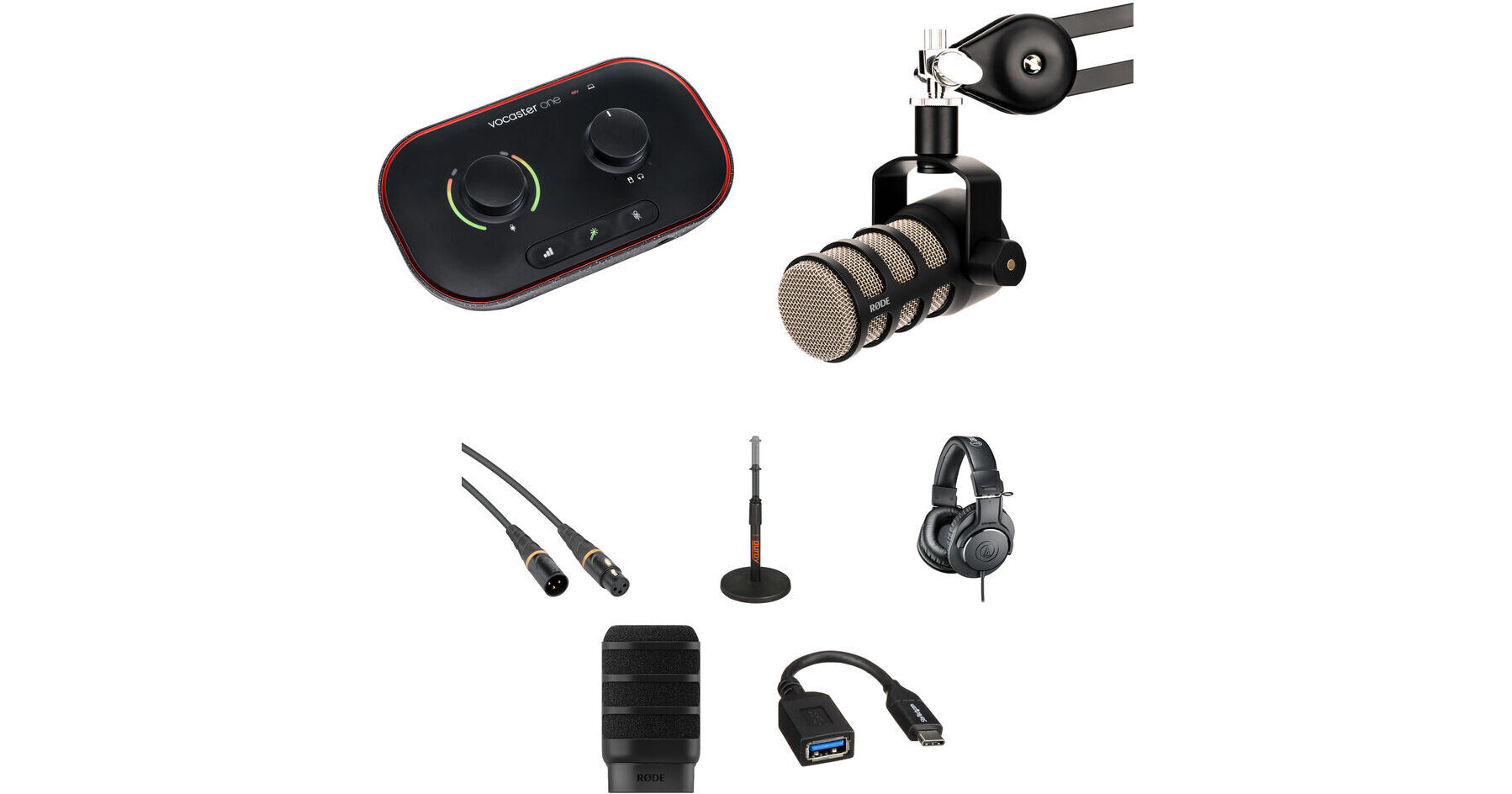


The interface's Easy Start tool helps get you going quickly, bypassing the turmoil of having to figure everything out on your own. If you run into a roadblock, award-winning support is available at any time, day or night.
Being a class-compliant USB-C interface, Vocaster works with most Mac/Windows computers as well as USB-C iPads. Since it can be powered through a USB connection to your host device or via an external USB power supply (available separately), it is truly portable and convenient.
- Music beds and themes
- Intros and outros
- Soundboards, sound effects, calls, and more
The Kopul Studio Elite 4000 Series XLR M to XLR F Microphone Cable (15') is a studio-quality cable for connecting mics to mixers, preamps, audio interfaces, and recorders or to be used in any other application where XLR connectivity is required. The cable is engineered to be both quiet and durable, and is well suited for critical recording and broadcast situations.
Studio Elite 4000 Series cables are made from 24 AWG OFC copper wire that's wrapped with PE insulation and a conductive PVC inner shield. A cotton-yarn inner layer helps reduce electrostatic and microphonic noise. A 98% braided outer shield makes the cable resistant to EMI and RFI noise. The Neutrik XX silver connectors provide a high level of connectivity, and all the solder connections are shrink-wrapped for protection.
The black TT-6220 Telescoping Tabletop Microphone Stand from Auray meets the needs of any desktop audio applications that require the use of a microphone by providing a solid, weighted round base with five nonslip rubber feet for additional stability. The telescoping shaft delivers flexibility when it comes to positioning the height of the microphone and includes a microphone cable guide. Durable steel construction ensures longevity.
Thanks to the 15° swiveling earcups, high-quality materials, and generous cushioning on the headband and earpads, the headphones are both durable and comfortable to wear. Exiting from the left earcup, the attached 9.8' cable reduces tangles and simplifies channel identification. The cable sports a 3.5mm mini plug for use with mobile devices and computer soundcards, and a 1/4" snap-on adapter is included for easy hookup to audio interfaces, mixers, and stereo receivers.
Minimize plosives on your PodMic or PodMic USB with the black WS14 Pop Filter from RODE. Designed to offer discreet protection for your mic, the WS14 looks great on camera for streams, while simultaneously maintaining its shape and providing potent protection with high-density foam and rib supports.
Convert your USB Type-C port into a USB Type-A port using this 6" USB Type-C Male to USB Type-A Female Adapter Cable from StarTech. This adapter allows you to use legacy USB Type-A cables or flash drives with your USB Type-C device. This USB 3.0 cable supports transfer rates up to 5 Gbps, making it up to 10x faster than USB 2.0, and is compatible with Thunderbolt 3 ports.
Focusrite Vocaster One USB-C Audio Interface
| Channels of I/O | |
| Maximum Sampling Rate | |
| Number of Microphone Inputs | |
| Analog Audio I/O | |
| Digital Audio I/O | |
| Host Connection | |
| Power Requirements |
| Display | |
| Channels of I/O | |
| Built-In DSP | |
| Maximum Sampling Rate | |
| Number of Microphone Inputs | |
| Built-In Microphone | |
| Input Level Adjustment |
| Pad | |
| Gain/Trim Range | |
| High-Pass Filter | |
| Solo/Mute |
| Analog Audio I/O | |
| Phantom Power | |
| Digital Audio I/O | |
| Host Connection / USB | |
| Host Connection Protocol | |
| USB (Non-Host) | |
| Sync I/O | |
| Network I/O | |
| MIDI I/O | |
| Expansion Slots | |
| Wireless |
| Frequency Response | |
| Maximum Input Level | |
| Maximum Output Level | |
| Headphone Output Power | |
| Impedance | |
| THD+N |
| Sample Rates | |
| Sample Rate Conversion | |
| Bit Depths | |
| Sync Sources |
| Media/Memory Card Slot |
| OS Compatibility | |
| Mobile Device Compatibility | |
| Required Hardware |
| Power Requirements | |
| AC/DC Power Adapter | |
| Power Consumption |
| Dimensions | |
| Weight |
| Package Weight | |
| Box Dimensions (LxWxH) |