
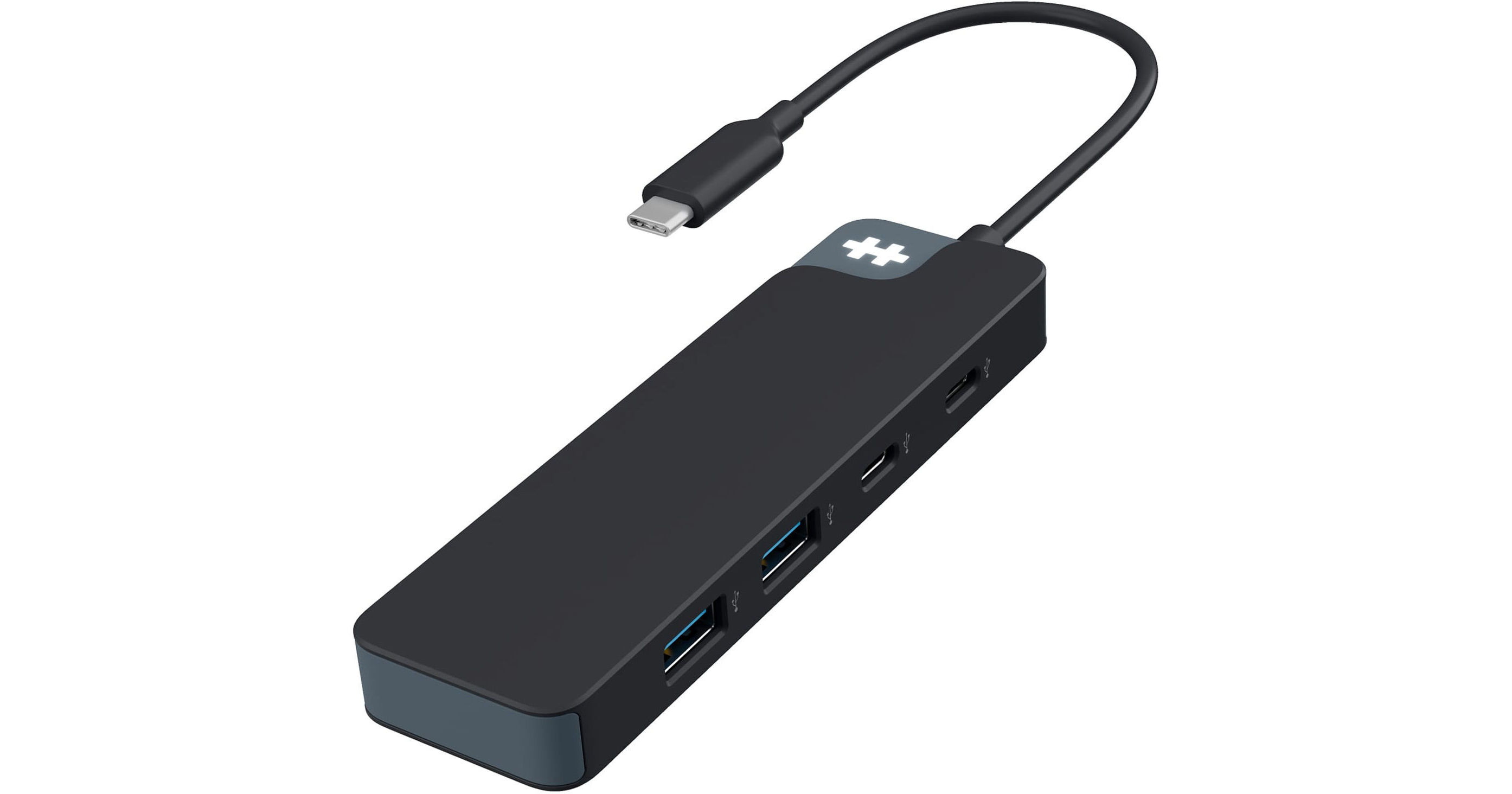
HYPER HyperDrive Flex 4-Port USB-C 3.2 Gen 1 Combo Hub

BH #HYHD5200BKGL • MFR #HD5200BKGL
Print
HYPER HyperDrive Flex 4-Port USB-C 3.2 Gen 1 Combo Hub
Key Features
  • Integrated USB-C 3.2 Gen 1 Host Cable
  • Up to 5 Gb/s Data Throughput
  • 2 x USB-C Ports
  • 2 x USB-A Ports
Boost your workflow by connecting the HyperDrive Flex 4-Port USB-C 3.2 Gen 1 Combo Hub from HYPER to your compatible laptop. This compact hub features two USB-C and two USB-A ports that allow you to connect multiple external storage drives and other peripherals to a single USB-C port for up to 5 Gb/s transfers.
More Details
In Stock
No Store Display
Protect Your Gear
Add a protection plan from $5.99
Ask an Expert
800-606-6969

HYPER HD5200 Overview

Boost your workflow by connecting the HyperDrive Flex 4-Port USB-C 3.2 Gen 1 Combo Hub from HYPER to your compatible laptop. This compact hub features two USB-C and two USB-A ports that allow you to connect multiple external storage drives and other peripherals to a single USB-C port for up to 5 Gb/s transfers.

Simply plug the integrated USB-C cable into an available port on your Windows 10 / 11, macOS 10.14 or later, or Chrome OS laptop to get started. No additional drivers are needed. It also works with USB-C compatible iOS, Android, and iPadOS devices. Measuring 4.8" long, you can easily slip the HyperDrive Flex into a bag when traveling.

UPC: 810156700323

HYPER HD5200 Specs

Key Specs
USB I/O
2x USB-C 3.0 / 3.1/3.2 Gen 1
2x USB-A 3.0 / 3.1/3.2 Gen 1
Host Connection
USB-C 3.0 / 3.1/3.2 Gen 1 via Integrated Cable
Power Source
Bus Powered
USB I/O
2x USB-C 3.0 / 3.1/3.2 Gen 1
2x USB-A 3.0 / 3.1/3.2 Gen 1
Host Connection
USB-C 3.0 / 3.1/3.2 Gen 1 via Integrated Cable
Power Source
Bus Powered
OS Compatibility
Computer: Windows 10 to 11 / macOS 10.14 or Later / Chrome OS
Mobile: Android/iOS
Enclosure Material
Plastic
Dimensions
4.8 x 1.5 x 0.5" / 122 x 39 x 13 mm
Weight
2.1 oz / 60 g
Packaging Info
Package Weight
0.25 lb
Box Dimensions (LxWxH)
7.5 x 4.5 x 1"

HYPER HD5200 Reviews

Not for Macbook

By SteveSays
Rated 1 out of 5
Date: 2025-11-26

I tried on 2 different Macbooks and it wont allow charging.

See any errors on this page?
Whatever You Need, We've Got It