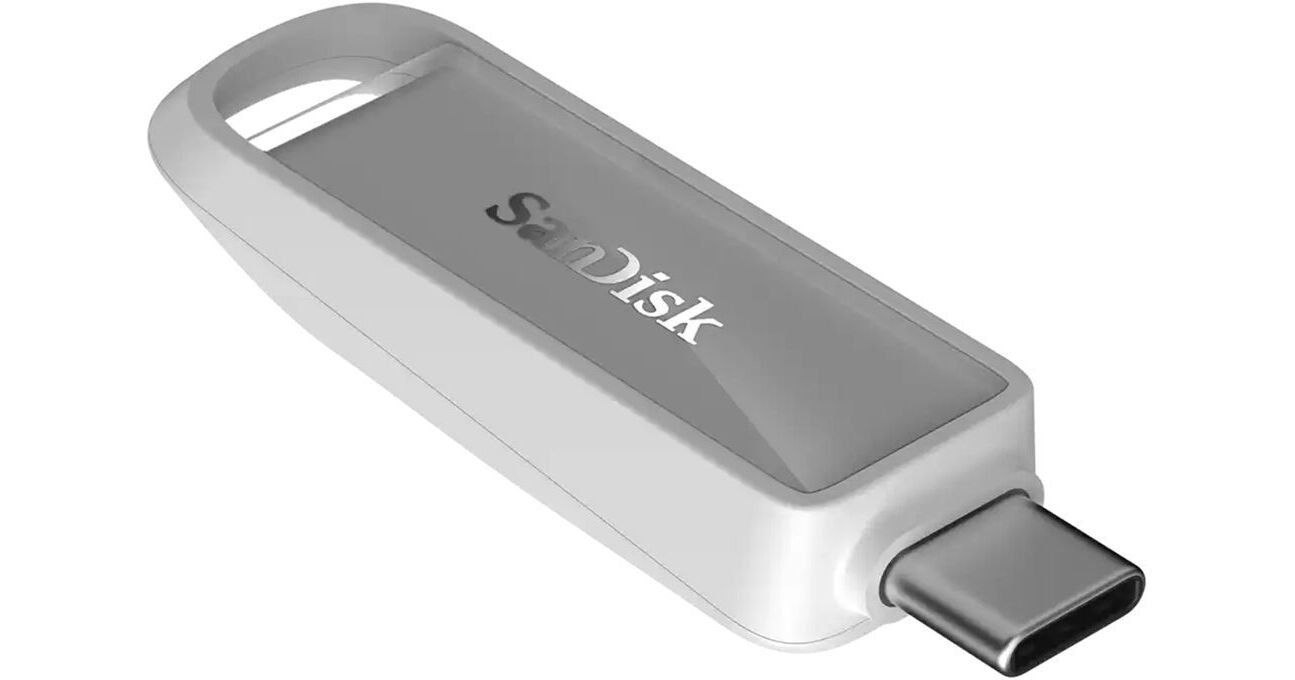
SanDisk 64GB USB-C 3.2 Gen 1 Phone Drive (Arctic White)

BH #SA64PDCAW • MFR #SDIXS0N-064G-GN6NE
Print
SanDisk 64GB USB-C 3.2 Gen 1 Phone Drive (Arctic White)
Key Features
  • 64GB Storage Capacity
  • Sequential Read Speed: 150 MB/s
  • USB-C 3.2 Gen 1 Interface
  • Automatically Back Up and Manage Files
Integrate your USB-C devices with the 64GB USB-C 3.2 Gen 1 Phone Drive from SanDisk. With a capacity of up to 64GB, this drive provides additional space for photos, videos, and other content. Designed for your USB-C compatible iPhone, iPad, and Macs, its USB 3.2 Gen 1 (3.1 Gen 1/3.0) standard allows you to achieve sequential read speeds of up to 150 MB/s. On iPhone and iPad, the downloadable SanDisk app lets you automatically back up and manage files, while RescuePRO data recovery helps ensure your data is protected.
More Details
In Stock
No Store Display
Free 2-Day Shipping
Protect Your Gear
Add a protection plan from $12.99
Ask an Expert
800-606-6969

SanDisk Phone Drive Overview

From Manufacturer

Integrate your USB-C devices with the 64GB USB-C 3.2 Gen 1 Phone Drive from SanDisk. With a capacity of up to 64GB, this drive provides additional space for photos, videos, and other content. Designed for your USB-C compatible iPhone, iPad, and Macs, its USB 3.2 Gen 1 (3.1 Gen 1/3.0) standard allows you to achieve sequential read speeds of up to 150 MB/s. On iPhone and iPad, the downloadable SanDisk app lets you automatically back up and manage files, while RescuePRO data recovery helps ensure your data is protected.

Enhance Your Device Ecosystem
Specifically built for USB-C devices, the SanDisk Phone Drive with USB-C allows you to effortlessly transfer photos and videos across your compatible iPhone, iPad, MacBook, and more.
Keep Creating, Not Deleting
Expand your iPhone's storage with up to 64GB of extra space for more high-res photos, high-def videos, and important files.
Relive Your Moments
With data recovery, your precious memories are protected so you can keep enjoying the moment. Please note that registration and download are required. See the RescuePRO page on SanDisk's site.
Captivatingly Crafted
The SanDisk Phone Drive is a polished extension of your style and sensibility, with four hues designed for your compatible iPhone 16's look.
Preserve Your Favorite Content
Automatically back up and manage files with the downloadable SanDisk app (iPhone and iPad only).
UPC: 619659216740

SanDisk Phone Drive Specs

Key Specs
Total Capacity
64 GB
Default OS Support
Mac
*Alternate OS Support via Re-Format
System Connection
USB-C 3.0 / 3.1/3.2 Gen 1 Male
Quantity
1
Total Capacity
64 GB
Performance
Read Speed
Sequential: 150 MB/s
Default OS Support
Mac
*Alternate OS Support via Re-Format
Encryption Support
No
External Enclosure
System Connection
USB-C 3.0 / 3.1/3.2 Gen 1 Male
Security Features
No
Material
Plastic
Impact Resistance
No
Environmental Resistance
No
General
Operating Conditions
32 to 113°F / 0 to 45°C
Storage Conditions
14 to 158°F / -10 to 70°C
Dimensions
2.1 x 0.63 x 0.38" / 5.3 x 1.6 x 0.97 cm
Weight
0.19 oz / 5.38 g
Packaging Info
Package Weight
0.04 lb
Box Dimensions (LxWxH)
5.95 x 4 x 0.35"

SanDisk Phone Drive Reviews

נחמד מאוד

By Biron
Rated 5 out of 5
Date: 2026-07-06

GB האחסון בפועל הוא 460 שזה מספיק בשביל רוב מה שצריכים זה קצת יותר גדול מדיסק און קי רגיל

Does not work with their own app

By Mark
Rated 1 out of 5
Date: 2025-07-31

This is the second USB-C Sandisk flash drive I have bought that says it works with smartphones and neither of the drives are recognized by the Sandisk Memory Zone app I just downloaded on iPhone 16. The first I bought was Ultra Dual Drive Go so I thought maybe that was not correct since the app does not list that product, even though the product listing where I purchased said it worked with the app. The Memory Zone app literally says it works with Phone Drive and this product is called Phone Drive. I really cannot fathom what these drives do not have that the app does not recognize them, except perhaps a little piece of pre-loaded software? Yes I can see both the drives in the Files app, but no, of course I cannot backup photos with the Files app. Sandisk what the H are you doing?

See any errors on this page?
Whatever You Need, We've Got It