Ask Our Experts800-606-6969
Hello, Log InAccount & Orders
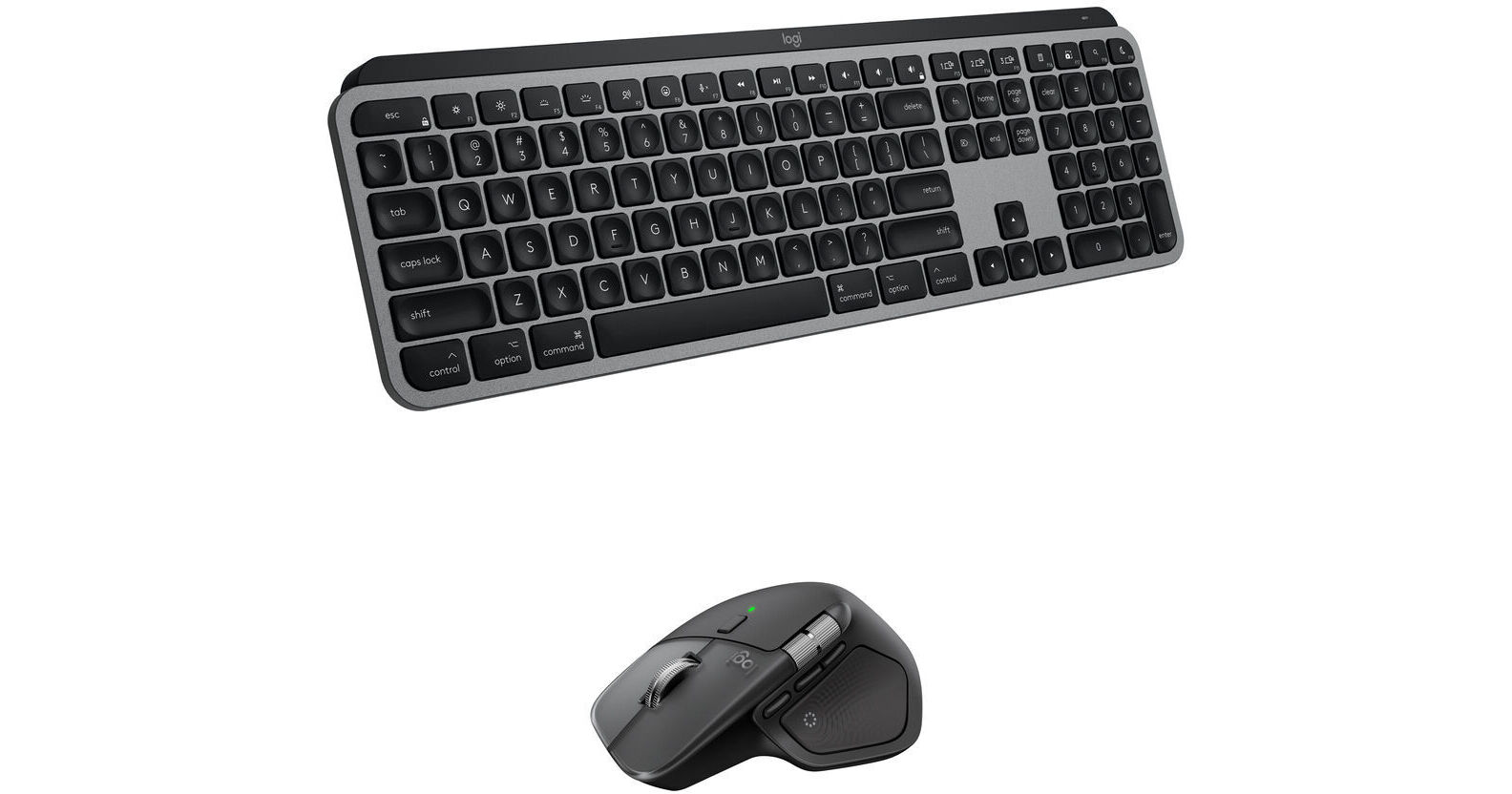
Key Features
- Bluetooth & Logi Bolt Connectivity
- Spherically Dished Keys
- Smart Illumination
- 8000 dpi Darkfield Sensor
Streamline your productivity with the space gray Logitech MX Keys S Wireless Keyboard & MX Master 4 Wireless Mouse Combo Kit from B&H. Comprised of an MX Keys S wireless keyboard and MX Master 4 wireless mouse, this kit is designed to provide high precision while optimizing your comfort as you create content.
More DetailsIn Stock
Protect Your Gear
Add a protection plan from $53.99
See Options
See any errors on this page?
Can the Logi Bolt receiver be connected thru a ...
Can the Logi Bolt receiver be connected thru a USB-C to USB-A hub? Will this cause increased latency or dropouts?
The Logitech Logi Bolt USB Receiver (BH #LOBLTRCVMXKM), included in the Logitech MX Keys S Wireless Keyboard & Mouse Combo Kit (Black), can be connected to a hub, but for the best operational experience we recommend connecting directly to your computer's USB input.
Date published: 2025-01-08
Can this be USB wired to a Mac instead of using ...
Can this be USB wired to a Mac instead of using Bluetooth or Logi Bolt receiver?
Yes, the Logitech MX Keys S Wireless Keyboard for Mac (Space Gray) can be used with a Mac computer viaUSB-C connection.
Date published: 2025-10-16
If a hub doesn't work well, can the Logi Bolt ...
If a hub doesn't work well, can the Logi Bolt receiver be used reliably with a laptop that has only 1 USB-C port for I/O?
The Logitech Logi Bolt USB Receiver (BH #LOBLTRCVMXKM), which is included in the Logitech MX Keys S Wireless Keyboard & Mouse Combo Kit (Black), uses a USB-A connection, so it will not be able to plug directly into a USB-C port. You could use a USB adapter like the Pearstone USB 3.2 Gen 1 Type-A Female to USB Type-C Male Adapter (BH #PEAAFCM) to adapt the Logi Bolt to your computer's USB-C input.
Date published: 2025-01-05
Is the bottom/left, second key in horizontally, ...
Is the bottom/left, second key in horizontally, the same as the Windows key?
The Windows key on the Logitech MX Keys S Wireless Keyboard (Black), B&H # LOMXKSB, is labeled as "Start / Option." When using it with a Mac, it would work as the option key; when working with a PC, it would function as the Windows key.
Date published: 2025-10-23
Can the MX keys S keyboard and the MX Master 3s ...
Can the MX keys S keyboard and the MX Master 3s mouse connect to a single Logi bolt receiver plugged into one laptop port?
Yes, you can connect both the Logitech MX Keys S Wireless Keyboard (Black) and an MX Master 3S to the computer via the same Logi Bolt USB receiver.
Date published: 2024-03-28
Can this be connected with and powered by a USB ...
Can this be connected with and powered by a USB cable?
Note: the answer from the Logitech rep that mentions connecting "via Bluetooth or the INCLUDED Logi Bolt USB receiver only applies to the keyboard/mouse kits. This item does not include the Logi Bolt USB receiver when purchased as keyboard only. The box states "Compatible with Logi Bolt USB receiver (not included)".
Date published: 2025-02-07
Hi, is it compatible with any mice in the ...
Hi, is it compatible with any mice in the logictech M series?
The Logitech MX Keys S Wireless Keyboard would connect to your computer independently of other peripherals, so there would not be any compatibility problems with a mouse. If you have a Logitech mouse which supports the Logi Bolt receiver, then both devices could use the same USB receiver. Otherwise, there would normally be no interaction between your keyboard and mouse.
Date published: 2024-03-07