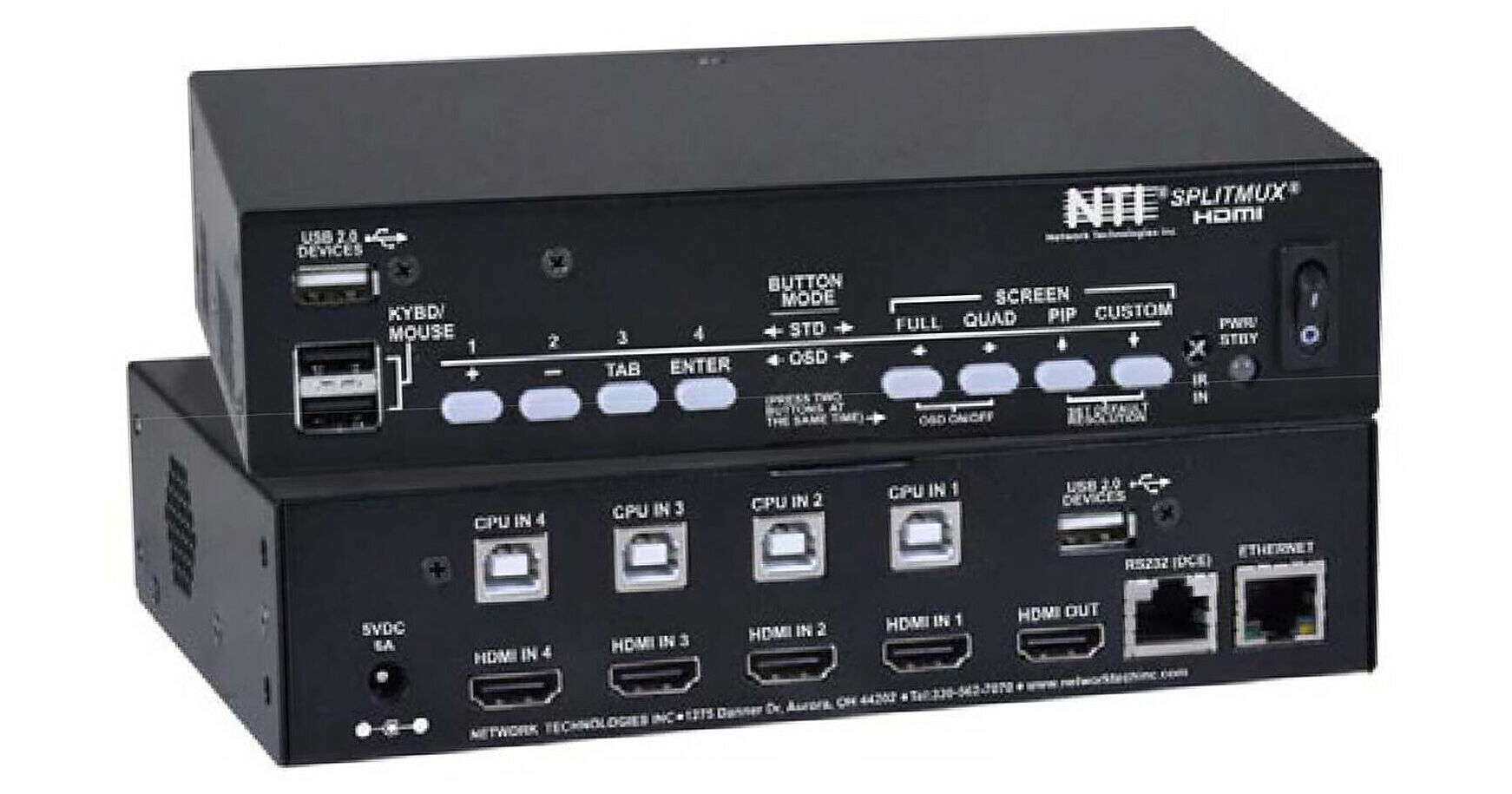
The SPLITMUX HDMI Quad-Screen Multiviewer with Built-In KVM Switch from Network Technologies is a real-time 2K video multiviewer encased in a sturdy desktop enclosure. The HDCP 1.2-compliant device can display up to four different HDMI/DVI sources on a single monitor, allowing users to arrange and position any of the four quadrants in any desired order. It supports quad, PiP (Picture in Picture), full-screen, and custom modes.
Additional Details
- Quad, Picture-in-Picture, Full Screen, and Custom display modes
- The size, position, and selection of any or all windows are customizable
- Two- and three-source viewing is possible
- Maintain input aspect ratio without stretching
- Layer display windows and adjust the transparency of each video source display
- Switch one of the four attached computers to a shared USB keyboard and mouse for operation
- Supports 2048 x 1080, HDTV resolutions to 1080p, and computer resolutions to 1920 x 1200
- Independent video in to video out resolution
- Four-channel non-mixing or one-channel mixing stereo with 16/20/24-bit uncompressed PCM audio
- Bandwidth up to 165 MHz
- Fluid, real-time video performance with up to 60 fps in all four quadrants
- Zoom, pan, and crop the image from any source to focus on key areas
- Switch audio independently of video from connected HDMI sources
- Multiple audio sources can be simultaneously active in any display mode or preset layout
- Adjustable audio gain with VU level indicators for each input channel
- A customized text label can be added for each video window to provide easy input identification (UMD)
- Control via Ethernet, RS-232, keyboard commands, on-screen display (OSD), front panel buttons, or IR remote
- Built-in two-port USB hub to allow switching devices between connected computers
- Compliant with USB 2.0 (high-speed and low/full-speed) standards
- Cascade multiviewers to display video from any number of video sources on one screen
- Backup and restore multiviewer configurations
- Supported output resolutions can be selected or set to auto-detect optimal resolution from the monitor's EDID