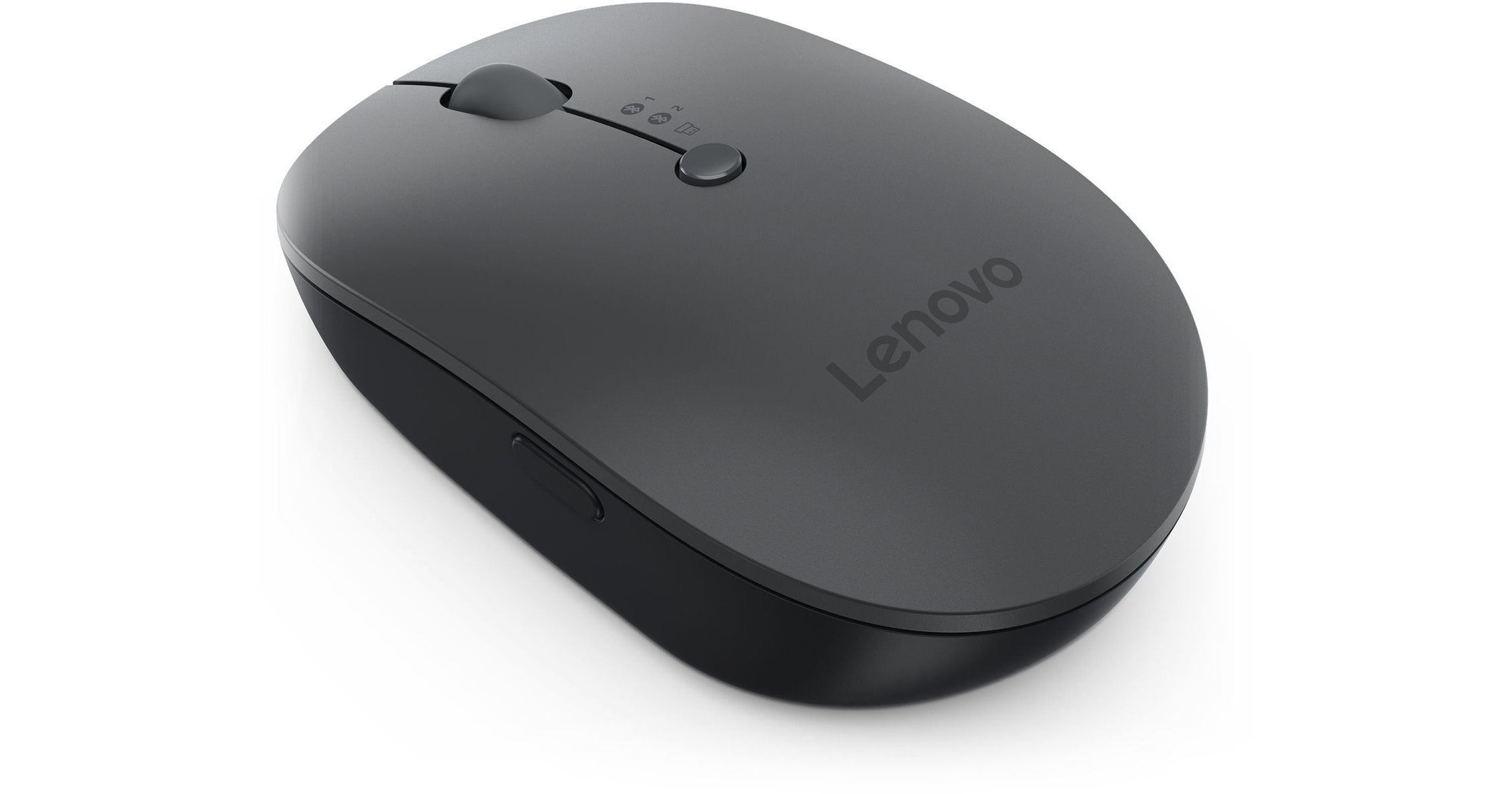
Control multiple devices at once with the Multi-Device Wireless Mouse X9 Edition from Lenovo. Sporting a sleek, compact, and ambidextrous design, the Multi-Device Wireless Mouse is built to suit all of your everyday needs. It has a 2400 dpi blue optical sensor that is able to track on most surfaces, and up to three devices can be connected to it at once via the 2.4 GHz wireless or two separate Bluetooth 5.0 connections. On the side of the mouse you'll find the Lenovo "AI Now" button which, when paired with a compatible Lenovo device, brings up their AI companion which can be utilized as a Knowledge Assistant or PC Assistant. If you don't want to utilize that function, the button can be reprogrammed however you'd like using the Lenovo Accessories and Display Manager (LADM). You can charge the mouse wirelessly via any Qi compatible charger or use the USB-C port on the mouse.
Ask Our Experts800-606-6969
Hello, Log InAccount & Orders
Key Features
- 2.4 GHz Wireless | Bluetooth 5.0
- Up to 2400 dpi Blue Optical Sensor
- Programmable "AI Now" Button
- Charges Wirelessly with Qi Compatibility
Control multiple devices at once with the Multi-Device Wireless Mouse X9 Edition from Lenovo. Sporting a sleek, compact, and ambidextrous design, the Multi-Device Wireless Mouse is built to suit all of your everyday needs. It has a 2400 dpi blue optical sensor that is able to track on most surfaces, and up to three devices can be connected to it at once via the 2.4 GHz wireless or two separate Bluetooth 5.0 connections. On the side of the mouse you'll find the Lenovo "AI Now" button which, when paired with a compatible Lenovo device, brings up their AI companion which can be utilized as a Knowledge Assistant or PC Assistant. If you don't want to utilize that function, the button can be reprogrammed however you'd like using the Lenovo Accessories and Display Manager (LADM). You can charge the mouse wirelessly via any Qi compatible charger or use the USB-C port on the mouse.
More DetailsIn Stock
Protect Your Gear
Add a protection plan from $5.99
See Options
Lenovo 4Y51R29290 Overview
UPC: 195892110958
Lenovo 4Y51R29290 Specs
Key Specs
| Sensor Type | |
| Number of Buttons | |
| Mouse Hand Orientation | |
| Battery |
Mouse
| Sensor Type | |
| dpi | |
| Scroll Type | |
| Number of Buttons | |
| Mouse Hand Orientation | |
| LED Indicator |
Keyboard
| LED Illumination |
Connectivity
| Connection | |
| Full-Functionality OS Support |
Battery
| Battery | |
| Maximum Battery Life |
General
| Operating Conditions | |
| Color | |
| Dimensions | |
| Weight |
Packaging Info
| Package Weight | |
| Box Dimensions (LxWxH) |
Lenovo 4Y51R29290 Reviews
Multi-device support for the win!
By William
Rated 5 out of 5
Date: 2026-02-02
Everyone and their dog makes a mouse- Logitech, Razor, etc etc. What sets this Lenovo Bluetooth wireless mouse apart is the multi-device support. If you hop between multiple laptops - there are 2 bluetooth profiles built in- so it is super easy to switch devices and keep the same mouse.
Excellent Mouse!
By Chris Schaefer
Rated 5 out of 5
Date: 2025-11-11
[This review was collected as part of a promotion.] I love this wireless mouse. It has not skipped a beat since I have been using it. Works perfectly and I’d say it’s the best mouse I’ve ever had.
See any errors on this page?
What battery is required for the mouse, AAA or ...
What battery is required for the mouse, AAA or AA?
This Lenovo Multi-Device Wireless Mouse X9 Edition actually doesn't use AA or AAA batteries. There is a rechargeable Lithium-Ion battery built into the mouse, allowing for lighter weight and longer life than AA or AAA can provide.
Date published: 2026-02-03