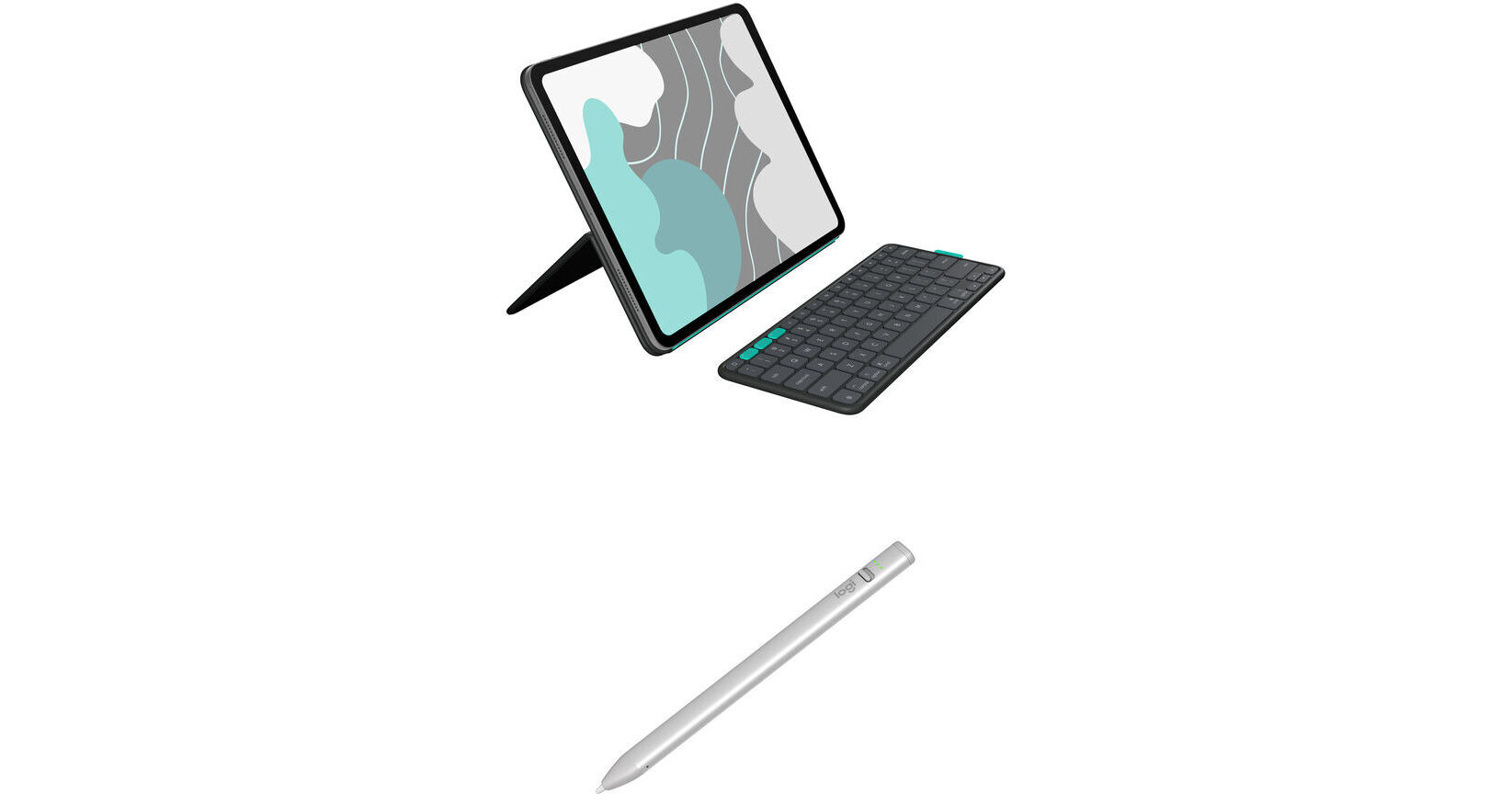
Logitech Flip Folio for 13" iPad Air or Pro and Crayon Digital Pencil Bundle

BH #LO13FFIPAPDP (B&H Kit)
Print
Logitech Flip Folio for 13" iPad Air or Pro and Crayon Digital Pencil Bundle
Key Features
  • Case for 13" iPad Air or iPad Pro
  • Case with Stowable Keyboard
  • Front and Rear Protection
  • Adjustable Viewing Angles
The Logitech Flip Folio for 13" iPad Air or Pro and Crayon Digital Pencil Bundle from B&H features a protective case, a stowaway keyboard, and a stylus, offering portable and versatile flexibility for typing, sketching, note taking, and more.
More Details
In Stock
No Store Display
Free 2-Day Shipping
Protect Your Gear
Add a protection plan from $13.99
Ask an Expert
800-606-6969
Kit Contains:

From Manufacturer

The Logitech Flip Folio for 13" iPad Air or Pro and Crayon Digital Pencil Bundle from B&H features a protective case, a stowaway keyboard, and a stylus, offering portable and versatile flexibility for typing, sketching, note taking, and more.

Logitech Flip Folio for 13" iPad Air/Pro (Graphite)

The Flip Folio from Logitech is a protective case for your 13" iPad Air or iPad Pro. It provides front and rear protection and has a stowable keyboard. Adjustable viewing angles with portrait and landscape modes offer versatility for typing, streaming, and more. Add your iPhone and other devices for even more options.

Compatible Models
  • 13" iPad Pro (M4 and M5)
  • 13" iPad Air (M2 & M3)
UPC: 097855205230
Logitech Crayon Digital Pencil for iPads with USB-C Port (Silver)

Enjoy pixel-perfect precision while sketching and making handwritten notes on your USB-C compatible iPad with the silver Logitech Crayon Digital Pencil. Designed to work with all 2018 or later iPad, iPad Pro, iPad Air, and iPad mini models, this durable aluminum stylus uses Apple Pencil technology to do everything from making detailed illustrations to writing lists with natural fluidity and imperceptible lag. The internal lithium-ion battery delivers up to seven hours of writing time and a two-minute charge using a USB-C cable provides about 30 minutes of use. Simply slide the switch to turn the Logitech Crayon on and get to writing. No Bluetooth pairing is required.

Apple Pencil Technology
Simply turn the Logitech Crayon on and start drawing. Apple Pencil technology delivers exceptional precision with imperceptible lag. No Bluetooth pairing needed.
Draw Perfect Lines
Need a thicker or thinner line? Just tilt. Logitech Crayon has a smart tip that dynamically adjusts line weight as you write, just like with a regular pencil.
Battery Life That Lasts
The Logitech Crayon is designed to provide up to 7 hours of writing with a single charge and shuts off automatically after 30 minutes idle time to save battery power. A quick two-minute recharge provides 30 minutes of writing time.
Green Means Go
Integrated battery indicator lights tell you when your power is running low.
Shaped to Stay Put
The unique design of the Logitech Crayon isn't just for show. It's built for durability. The flat shape stays exactly where you leave it and prevents it from rolling off desks or getting lost underneath shelves.
Solid Construction
The Logitech Crayon is built to last with a unibody design and no small, detachable pieces to lose.
High Durability
Drop the Logitech Crayon, knock it around, or toss in a bag. With four-foot drop protection, the Crayon can hold up to the busiest of lifestyles and clumsiest of kids (or adults).
UPC: 097855180742
Kit Contains:

Logitech Flip Folio for 13" iPad Air/Pro (Graphite)

Color
Black
Tablet Compatibility
13" Apple iPad Air
13" Apple iPad Pro
Type of Closure
Folding
Features
Security Lock
No
General
Dimensions
Exterior
12.42 x 9.13 x 1.1" / 31.55 x 23.19 x 2.8 cm
Weight
2.17 lb / 0.98 kg
Packaging Info
Package Weight
2.23 lb
Box Dimensions (LxWxH)
12.3 x 9.5 x 1.2"

Logitech Flip Folio Reviews

Aggravating Disappointment

By Marie
Rated 2 out of 5
Date: 2025-09-09

I have previously owned two 12.9 iPad Pros. I started out with Apple's Magic Keyboard, but found that I frequently inadvertently rested my hand on the Touchpad. I preferred Apple's keyboard without the Touchpad. Unfortunately, my old no-touchpad keyboard does NOT work with my new 13 iPad Pro. Apple only offers keyboards with touchpads. Logitech offered the Flip Folio detached keyboard with no touchpad, so I gave it a try. The keyboard does not stay attached to the closed case when I stick it in my tote/briefcase slot. It was a nightmare to use on the plane recently. The Flip Folio does not offer a lot of options on angle. To fit it and the detached keyboard on the seat's fold-out tray was dicey. I could NOT type on my lap. If I grab my iPad to change locations, I now have to remember to also grab the keyboard. AND getting the keyboard paired with the iPad was frustrating. A YouTube video finally clarified that I needed to hit return after entering the pairing number.

See any errors on this page?
Whatever You Need, We've Got It