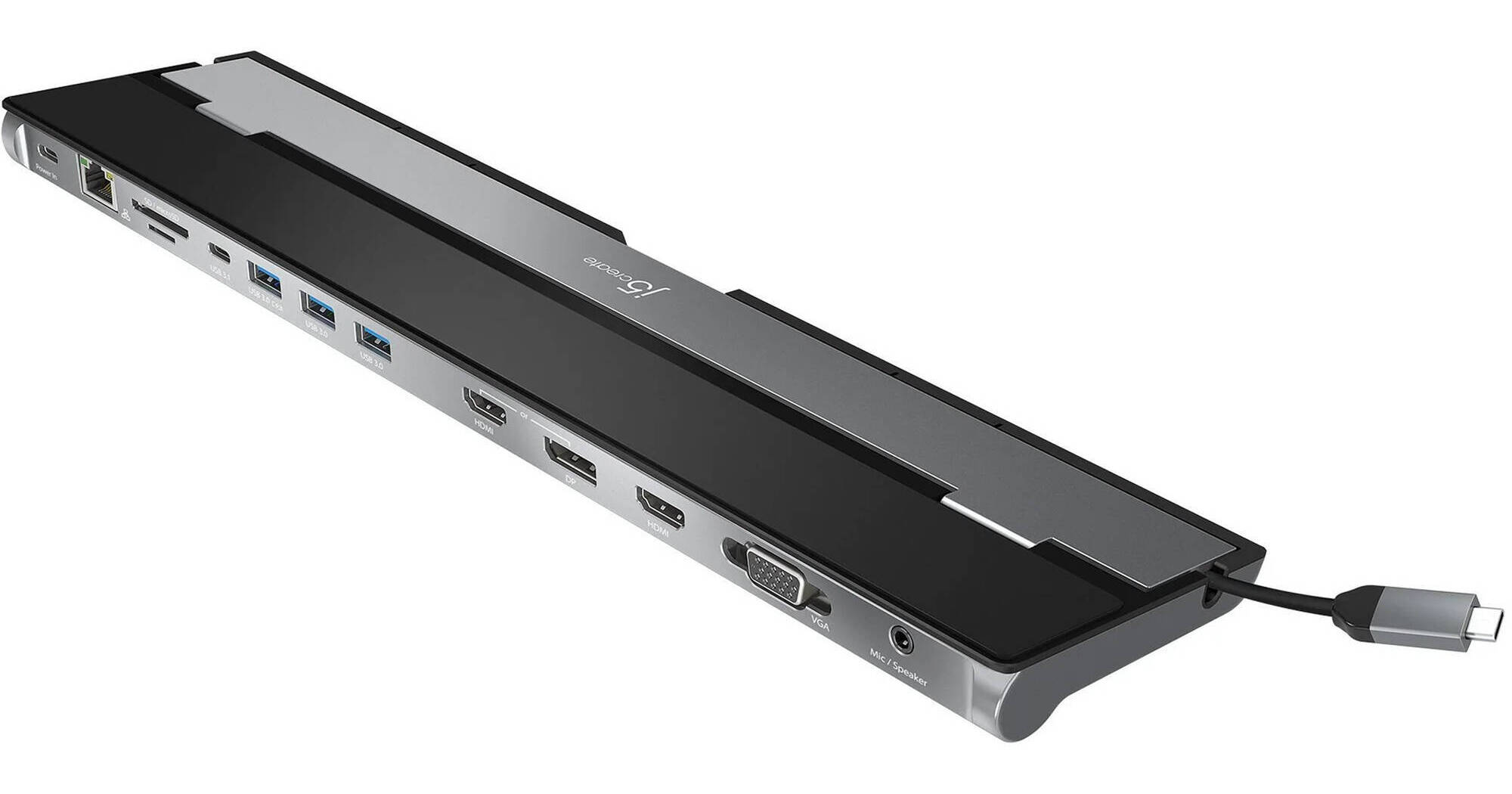
Keep your workspace organized and output to up to three monitors with the USB-C Triple-Display Docking Station with 100W Power Delivery from j5create. Turn your laptop into a full workstation with two HDMI outputs, a DisplayPort output, and a legacy VGA output, allowing for triple monitor configurations with resolution support for up to 4K (3840 x 2160) on two displays and FHD (1920 x 1080) on the other. Three USB-A 3.0 ports are available, with one of them having fast charging capabilities to quickly power devices such as smartphones or tablets. There is also a USB-C 3.2 Gen 1 port for 5 Gb/s data transfer as well as a USB-C power-in port with 100W passthrough charging to keep your connected laptop powered while using this dock. Transfer photos and videos using the SD/microSD card reader. Connect to a wired connection with the RJ45 GbE port and attach a headset with the 3.5mm TRRS combo audio port. The double-sided cable storage compartment allows you to place the cable on either side of the dock, giving further flexibility. This dock uses an advanced heat-eliminating design by enabling you to place your laptop on the slanted surface, offering both a laptop stand as well as a connectivity hub that efficiently prevents overheating. The JCD543P is compatible with both Windows and macOS devices.
Ask Our Experts800-606-6969
Hello, Log InAccount & Orders
Key Features
- 3 x USB-A 3.0 | 1 x USB-C 3.2 Gen 1
- 1 x USB-C 100W PD Passthrough
- 2 x HDMI | 1 x DisplayPort | 1 x VGA
- Up to 4K 3840 x 2160 Resolution at 30 Hz
Keep your workspace organized and output to up to three monitors with the USB-C Triple-Display Docking Station with 100W Power Delivery from j5create. Turn your laptop into a full workstation with two HDMI outputs, a DisplayPort output, and a legacy VGA output, allowing for triple monitor configurations with resolution support for up to 4K (3840 x 2160) on two displays and FHD (1920 x 1080) on the other. Three USB-A 3.0 ports are available, with one of them having fast charging capabilities to quickly power devices such as smartphones or tablets. There is also a USB-C 3.2 Gen 1 port for 5 Gb/s data transfer as well as a USB-C power-in port with 100W passthrough charging to keep your connected laptop powered while using this dock. Transfer photos and videos using the SD/microSD card reader. Connect to a wired connection with the RJ45 GbE port and attach a headset with the 3.5mm TRRS combo audio port. The double-sided cable storage compartment allows you to place the cable on either side of the dock, giving further flexibility. This dock uses an advanced heat-eliminating design by enabling you to place your laptop on the slanted surface, offering both a laptop stand as well as a connectivity hub that efficiently prevents overheating. The JCD543P is compatible with both Windows and macOS devices.
More DetailsIn Stock
Protect Your Gear
Add a protection plan from $23.00
See Options
j5create JCD543P Overview
UPC: 847626003394
j5create JCD543P Specs
Key Specs
| USB I/O | |
| Video I/O | |
| Max Resolution | |
| Audio I/O | |
| Network I/O | |
| Host Connection |
| USB I/O | |
| Video I/O | |
| Max Resolution | |
| Audio I/O | |
| Network I/O | |
| Media Card Reader | |
| Host Connection | |
| Power Source | |
| Wireless Charging | |
| OS Compatibility | |
| Operating Conditions | |
| Storage Conditions | |
| Enclosure Material | |
| Lock Slot | |
| Dimensions | |
| Weight |
Packaging Info
| Package Weight | |
| Box Dimensions (LxWxH) |
j5create JCD543P Reviews
See any errors on this page?