Video Chat with a Pro Audio Expert - Live

Native Instruments Maschine 3 Beat Making and Music Production Software (Upgrade from Maschine 2 Software)

BH #NAMASCHN3UPD • MFR #35609
Print
Native Instruments Maschine 3 Beat Making and Music Production Software (Upgrade from Maschine 2 Software)
Key Features
  • Stem Separation
  • Tempo per Scene
  • Redesigned Modulation Editor
  • Modulation in the Arranger
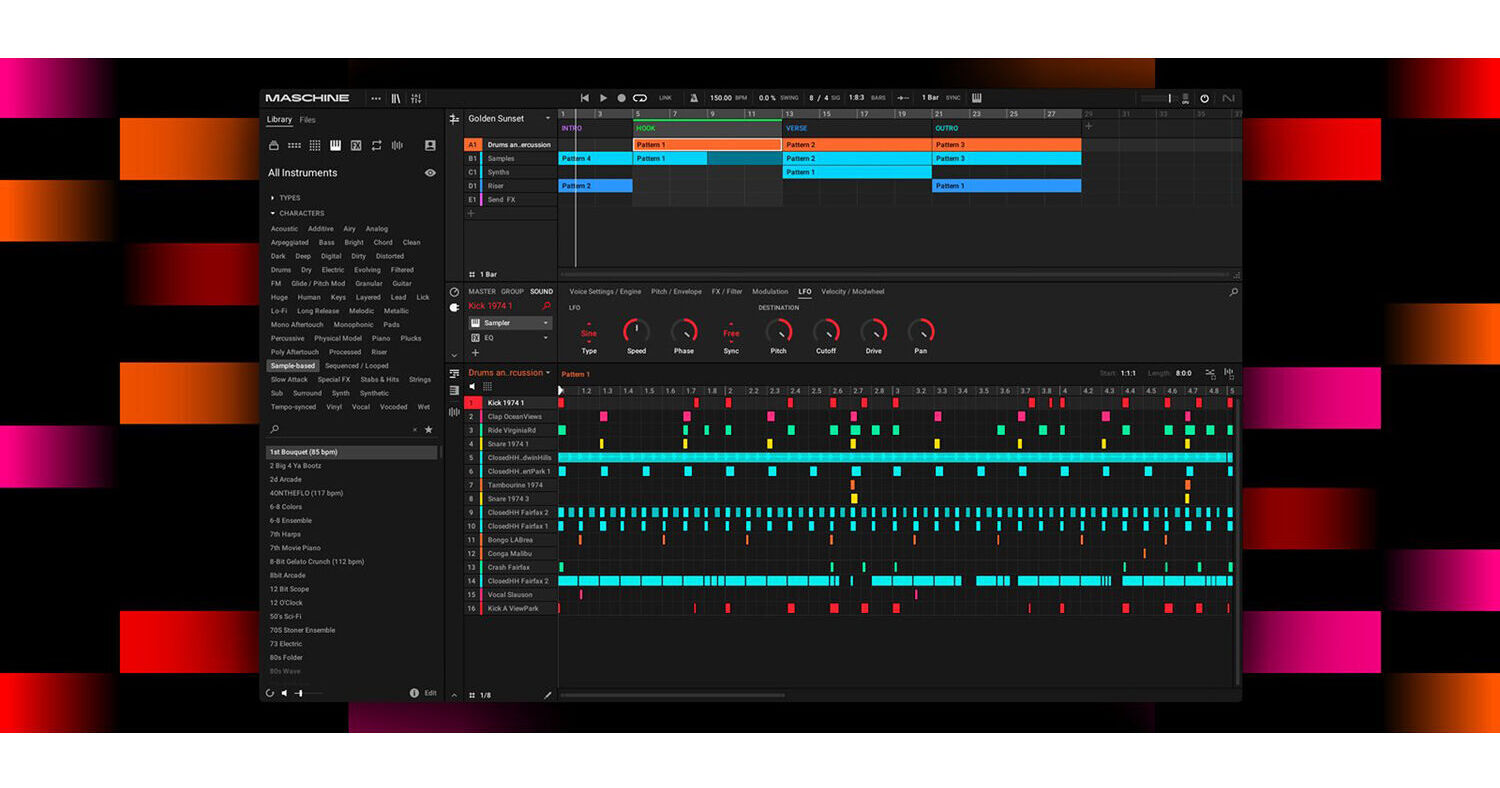
Get your musical ideas flowing with Native Instruments' Maschine 3, powerful beat making and music production software that allows you to lay down beats, sample, arrange, and perform with virtual instruments or your own sounds. The software can be used standalone or within a DAW.
More Details
Digital
Electronic Download
No Store Display
$55.30
$79.00
Save $23.70
This item cannot be returned.
Emailed within 7-14 Business Days
Ask an Expert
800-606-6969

Native Instruments Maschine 3 Overview

Get your musical ideas flowing with Native Instruments' Maschine 3, powerful beat making and music production software that allows you to lay down beats, sample, arrange, and perform with virtual instruments or your own sounds. The software can be used standalone or within a DAW.

Version 3 includes some added features including stem separation, tempo per scene, a redesigned modulation editor, and modulation capabilities within the arranger. You can also easily create, save, and tweak your own user chords and explore harmonic structures to tailor your sound to a specific genre. Maschine 3 also includes Play Series instruments to bring your productions to life.

Note: This upgrade is only available to owners of Maschine 2 software. You need a registered license for Maschine 2 to use this upgrade.

Stem Separation
Import any track and Maschine will identify bass, drums, vocals, and other elements at the click of the button. Stem separation opens up a whole world of sampling possibilities, all powered by iZotope's legendary RX technology.
Tempo per Scene
Set custom tempos per scene to shape the energy in your arrangement with ease. Perfect for complex sound design and dramatic flows.
Redesigned Modulation Editor
Make fluid edits with expressive control thanks to smoother visuals and powerful new creative tools. Draw curves, sketch modulation, and edit multiple points at once with DAW-level precision.
Modulation in the Arranger
Fine-tune your track's automation directly in the arranger view, using powerful new tools like curves, grid-snapping, drag-to-edit, marquee select, and updated shortcuts.
Play Series Instruments on Maschine+
  • Maschine 3 brings next-level standalone production to life—now with compatibility for a selection of Play Series instruments and effects on Maschine+.
  • Outstanding sound quality. Easy-to-use instruments. Each with their own distinctive sound and character, heaps of pro presets, and focused controls. A high-speed SD card is recommended for the best standalone experience.
Maschine Central
Get everything you need to make tracks in any genre. Maschine Central is a completely redefined library with presets from cult synths Massive, Monark, Prism, over 700 drums, and 144 multisampled Kontakt instruments. Buy it on its own or in the Maschine 3 bundle.
Even More Software Included
Bring your finished tracks to life with essential iZotope mastering software, included free. Get an updated Master Assistant that matches your favorite reference tracks, Assistive Vocal Balance so vocals don't get lost in your mix, and much more.
Smarter, Faster, and More Flexible
  • Maschine 3 was designed with feedback from the community in mind.
  • First, there’s Bounce In Place, which lets you render sounds, patterns, and ideas as audio, saving CPU power and opening up new creative possibilities.
  • Cut the conversions with MP3, MP4, FLAC, and OGG file support.
  • Control playback, view Maschine modules, and browse thousands of NKS-compatible plug-ins directly from the keys with Kontrol S-Series integration.

Native Instruments Maschine 3 Specs

License Type
Upgrade: Perpetual License

Native Instruments Maschine 3 Reviews

See any errors on this page?
Whatever You Need, We've Got It