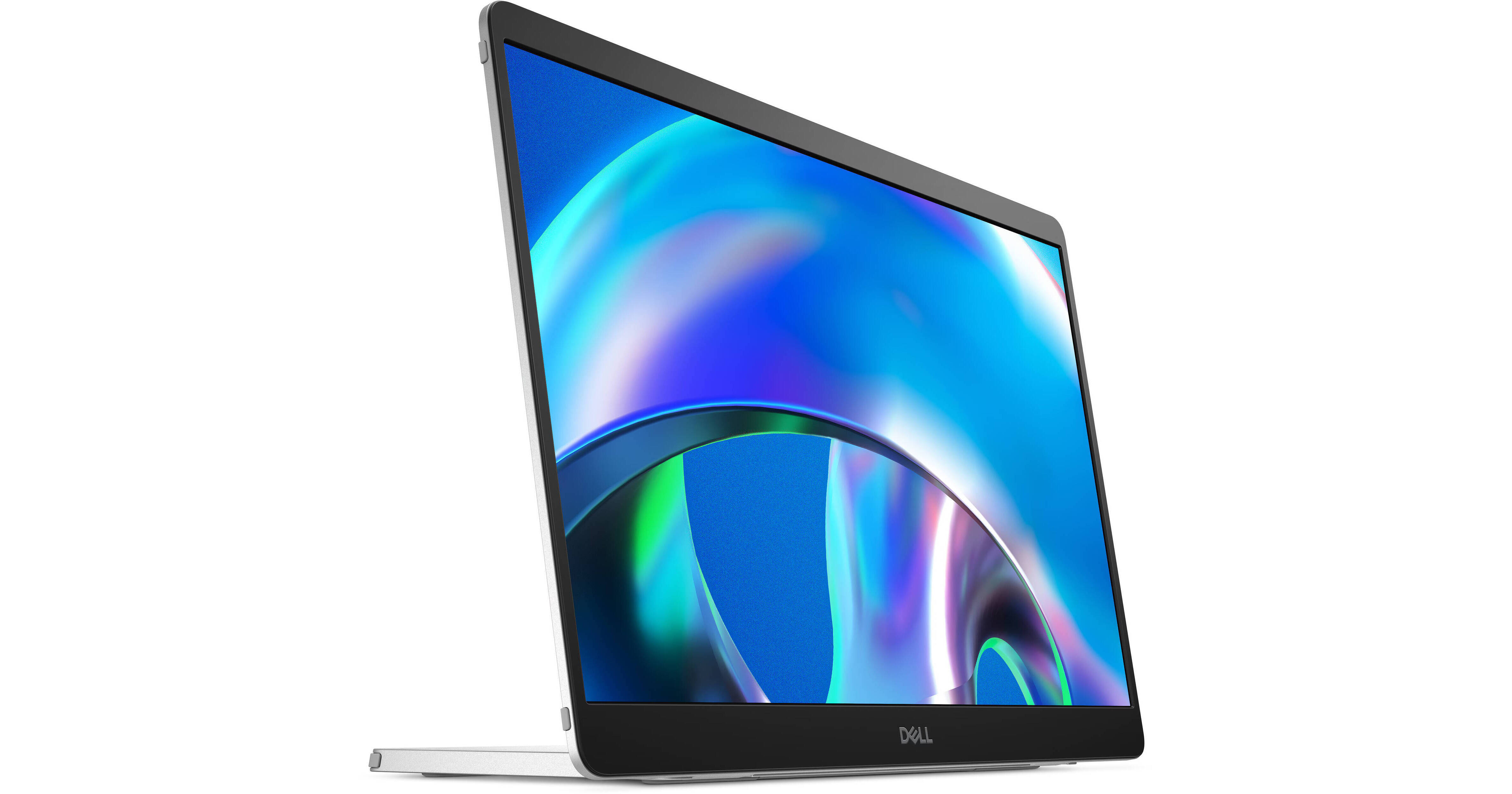
Expand your productivity while on the go with the Pro 14 Plus 14" Portable Monitor from Dell. Designed with a 14" In-Plane Switching (IPS) panel, it delivers images with a 1920 x 1200 resolution, a refresh rate of 60 Hz, 400 nits of brightness, a 1500:1 contrast ratio, support for 16.7 million colors, 100% sRGB gamut coverage, a 7 ms (GtG) response time, and viewing angles of 178°. Connectivity is established using dual USB-C ports, both of which support DisplayPort Alt mode and up to 65W of power, meaning that one port is used to power the display, while the other provides video and power to the device it's connected to. Also available is compatibility with 100 x 100mm VESA mounts, a stand that tilts from 10 to 90°, and the ability to use this display in landscape or portrait orientations with a built in sensor that automatically adjusts the image.
Ask Our Experts800-606-6969
Hello, Log InAccount & Orders
2
Pack
Key Features
- 14" 16:10 IPS Panel
- Dual USB-C Ports
- USB Ports Support DP Alt Mode and 65W PD
- 1920 x 1200 at 60 Hz
Expand your productivity while on the go with the Pro 14 Plus 14" Portable Monitor from Dell. Designed with a 14" In-Plane Switching (IPS) panel, it delivers images with a 1920 x 1200 resolution, a refresh rate of 60 Hz, 400 nits of brightness, a 1500:1 contrast ratio, support for 16.7 million colors, 100% sRGB gamut coverage, a 7 ms (GtG) response time, and viewing angles of 178°. Connectivity is established using dual USB-C ports, both of which support DisplayPort Alt mode and up to 65W of power, meaning that one port is used to power the display, while the other provides video and power to the device it's connected to. Also available is compatibility with 100 x 100mm VESA mounts, a stand that tilts from 10 to 90°, and the ability to use this display in landscape or portrait orientations with a built in sensor that automatically adjusts the image.
More DetailsIn Stock
$479.98
Save $200.00
+
Express Store Pickup
Protect Your Gear
Add a protection plan from $69.99
See Options
Dell P1425 Overview
Compact Convenience
Take dual-screen productivity everywhere with this ultrathin, ultralight portable monitor.
Adapts to Your Needs
Find your perfect setup with a continuous tilt stand that adjusts from 10 to 90°. This monitor is also compatible with 100 x 100mm VESA mounts.
Adjusts to Your Environment
Quick access buttons easily control brightness, ensuring optimal picture quality indoors and outdoors.
On-the-Go Protection
Keep your monitor safe with a sleeve that has a compartment for cable storage.
Choose Your View
Switch between landscape and portrait modes easily with a built in sensor and a smartly designed stand. Once you set it up, the screen will automatically adjust every time you change the orientation.
Consistent Visuals
Expand your view with a Full HD+ 16:10 panel. Get consistent, vibrant colors across wide viewing angles thanks to In-Plane Switching (IPS) technology.
Easy On the Eyes
Reduce potentially harmful blue light emissions without compromising color with ComfortView Plus, a built-in, always-on, low blue light screen.
More Vivid Colors
See more details with a wide color coverage—up to 16.7 million displayable colors with coverage for 100% of the sRGB color gamut. See deeper blacks and brighter whites with a 1500:1 contrast ratio.
Space-Saving Design
An L-shaped USB-C cable connector keeps your setup neat and sleek.
Power Pass-Through
Charge while you work with USB-C charging that delivers up to 65W of power.
Plug-and-Play Simplicity
Set up quickly and easily with a single USB-C cable for both video and power. Place your monitor to the left, right or behind your laptop thanks to convenient USB-C ports on each side.
Dell Display and Peripheral Manager
Experience Dell's singular, innovative application to optimize the performance of your entire Dell PC workspace.
Maximize Productivity
Easy Arrange tiles apps across screens with pre-set partitions and customizes up to five windows, enhancing multitasking. Easy Arrange Memory saves and restores app profiles manually, on schedule, or at start-up.
Customize Your Views
Work comfortably, day or night. Automate your brightness and contrast settings to match your schedule.
More Manageable
Save time and boost IT efficiency with the Dell Device Management Console to manage your Dell peripheral fleet at scale, from a single cloud-based console. Discover expanded Command Line Interface features from Dell Display and Peripheral Manager.
UPC: 884116492665
Dell P1425 Specs
Key Specs
| Display Size | |
| Panel Type | |
| Native Resolution | |
| Maximum Brightness | |
| HDR Support | |
| Finish | |
| Touchscreen | |
| USB I/O | |
| Built-In Speakers |
Display
| Size | |
| Panel Type | |
| Aspect Ratio | |
| Native Resolution | |
| Maximum Brightness | |
| HDR Support | |
| Contrast Ratio | |
| Response Time | |
| Refresh Rate | |
| Variable Refresh Technology | |
| Color Support | |
| Color Gamut | |
| Viewing Angle (H x V) | |
| Finish |
Surface
| Touchscreen |
Connectivity
| HDCP Support | |
| USB I/O | |
| Ethernet I/O |
Speaker
| Built-In Speakers |
Electrical
| Power Consumption | |
| Power Adapter Type |
General
| Operating Conditions | |
| Storage Conditions | |
| Certifications | |
| Adjustments | |
| Lock Slot |
Packaging Info
| Package Weight | |
| Box Dimensions (LxWxH) |
Dell P1425 Reviews
See any errors on this page?